
Workspace Access
Use Settings → Team to invite teammates and review who can access the selected company workspace. Roles control what a member can do inside that workspace, but they do not change which owner account pays for the workspace or whose pooled email allowance is used.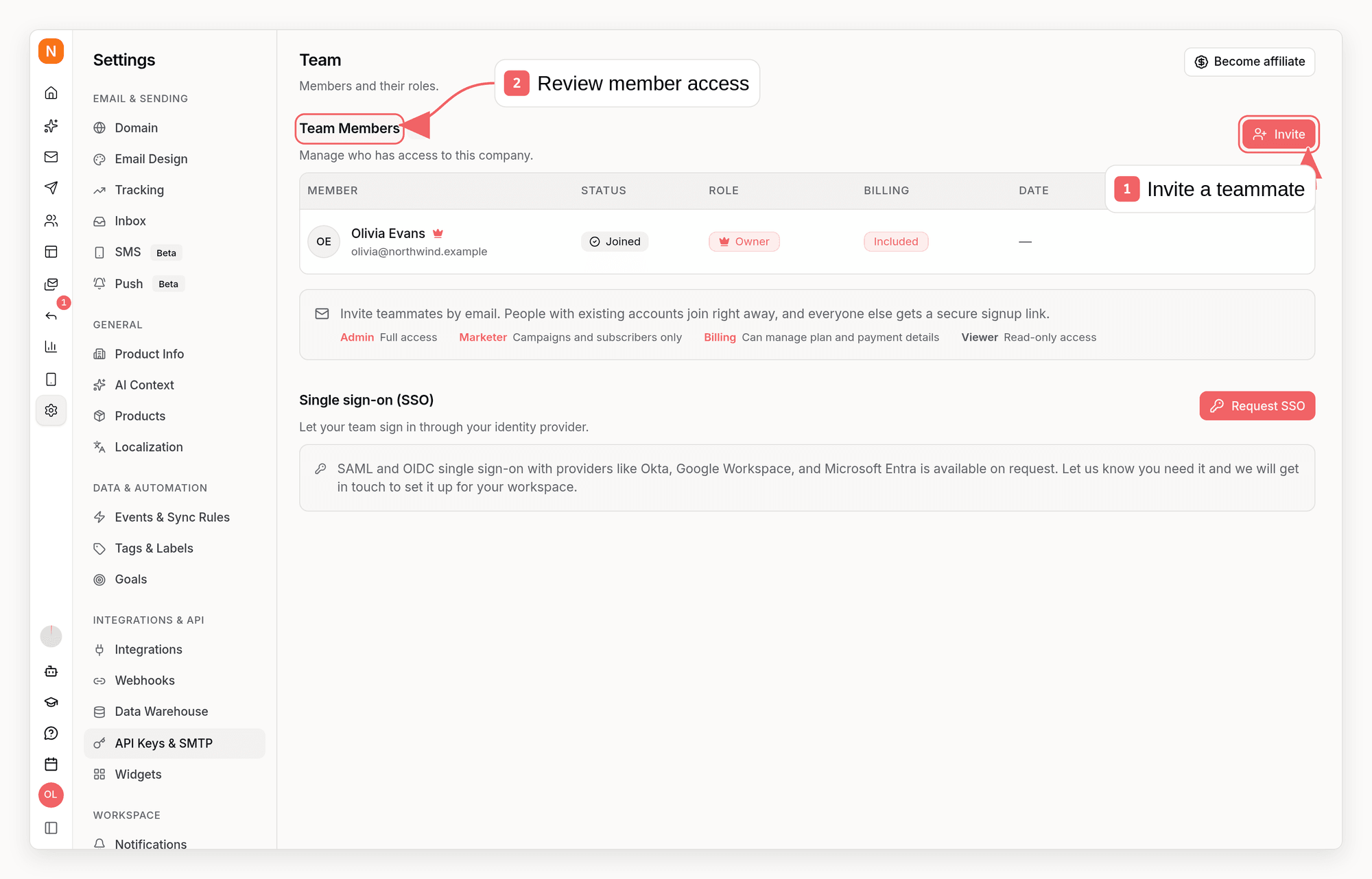
If you own two company workspaces, creating the second workspace does not
create a second core email plan. Both workspaces use your plan and the same
pooled email allowance.
What Is Shared?
The ownership boundary matters when your login can access workspaces owned by
different people. A company you only joined uses its owner’s plan and usage
pool. Sending from that company does not use the plan attached to companies you
personally own.
The owner-level monthly email allowance is an accounting and upgrade threshold,
not a separate hard gate for each workspace. Sequenzy continues recording usage
when the pooled allowance is exceeded. The hard operational protection is the
company-specific limit of 300,000 accepted emails in a rolling 24-hour window.
Workspace Identity and Compliance
Each company workspace keeps its own public identity: company details, logo, social links (including App Store and Google Play links to your mobile apps), and legal address. Keep these values current because Sequenzy uses them in branded surfaces and required email footer content. These settings stay with the selected company even when billing is shared with another workspace.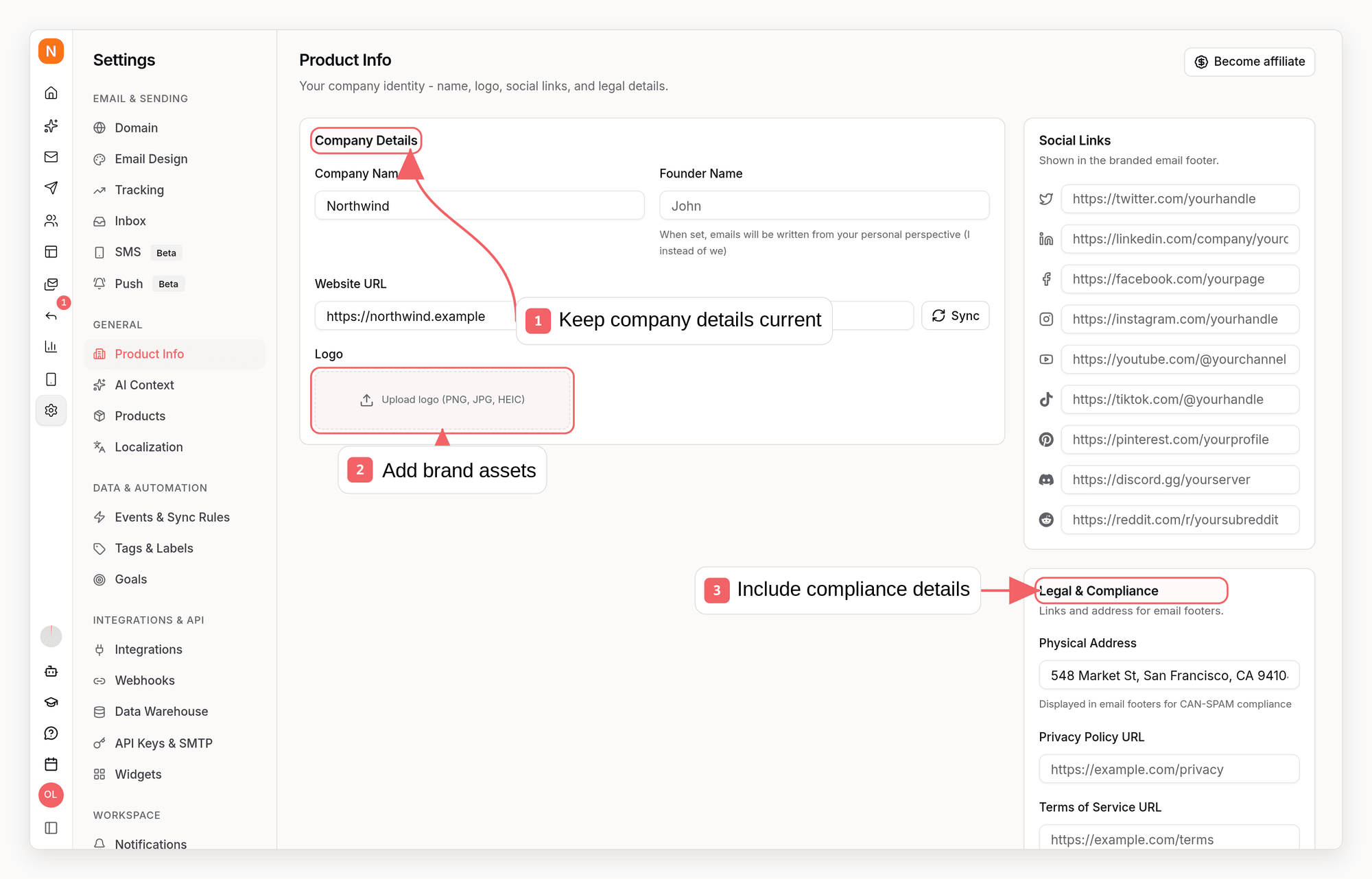
Invoices and Add-ons
The core email plan is attached to the owner’s billing account. Under normal Stripe billing, owned workspaces therefore share one core plan subscription and one core-plan invoice stream. A teammate with billing permission can manage that subscription, but the teammate does not become the billing owner. One login is not guaranteed to receive literally one invoice in every configuration:- A monthly SMS add-on can be billed as a separate subscription, while its credits remain scoped to one company.
- Shopify-billed plans and add-ons appear through Shopify rather than as a direct Stripe invoice from Sequenzy.
- Prorated upgrades or add-on changes can create an immediate billing document.
Usage Example
Suppose you own Company A and Company B under one login:- Your plan includes
Nemails for the current billing period, and you start withCone-time email credits. - Company A sends
Aemails and Company B sendsBemails. - Credits are consumed first, so your remaining combined allowance is
max(0, N + C - A - B). - A member who sends from Company B consumes the same owner-level pool.
Enforcement and Reputation
Most deliverability enforcement is intentionally company-specific:- Bounce and complaint thresholds use the selected company’s sending history.
- A sender-health pause stops that company, not the owner’s other companies.
- The daily safety cap is evaluated independently for each company.
- Subscriber unsubscribe state and complaint suppression remain inside the company.
- A serious abuse finding can produce an owner-account ban. That blocks sending for every company owned by that account and pauses verification work for those companies’ sending domains.
- Owner-level trust and safety status is shared across the owner’s companies and can affect safety review or recovery decisions.
- Permanent and undetermined recipient bounces are suppressed platform-wide so another company does not retry a destination already known to be invalid.
- The default
sequenzymail.comdomain and shared sending pools have reputation shared with other senders. A verified custom sending domain gives each brand a separate domain identity. - Dedicated IP inventory belongs to the billing owner. If the same dedicated IP is assigned to domains from more than one owned company, those domains share that IP’s reputation.
- Amazon SES maintains a regional account-level suppression list. An exact recipient on that provider list can be suppressed across companies using the same SES account and region, even though Sequenzy’s local suppression records are company-specific.
MCP and API Context
With an account API key or MCP connection,get_account lists every accessible
company and your role in each one. Use select_company in MCP, or send
x-company-id with an account API key, before reading or changing workspace
data. Selecting a company changes the workspace context; it does not create a
separate billing account or quota.