
What is Chargebee?
Chargebee is a subscription billing and revenue management platform. It handles plans, trials, invoicing, dunning, and payments across multiple gateways, and is widely used by SaaS and subscription businesses.Connecting Chargebee
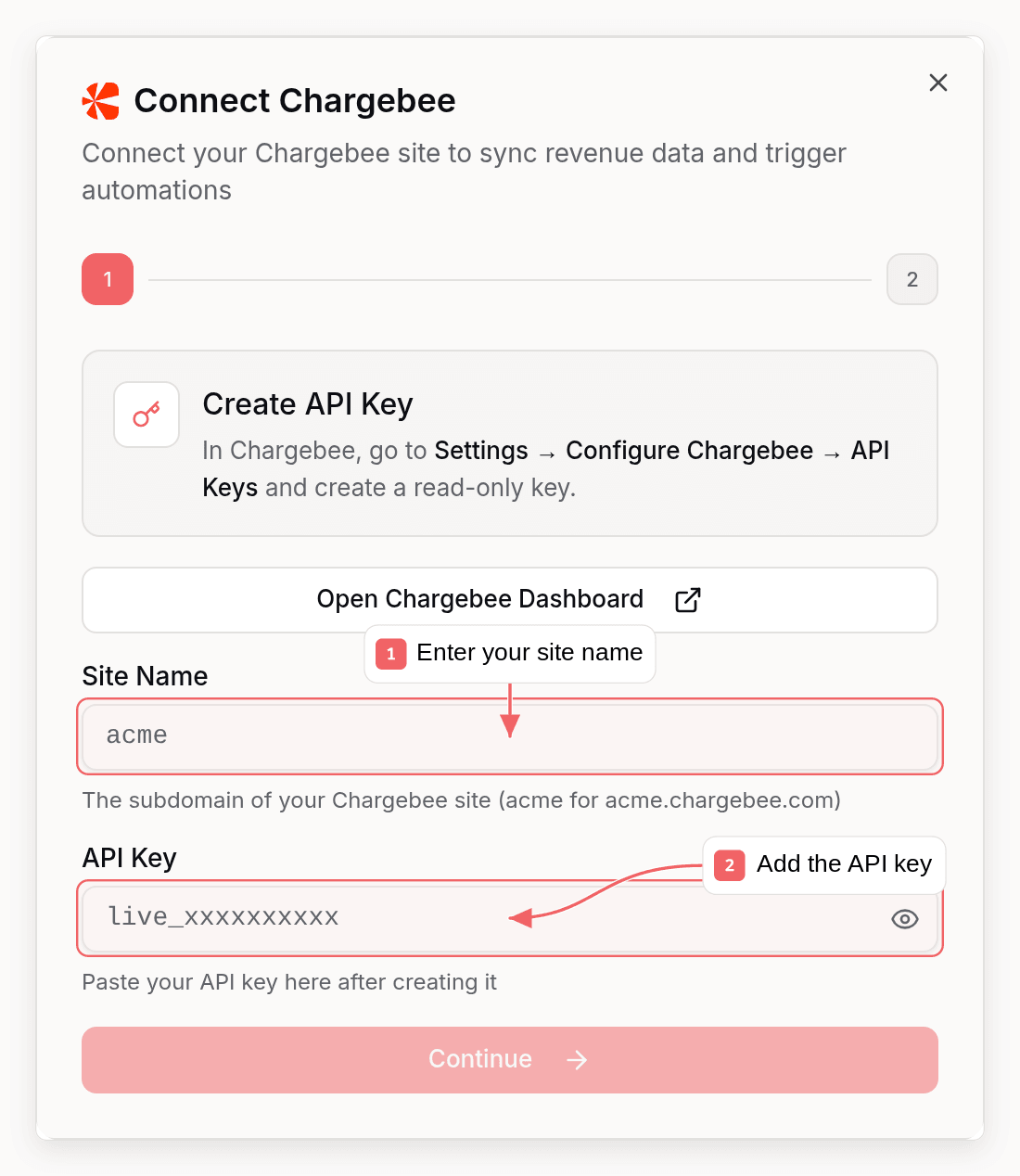
Chargebee requires an API key and webhook setup. Here’s how to connect:Step 1: Get Your Chargebee API Key
- Go to your Chargebee dashboard (
https://your-site.chargebee.com) - Navigate to Settings → Configure Chargebee → API Keys
- Create a key (a read-only key is sufficient) and copy it
Step 2: Find Your Site Name
Your site name is the subdomain of your Chargebee dashboard URL. If your dashboard lives atacme.chargebee.com, your site name is acme (test sites usually end in -test, e.g. acme-test).
Step 3: Set Up Webhooks in Chargebee
- In Chargebee, go to Settings → Configure Chargebee → Webhooks
- Click Add Webhook
- Enter your Sequenzy webhook URL:
You can find this URL in Sequenzy when connecting Chargebee - it’s automatically shown in the connection modal.
- Enable basic authentication on the webhook and choose a username and password
- Chargebee sends all events by default, so no per-event selection is needed. The events Sequenzy acts on include:
payment_succeededpayment_failedpayment_refundedsubscription_createdsubscription_activatedsubscription_cancellation_scheduledsubscription_cancelledsubscription_pausedsubscription_resumedsubscription_reactivatedsubscription_deletedsubscription_trial_end_reminder
- Save the webhook
Step 4: Connect in Sequenzy
- Go to Settings → Integrations in Sequenzy
- Click Connect next to Chargebee
- Enter your:
- Site Name (from Step 2)
- API Key (from Step 1)
- Webhook Username and Password (the same credentials from Step 3)
- Click Connect Chargebee
Initial Sync
When you connect (or click Sync Revenue later), Sequenzy imports your full Chargebee history:- Customers become subscribers, matched or created by email
- Subscriptions determine status tags and MRR
- Paid invoices are summed into each customer’s LTV
Synced Attributes
When connected, Sequenzy adds these attributes to each subscriber matched by email:MRR Calculation
MRR is normalized from any billing interval:- Monthly: Used as-is (divided by the billing period for multi-month plans)
- Yearly: Divided by 12
- Weekly: Multiplied by 52, then divided by 12
- Daily: Multiplied by 365, then divided by 12
active and in_trial subscriptions count toward MRR. Both Product Catalog 1.0 (plan_amount) and 2.0 (subscription_items) sites are supported, and non-USD currencies are converted automatically.
Automatic Tags
Sequenzy automatically applies tags to subscribers based on their Chargebee subscription status:
These tags update automatically whenever subscription status changes via webhooks.
Tracked Events
When you connect Chargebee, these events are automatically tracked for use in automations:Idempotency and Retries
Every Chargebee event has a unique ID. Sequenzy records processed event IDs per subscriber, so duplicate webhook deliveries and Chargebee’s automatic retries never double-count MRR or LTV. Failed event processing returns a success acknowledgment to avoid retry storms, and the periodic Sync Revenue action reconciles any missed events from the API.Using Revenue Data
Building Segments
With MRR and LTV synced as numeric attributes, you can create sophisticated segments: Revenue-based segments:mrr >= 100- High MRR customersltv > 1000- Lifetime high-value customersmrr >= 50 AND mrr < 200- Mid-tier customers
tag = churned AND ltv > 500- High-value churned customers (win-back targets)tag = cancelled AND mrr >= 100- At-risk high-value customers needing attentiontag = trial- Everyone currently trialing, for conversion campaigns
Automations
Trigger automations from Chargebee billing events:- Start an onboarding sequence on
saas.trial_started - Send conversion nudges on
saas.trial_will_end - Trigger dunning emails on
saas.payment_failed - Launch a win-back sequence when a subscriber gets the
churnedtag
How Matching Works
Subscribers are matched by email address (case-insensitive). A Chargebee customer with emailUser@Example.com will match a subscriber with email user@example.com.
If a Chargebee customer doesn’t have an email in the webhook or doesn’t match any subscriber, the event is acknowledged but no action is taken.
Troubleshooting
Webhooks Not Arriving
- Verify your webhook URL is correct in Chargebee settings
- Check Chargebee’s webhook logs (Settings → Configure Chargebee → Webhooks) for failed delivery attempts
- Ensure basic authentication is enabled on the webhook
Webhook Authentication Failing
If webhooks are rejected with authentication errors:- Verify the username and password in Chargebee match what you entered in Sequenzy exactly
- Reconnect the integration in Sequenzy to update the stored credentials
Sync Fails or Shows an Error
- Verify the API key is valid and hasn’t been revoked in Chargebee
- Confirm the site name matches your Chargebee subdomain (including
-testfor test sites) - Check the integration’s status in Settings → Integrations for the specific error message