
What is Creem?
Creem is an all-in-one payment platform that acts as a Merchant of Record. It handles global commerce complexity including payments, subscriptions, tax compliance (VAT, GST, sales tax), and regulatory requirements across 190+ countries, so you can focus on building your product.Connecting Creem
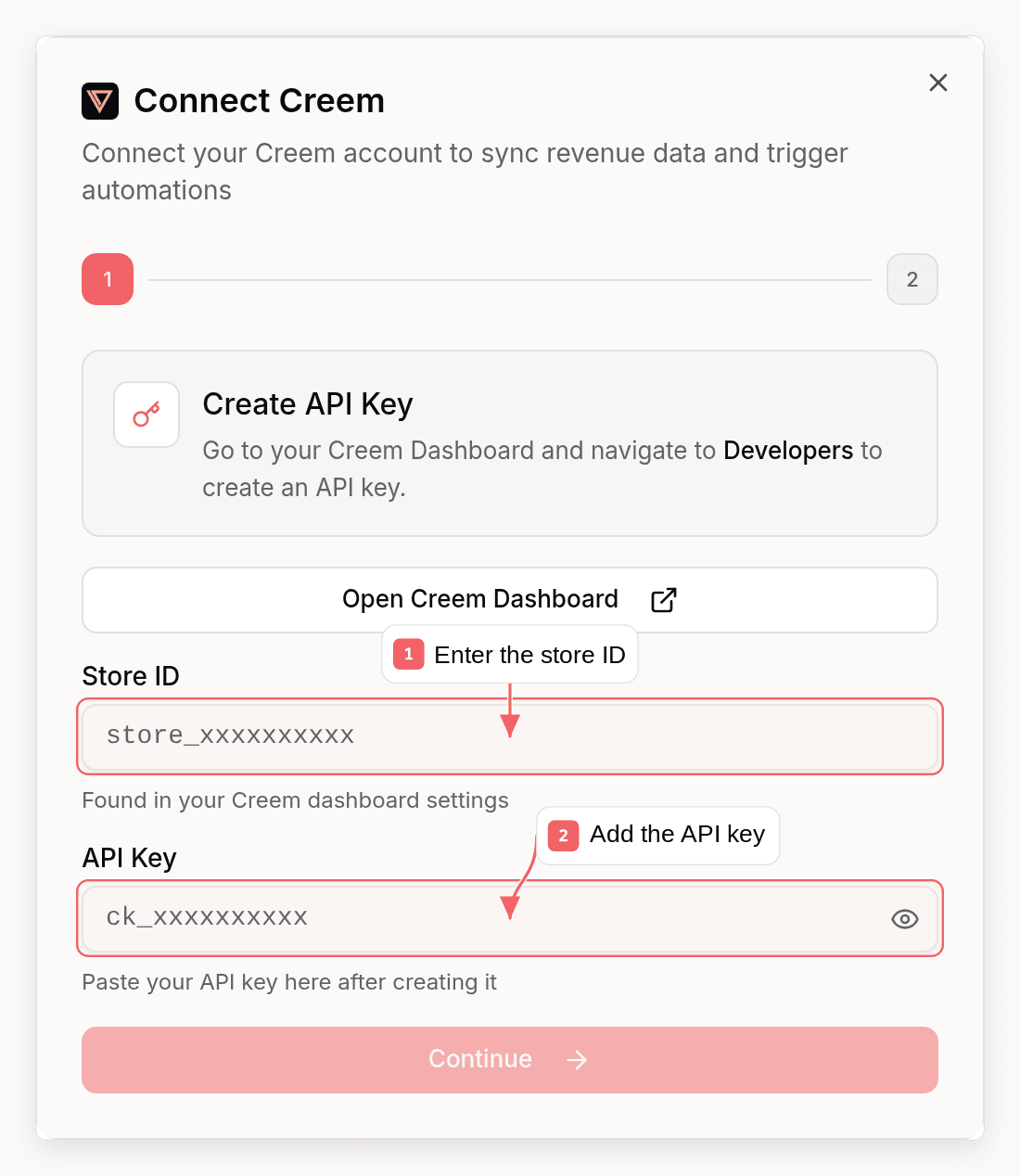
Creem requires manual API key and webhook setup. Here’s how to connect:Step 1: Get Your Creem API Key
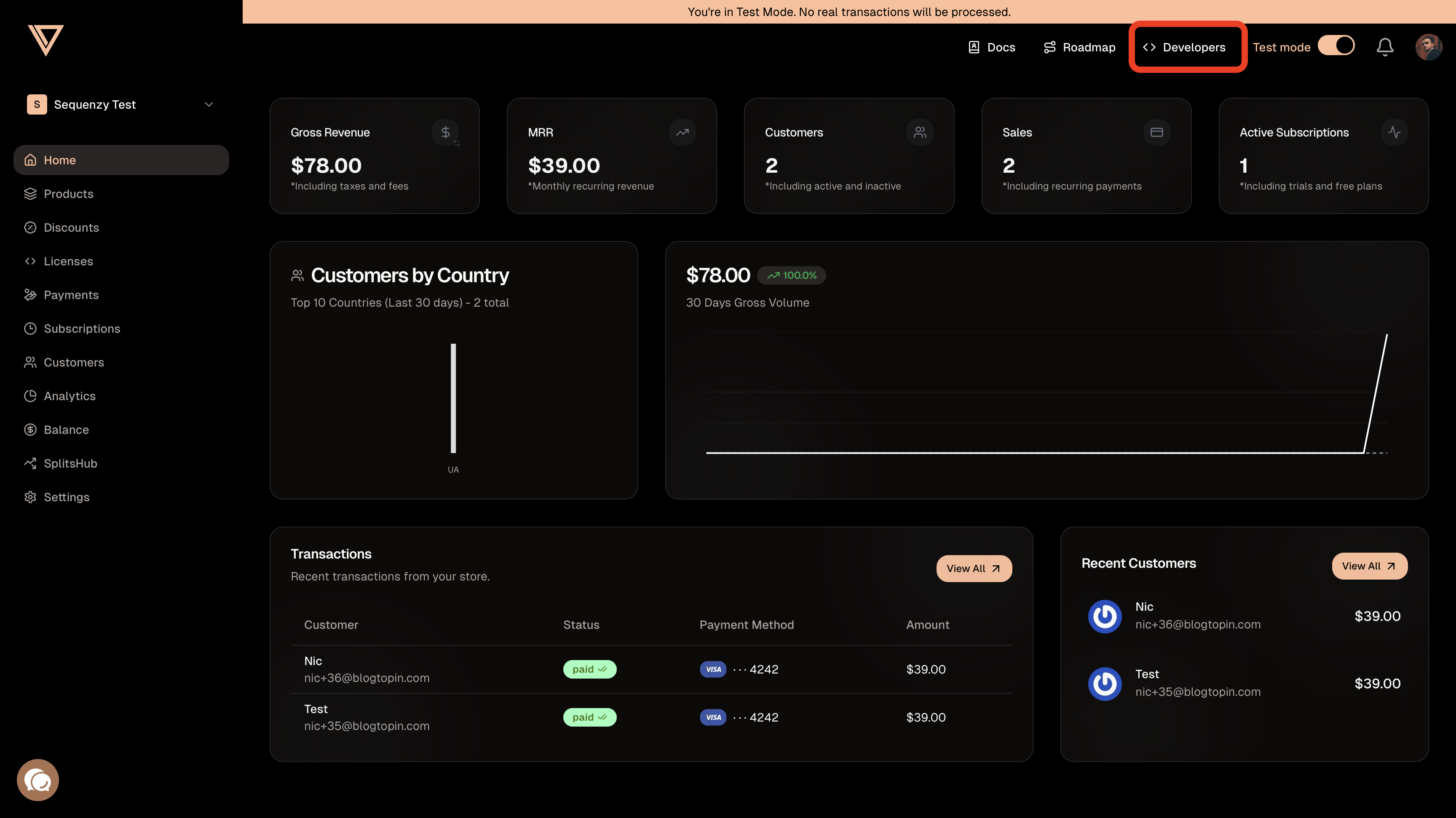
- Go to your Creem Dashboard
- Navigate to Developers
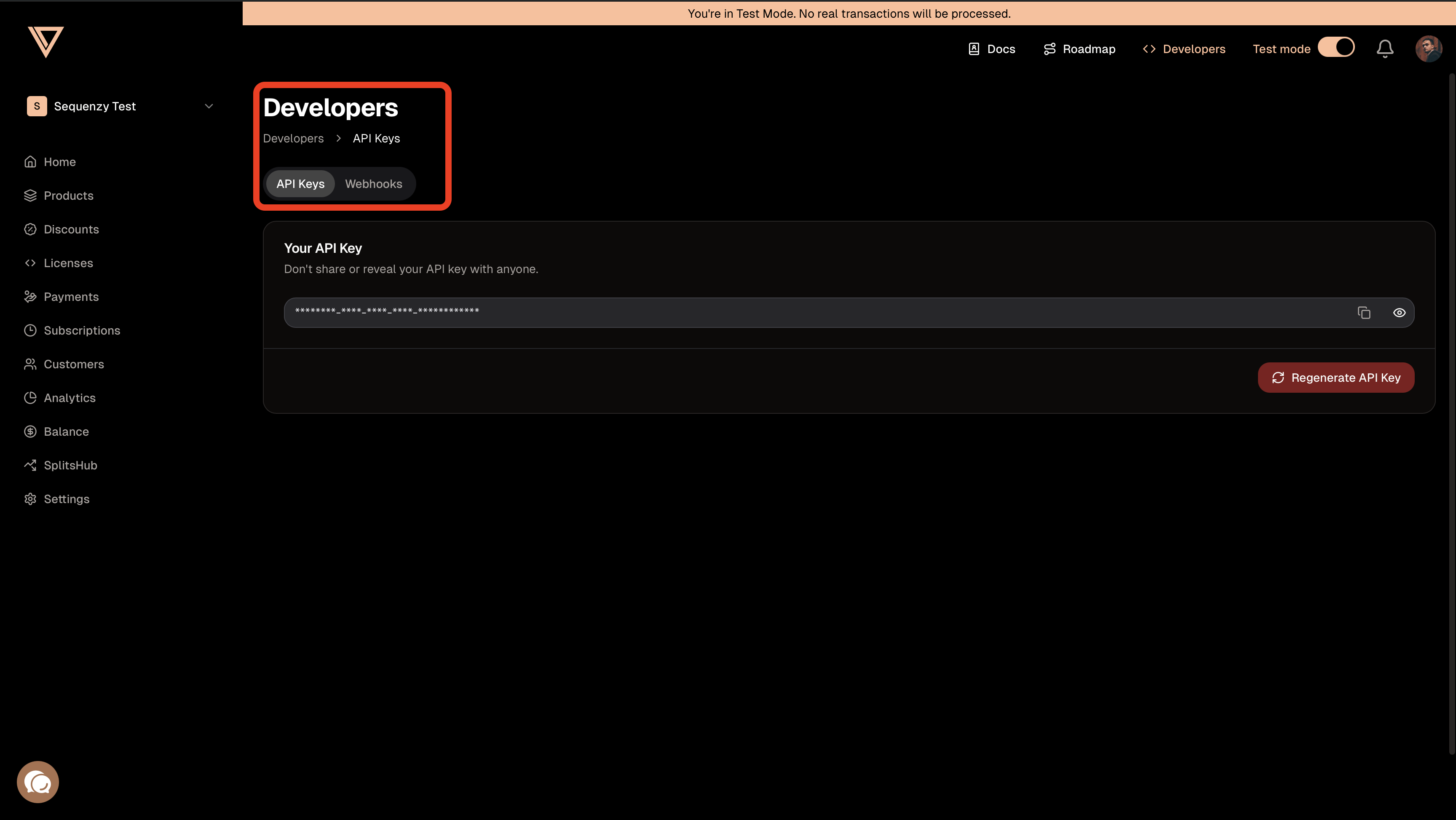
- Copy the API key (format:
ck_xxxxxxxxxx)
Step 2: Find Your Store ID
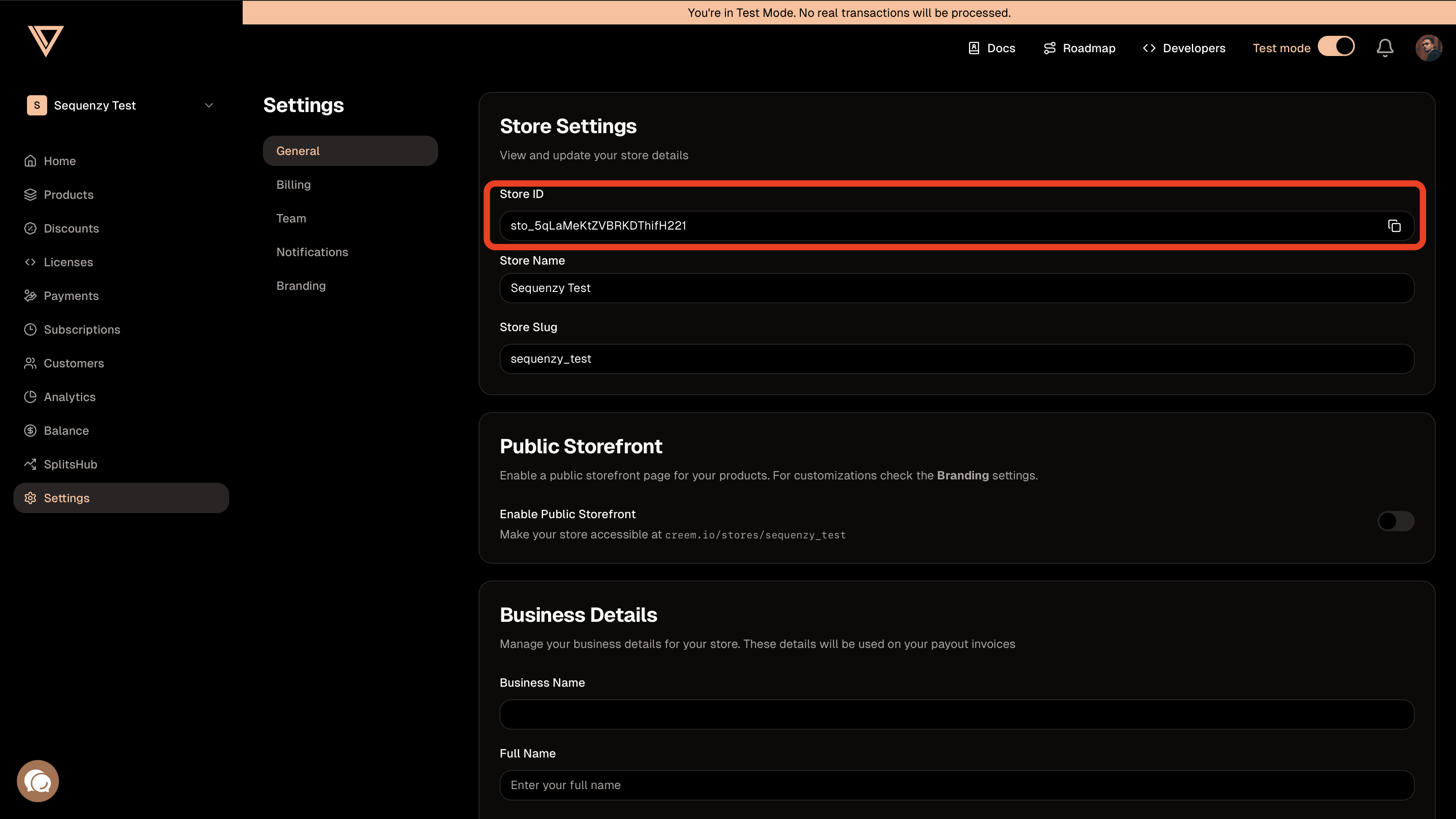
- In the Creem Dashboard, go to Settings
- Your Store ID is displayed in your account settings (format:
store_xxxxxxxxxx) - Copy this ID for later
Step 3: Set Up Webhooks in Creem
- In Creem, go to Developers → Webhooks
- Click Create Endpoint
- Enter your Sequenzy webhook URL:
You can find this URL in Sequenzy when connecting Creem. It’s automatically shown in the connection modal.
- Select these events (or leave the default of all events on):
checkout.completedsubscription.activesubscription.paidsubscription.canceledsubscription.expiredsubscription.trialingsubscription.pausedrefund.createddispute.created
- Click Create to save the webhook endpoint
- Copy the Webhook Secret (format:
whsec_xxxxxxxxxx)
Step 4: Connect in Sequenzy
- Go to Settings → Integrations in Sequenzy
- Click Connect next to Creem
- Enter your:
- Store ID (from Step 2)
- API Key (from Step 1)
- Webhook Secret (from Step 3)
- Click Connect Creem
Synced Attributes
When connected, Sequenzy adds these attributes to each subscriber matched by email:MRR Calculation
MRR is normalized from any billing interval:- Monthly: Used as-is
- Yearly: Divided by 12
- Weekly: Multiplied by 52, then divided by 12
- Daily: Multiplied by 365, then divided by 12
active subscriptions count toward MRR.
Automatic Tags
Sequenzy automatically applies tags to subscribers based on their Creem subscription status:
These tags update automatically whenever subscription status changes via webhooks.
Tracked Events
When you connect Creem, these events are automatically tracked for use in automations:Using Revenue Data
Building Segments
With MRR and LTV synced as numeric attributes, you can create sophisticated segments: Revenue-based segments:mrr >= 100: High MRR customersltv > 1000: Lifetime high-value customersmrr >= 50 AND mrr < 200: Mid-tier customers
tag = churned AND ltv > 500: High-value churned customers (win-back targets)tag = cancelled AND mrr >= 100: At-risk high-value customers needing attentiontag = saas.yearly AND mrr >= 100: Yearly enterprise customers
Automations
Trigger automations when revenue attributes change:- Send a thank-you email when
ltvexceeds a threshold - Trigger a win-back sequence when a subscriber gets the
churnedtag - Notify your team when a high-value customer cancels
How Matching Works
Subscribers are matched by email address (case-insensitive). A Creem customer with emailUser@Example.com will match a subscriber with email user@example.com.
If a Creem customer doesn’t have an email in the webhook or doesn’t match any subscriber, the event is acknowledged but no action is taken.
Troubleshooting
Webhooks Not Arriving
- Verify your webhook URL is correct in Creem settings
- Check that you’ve selected the correct events
- Check Creem’s webhook logs for failed delivery attempts
- Ensure your Sequenzy webhook endpoint is accessible
Invalid Webhook Signature
If webhooks are failing with signature errors:- Verify you copied the complete webhook secret from Creem
- Re-create the webhook endpoint in Creem and update the secret in Sequenzy
- Ensure you’re using the correct secret format (
whsec_xxxxxxxxxx)
Customer Email Not Found
Creem webhooks include customer data with email addresses. If events are being acknowledged but subscribers aren’t being updated:- Ensure the customer email in Creem matches a subscriber in Sequenzy
- Check that customers have valid email addresses in Creem