
HTML Blocks
HTML blocks let you drop custom email-safe HTML directly into the block editor without switching the whole email into full-code mode. Use them when you need a hand-built snippet that is easier to paste as code than recreate with standard blocks.What HTML Blocks Are For
- Embedding a custom promo banner or card layout
- Reusing a snippet from another email system
- Adding markup that is too specific for the standard block library
- Mixing custom HTML with regular Sequenzy blocks in the same email
How To Use Them
- Open the component panel and expand Advanced, search for HTML, or type
/html - Insert the HTML block
- Select Code and paste your snippet into the inline code editor
- Review the live preview on the canvas
- Send a test email before publishing
Editing HTML
The block’s Code view and the email’s HTML tab share a code editor with HTML and CSS highlighting, line numbers, code folding, tag completion, and undo and redo. Use Find in HTML orCmd/Ctrl+F to search and replace text. Toggle
Wrap lines for long attributes, or choose Expand code editor for more room.
Your selection and undo history stay with you when entering and leaving focus mode.
Press Ctrl+Space for completion suggestions. Use Cmd/Ctrl+] to indent and
Cmd/Ctrl+[ to outdent; Tab moves focus between controls. Your HTML is not
automatically reformatted.
In the HTML tab, rendered output is read only. Choose Edit to change the
source, then Save HTML to apply your changes or Cancel to discard them.
Editing generated output converts a block-based email to the HTML-native editor.
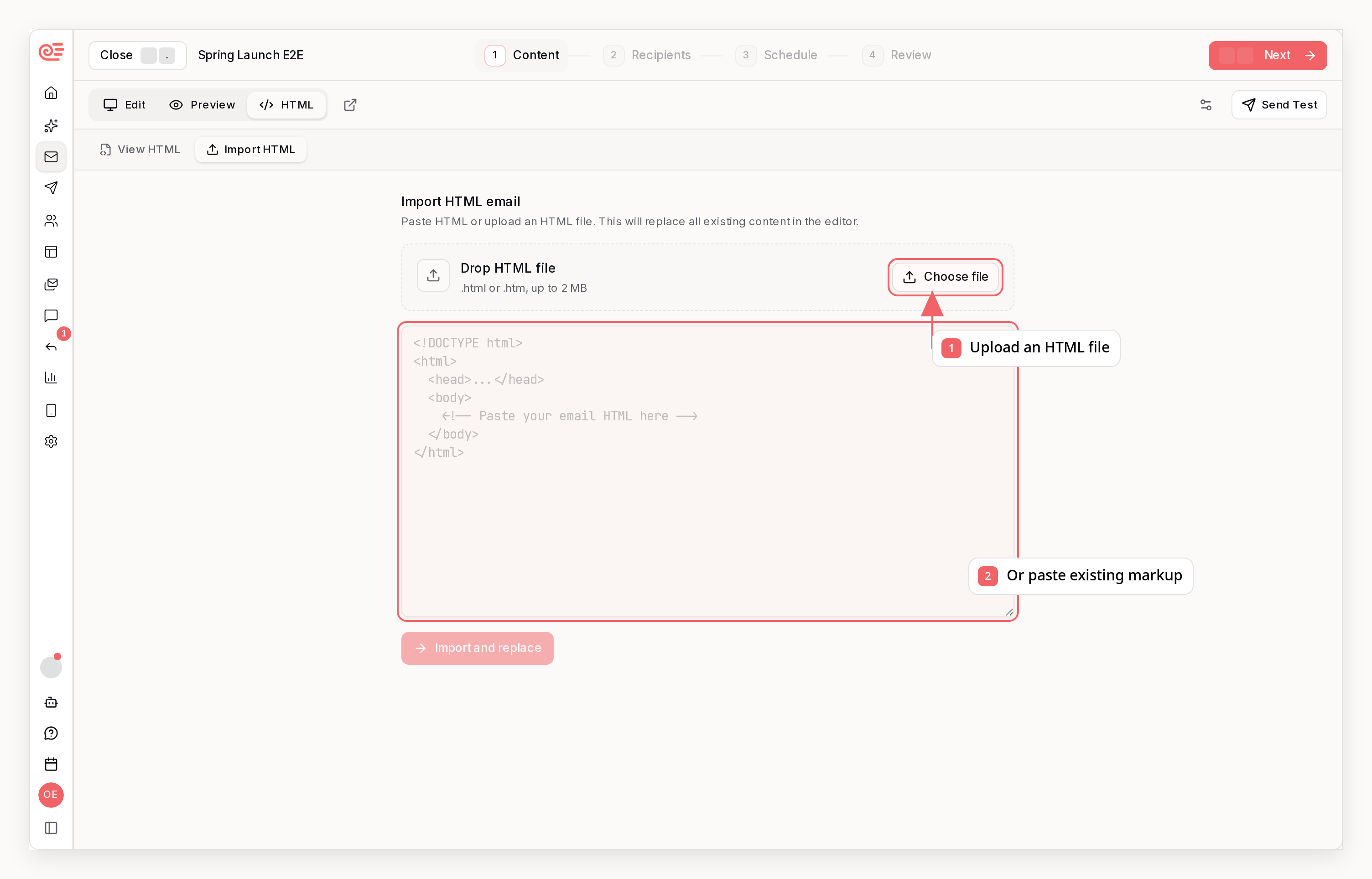
The Import HTML tab uses the same code editor for pasted or uploaded documents;
Import and replace applies the import.
What Works Inside The Block
- Inline CSS styles
- Table-based email layouts
- Merge tags like
{{FIRST_NAME}},{{EMAIL}}, and{{unsubscribeUrl}} - Links that still go through Sequenzy’s normal email rendering pipeline
Best Practices
- Prefer email-safe HTML with inline styles
- Use tables for complex layouts when broad email-client support matters
- Keep the block focused on a snippet, not an entire email document
- Test in real inboxes if you rely on advanced HTML or unusual spacing
HTML Block vs Full HTML Email
- Use an HTML block when you want one custom section inside a larger block-based email
- Use Sequenzy’s full HTML import/editor flow when the entire email should be managed as HTML
Limitations
- HTML blocks are best for snippets, not full standalone HTML documents
- Email clients still have their usual limitations, so browser-only markup may not render as expected
- Scripts are not a valid email pattern and should not be part of your email HTML