
Sequenzy Signup Component
Use the Sequenzy Signup component when you want a ready-to-use Framer form with Sequenzy settings exposed in Framer’s right panel. Create or open the Sequenzy form you want to reuse first. The template gallery is where new saved forms start: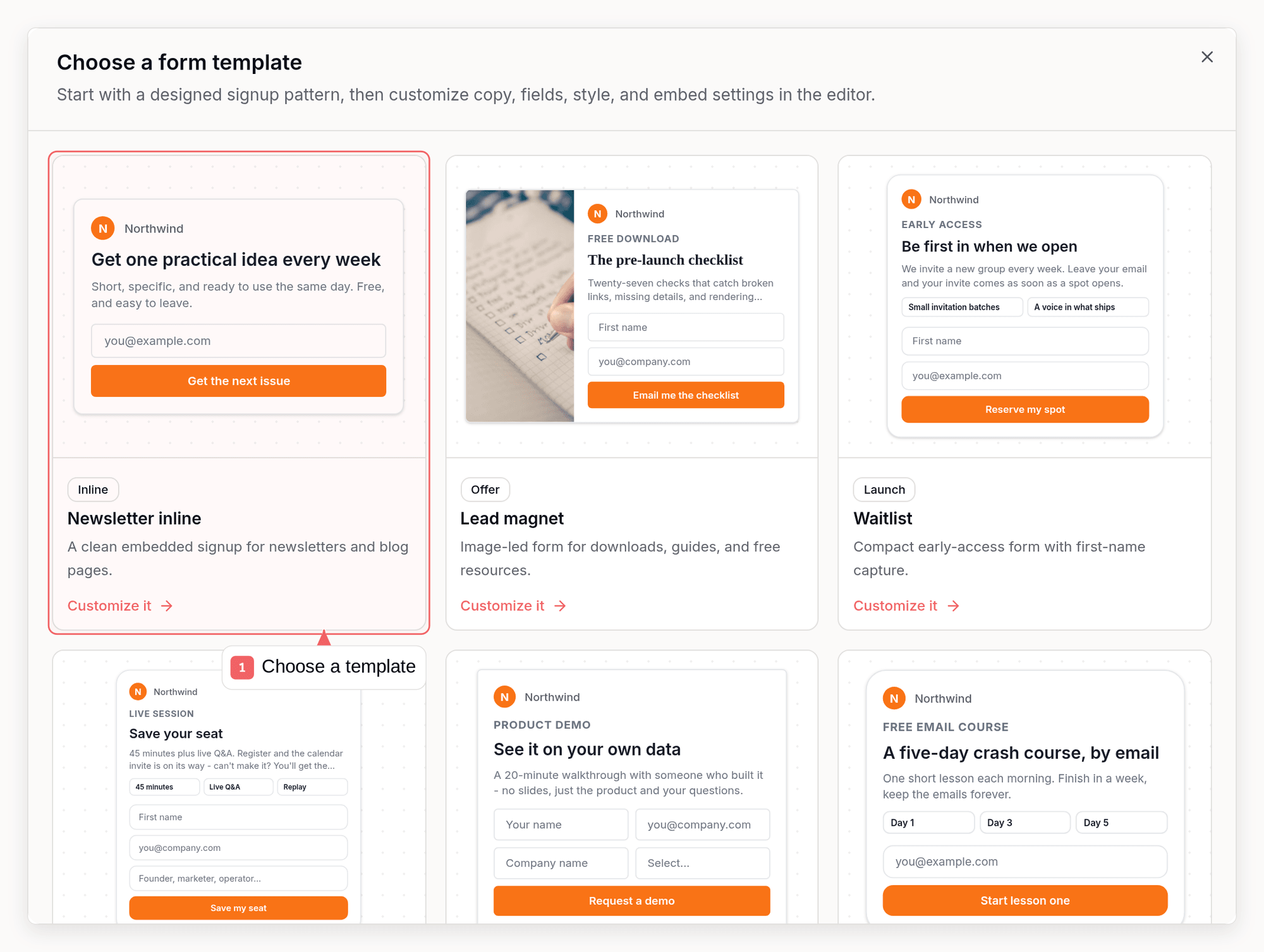
- Form ID connection
- Workspace-default lists, no-list capture, or specific list IDs
- Existing Sequenzy tag IDs
- Inline or stacked layouts
- Editable placeholder, button text, success message, colors, radius, font size, and redirect URL
Install From Framer
- Open your Framer project.
- Open the Sequenzy Signup component in the Framer Marketplace.
- Copy the component into your project.
- Select the inserted component on the canvas.
- Paste your Sequenzy Form ID into the Framer panel.
- Choose list targeting:
- Workspace default uses your Sequenzy form defaults.
- Specific IDs sends subscribers to selected list IDs.
- No lists creates the subscriber without list membership.
- Optionally enter tag IDs to apply existing Sequenzy tags.
- Set placeholder text, button text, colors, layout, and redirect URL.
- Publish your Framer site and submit a test email.
Native Framer Form
You can also use Framer’s built-in Form component when you want full control over fields, layout, validation, and success behavior.- In Framer, add a Form component.
- Set the email field name to
email. - Set Send To to Webhook.
- Paste your Sequenzy form endpoint:
firstNamelastNamecustomAttributes[nickname],customAttributes[zipcode], or another custom attribute keyredirectUrlwebsiteas a hidden honeypot field
lists= to create subscribers without list membership. Omit lists to use
workspace default list targeting.
Test The Integration
- Publish your Framer site.
- Submit the form with a test email address.
- Confirm the subscriber appears in Sequenzy.
- If you configured list IDs, confirm the subscriber is attached to those lists.
- If you configured tag IDs, confirm the tags are applied.
- If you configured a redirect URL, confirm the published site redirects after a successful submission.
Troubleshooting
If submissions fail:- Confirm the Form ID is a valid Sequenzy company/form ID.
- Confirm optional list IDs and tag IDs belong to the same Sequenzy workspace.
- Use
lists=only when you intentionally want no list membership. - Keep the hidden
websitehoneypot field empty. - Test from the published Framer site, not only from the Framer editor canvas.