
What Are Events?
Events are timestamped records of something that happened:Events vs Tags
Use events when:
- The action can happen multiple times
- You need to track when it happened
- You want to attach properties/metadata
- You’re building analytics
- You’re categorizing subscribers
- You need to segment for campaigns
- You want simple presence/absence logic
Built-in Events
Sequenzy recognizes these built-in event types:SaaS Events
Contact Events
Email Events
Website Events
Commerce Events
Built-in events automatically apply sync rules when triggered.
ecommerce.reorder_window_missed and ecommerce.churn_risk_elevated are
emitted automatically by Sequenzy’s nightly
predictive analytics job - you don’t send
them yourself. Use them as sequence triggers for winback and at-risk
automations.
Send Sequenzy Events to n8n or Your App
The events above are subscriber activity you send into Sequenzy. Outbound webhook events are notifications Sequenzy sends when email, SMS, campaign, subscriber, or sequence activity happens. Use the Sequenzy n8n integration to start a workflow with the Sequenzy Trigger node. Choose the event types you need and activate the workflow; the node creates the signed outbound webhook endpoint, verifies each delivery, and removes the managed endpoint when you deactivate the workflow. For your own service, create an outbound webhook endpoint directly. Use per-recipient events such asemail.sent, email.opened, or sms.delivered for message-level
workflows. Choose the explicit-only campaign.sent event when you need one
notification after an email or SMS campaign settles, including a valid send
with no recipients.
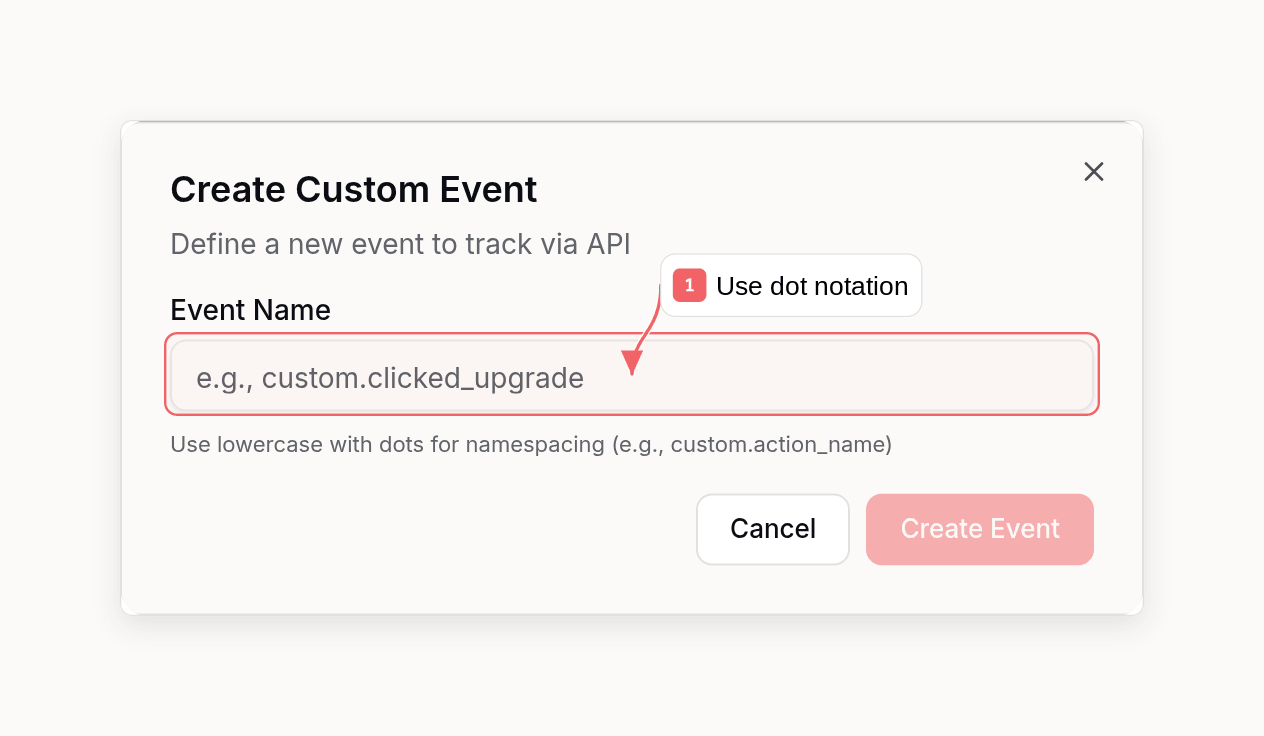
Custom Events
Common Custom Events
Product engagement:feature_usedproject_createdfile_uploadedreport_generated
onboarding_completedfirst_value_momentinvited_team_member
product_viewedcart_startedcart_clearedcheckout_startedreview_submitted
article_readvideo_watchedcourse_completed
Event Properties
Properties are key-value data attached to events:Property Types
Properties can be:- Strings:
"product": "Pro Plan" - Numbers:
"amount": 9999(send money in cents so revenue goals read it correctly) - Booleans:
"isFirstPurchase": true - Arrays:
"tags": ["new", "featured"] - Objects:
"metadata": { "source": "web" }
Using Properties in Sequences
Properties can be accessed in sequence conditions and personalization:event. merge tags inside sequence emails:
{{event.amount}}{{event.product}}{{event.order.id}}
event. merge tags with values from the most recent matching event, so you see what a live send would render. You can override any value in the preview data panel before sending a test.
Looking Up a Built-in Payload
You do not have to guess what a built-in commerce event contains. Every documented event publishes a real example payload per provider, along with each property path, its type, and the merge tag that resolves it:sequenzy events schema ecommerce.order_placed in the CLI and as the get_event_schema tool in MCP. Omit the event name to list every documented event.
Check it before writing {{event.*}} merge tags: an unrecognized merge tag renders as an empty string rather than an error, so a guessed property name fails silently. The response also spells out what an example alone cannot - fields ending in Cents are minor units (8850 is $88.50), price is a preformatted display string, predictedLtv is whole currency units, churnRisk is a 0-95 percent, and orderId is a string on Shopify but a number on WooCommerce.
Custom events have no published payload, and that is not an error: they carry exactly the properties you send, and nothing validates or rejects them.
Commerce Product Matching
Commerce automations use explicit product IDs from event properties. If you trigger commerce events manually, include these fields so Sequenzy can match replenishment and back-in-stock sequences correctly. For order events, send product data inlineItems:
ecommerce.replenishment_due, ecommerce.back_in_stock, or ecommerce.back_in_stock_out_of_stock, include product fields at the top level or inside product:
provider- usuallyshopifyorwoocommerceproviderProductIdorproduct.providerIdproviderVariantIdorproduct.providerVariantIdwhen exact variant matching is neededlineItems[].providerProductIdon purchase eventslineItems[].providerVariantIdon purchase events when variant matching is needed
Triggering Events
Single Event
Multiple Events (Bulk)
Auto-Creation
When you trigger an event:- Subscriber is created if they don’t exist
- Event definition is created if it’s new
- Sync rules are applied (tags added/removed)
- Automations are triggered if matching
Dashboard Visibility
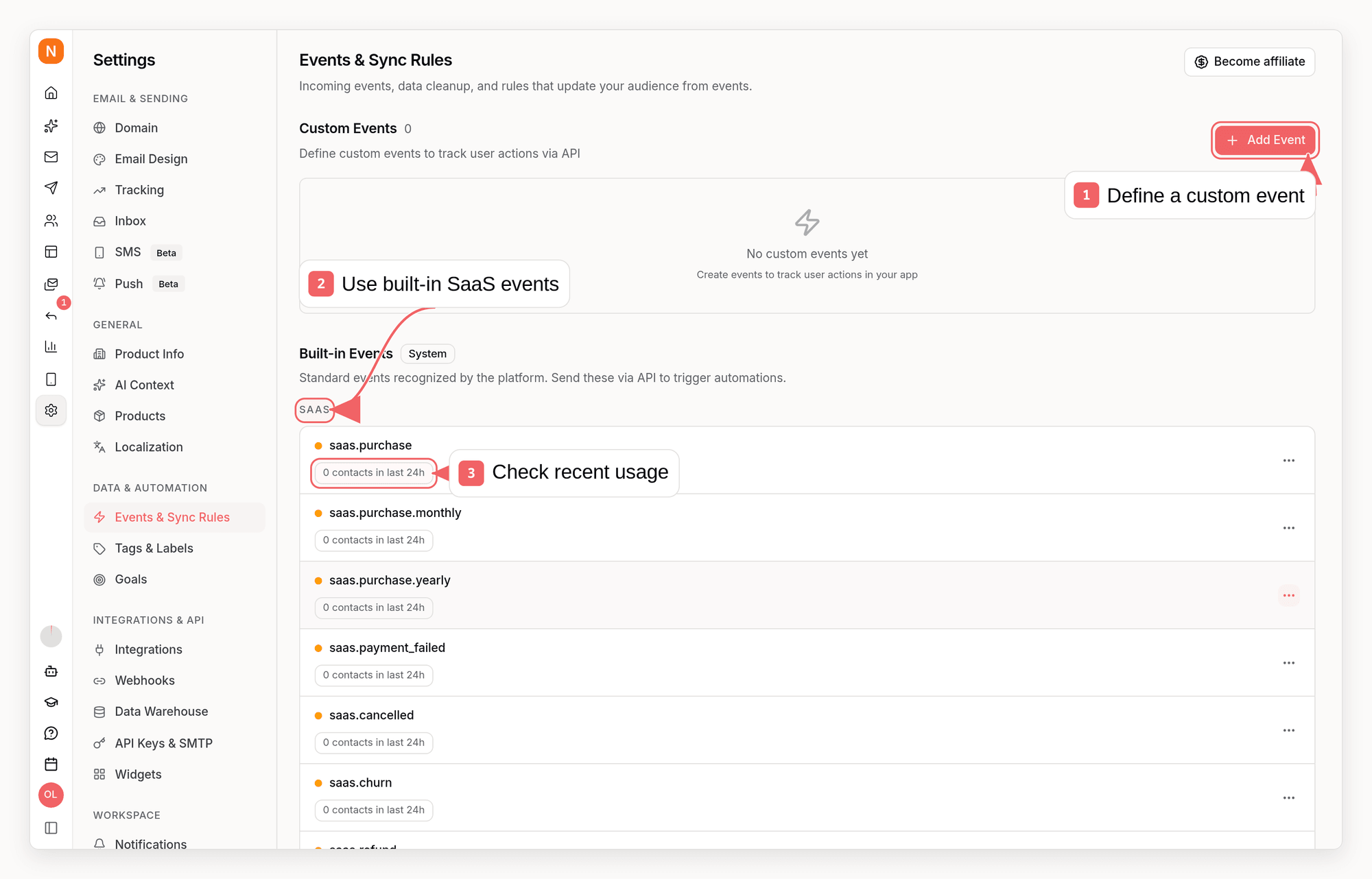
- How many unique contacts received each event in the last 24 hours
- Which active sequences currently trigger from that event
- Which paused sequences would trigger if you reactivate them
Events and Sync Rules
Events can automatically modify tags through sync rules:Configure Sync Rules
Set up automatic tagging based on events
Events in Sequences
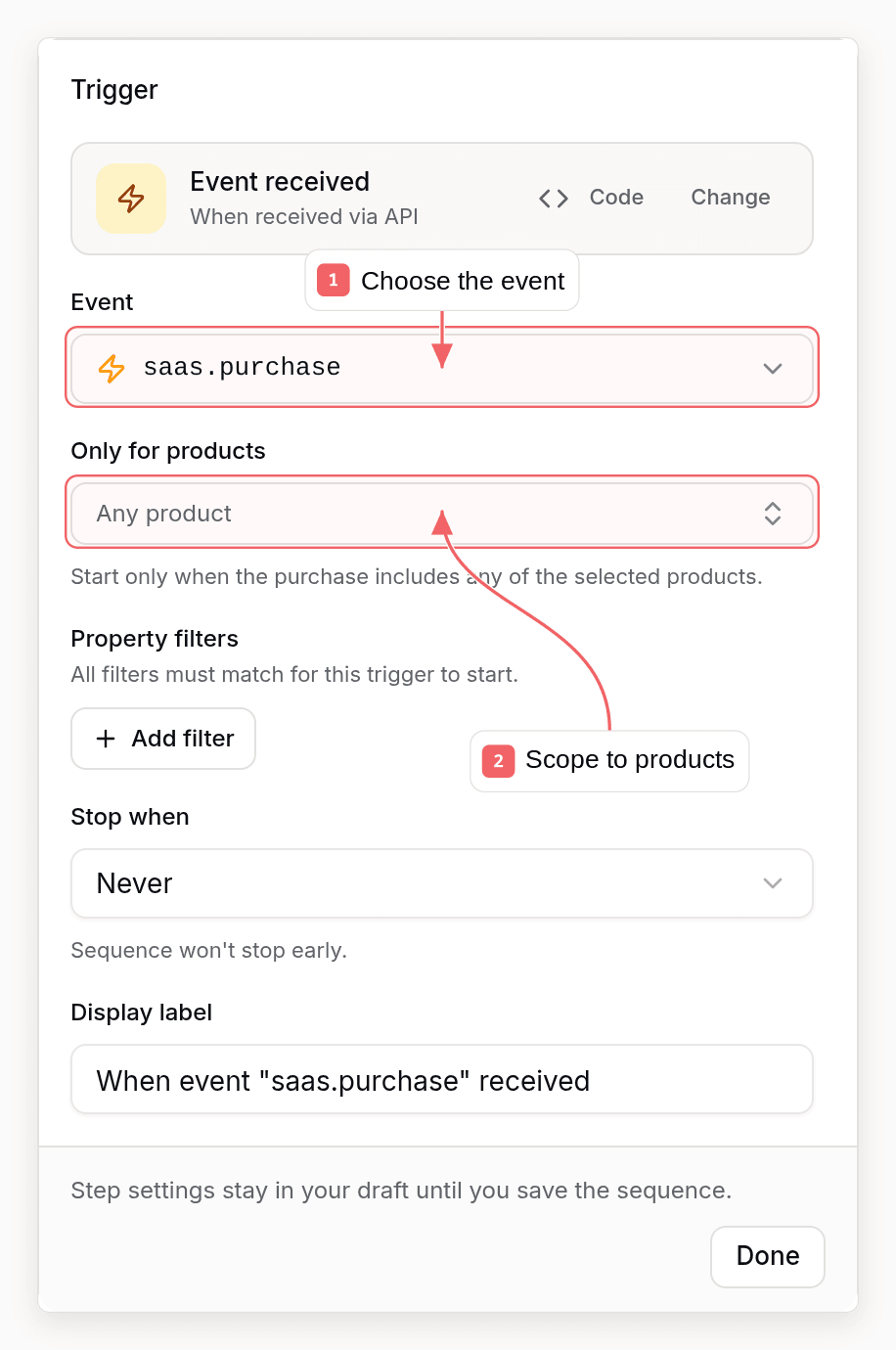
Trigger: Event Received
Wait For Event
Pause execution until an event occurs. The wait has one outgoing path: when the timeout expires the contact either continues down that same path or exits the sequence. To send different emails to contacts who triggered the event and contacts who timed out, follow the wait with a Condition.Condition: Check Event Properties
Branch based on event data:Integration Examples
E-commerce Purchase
Feature Activation
Subscription Lifecycle
Event Analytics
Events are stored and available for analysis:- Event counts: How many times an event occurred
- Time series: Events over time
- Subscriber timeline: All events for a subscriber
- Funnel analysis: Conversion between events
Best Practices
1. Use Consistent Naming
Pick one convention and keep to it. Built-in events use a lowercasenamespace.action form such as saas.purchase or ecommerce.order_placed.
2. Include Relevant Properties
3. Don’t Over-Event
Track meaningful actions, not every click:4. Use Events for Analytics, Tags for Segmentation
Related
Tags
Use tags with events for segmentation
Sync Rules
Auto-tag based on events
Sequences
Trigger automations with events
Events API
Trigger events via API