
Outbound Webhooks
Events
email.bounced and email.failed mean different things and you should handle them differently. email.bounced is the receiving provider telling us the mailbox is bad, and the address is suppressed. email.failed means every delivery route for that message was exhausted without the provider ever judging the mailbox - the address stays subscribed and will be tried again on your next send, so do not suppress on it. Its payload carries a failure object with a code of either transport_exhausted or admin_bounce.
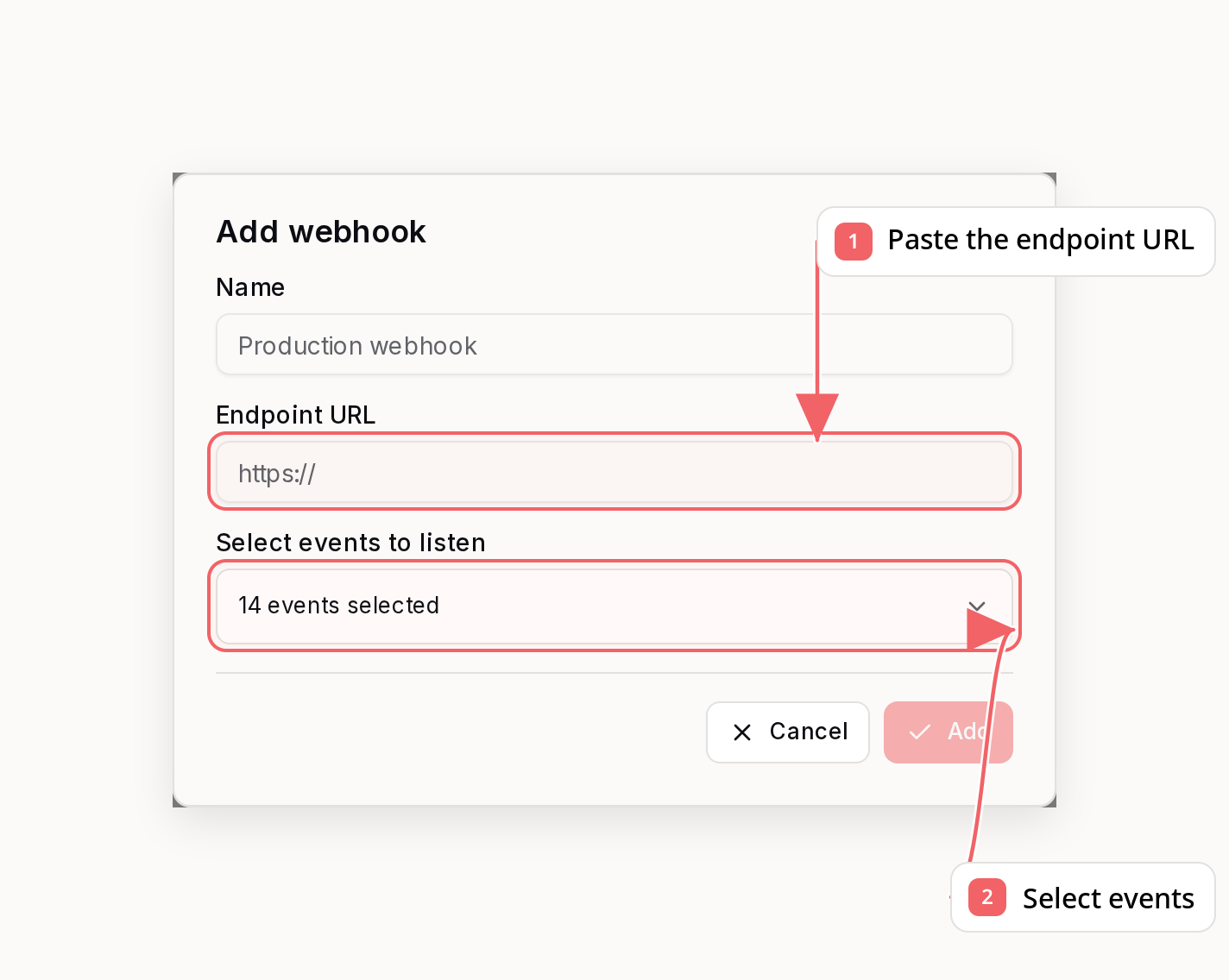
New webhook endpoints subscribe to sent, delivered, delayed, bounced, failed, complained, email unsubscribed, SMS lifecycle (sms.*), invalid subscriber, subscriber created, and subscriber unsubscribed events by default. Add campaign.sent, email.opened, email.clicked, email.replied, subscriber.updated, subscriber.list_subscribed, subscriber.list_unsubscribed, subscriber_import.completed, sequence.finished, sequence.failed, and poll.answered explicitly if you want aggregate campaign completion, high-volume engagement, inbound reply, profile sync, per-list consent sync, import completion, sequence lifecycle, or poll answer events. campaign.sent is opt-in. poll.answered payloads include a poll object with the block id, question, answer, stored value, and attribute key.
Payload
id to deduplicate events. Webhook payloads use one canonical snake_case field per value. external_id is included when the recipient is linked to a subscriber with a customer-owned external ID, or when a single-recipient transactional send included subscriberExternalId even if no subscriber exists.
campaign.sent fires once when an email or SMS campaign reaches its terminal
sent state, including sends with no recipients and completed email A/B tests.
It is one aggregate event per campaign delivery generation, not one event per
recipient. Retries and resumed finalization use the same deterministic event ID
for that generation.
sms.sent), confirmed delivered (sms.delivered), rejected or undeliverable (sms.failed), or when a recipient replies STOP (sms.opted_out). Test sends do not emit webhooks. An opt-out applies to every subscriber sharing the phone number; opted_out_subscriber_ids lists all of them.
subscriber.created fires once per newly created contact and carries source (the origin, using the same vocabulary as the per-list consent events) plus list_ids for the lists it joined at creation. It fires for every creation path, including bulk imports and integration syncs, so filter on source if you only want organic signups. When double opt-in is on, it fires at confirmation rather than at signup, with source set to double_opt_in - a contact who never confirms never emits it. subscriber.invalid fires when a subscriber add attempt cannot create a sendable subscriber because the attempted email is missing, syntactically invalid, has an invalid/blocked domain, or is already suppressed from previous delivery failures. subscriber.updated fires when email, external_id, first_name, last_name, timezone, custom_attributes, or a non-unsubscribe status change occurs. Active to unsubscribed changes emit subscriber.unsubscribed; they only also emit subscriber.updated when another profile field changes in the same update. List and tag changes do not emit subscriber.updated.
Use subscriber.list_subscribed and subscriber.list_unsubscribed for per-list consent sync. They fire only when list membership actually changes, so retrying an already-applied add or remove does not create another event. The payload identifies the subscriber and list, reports action as added or removed, and includes a stable source such as preferences_page, dashboard, api, automation, import, double_opt_in, or an integration name such as stripe. A global opt-out continues to emit subscriber.unsubscribed without fanning out one event per list.
subscriber_import.completed has one stable logical event ID when a bulk subscriber import reaches its terminal state, carrying the final reconciled counts - added_count + updated_count + skipped_count + failed_count equals total_rows, with per-reason breakdowns in skipped_reasons and failed_reasons. Transient enqueue failures are repaired automatically. HTTP delivery can retry, so deduplicate by the top-level event id as with every webhook:
Signatures
Every request includes:v1= value in X-Sequenzy-Signature.
If a webhook has multiple active signing secrets, Sequenzy still sends one POST request and includes one signature per secret in the same header:
Delivery
Your endpoint must use HTTPS and return a2xx status within 4 seconds. Failed requests receive up to 16 delivery attempts with exponential backoff spanning 7 days. Delivery rows keep the latest status, error, and failed-response snippet. You can replay a delivery manually from the API.
Sequenzy connects only to public HTTPS targets. Delivery workers resolve and validate the hostname before each attempt, then connect to that vetted address while preserving the original host for TLS and request verification.
If an endpoint repeatedly fails, delivery pauses briefly for that endpoint so other webhook endpoints keep moving. Successful delivery resets the endpoint failure counter. Editing the endpoint URL, re-enabling the endpoint, sending a test event, or replaying a delivery also resets the stored failure state so you can verify a fixed receiver immediately.
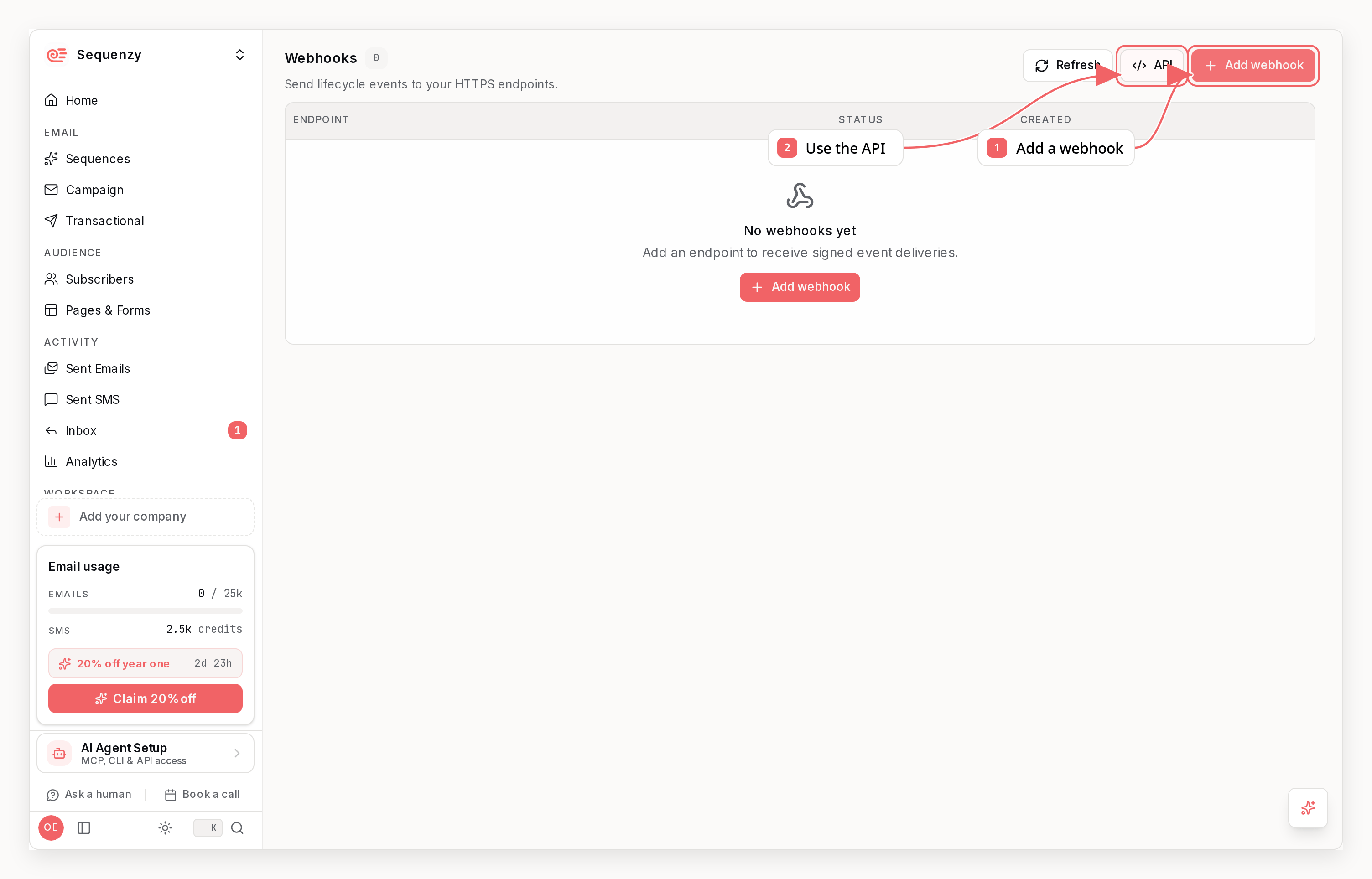
Create and manage endpoints with the webhooks API.