
Email Themes
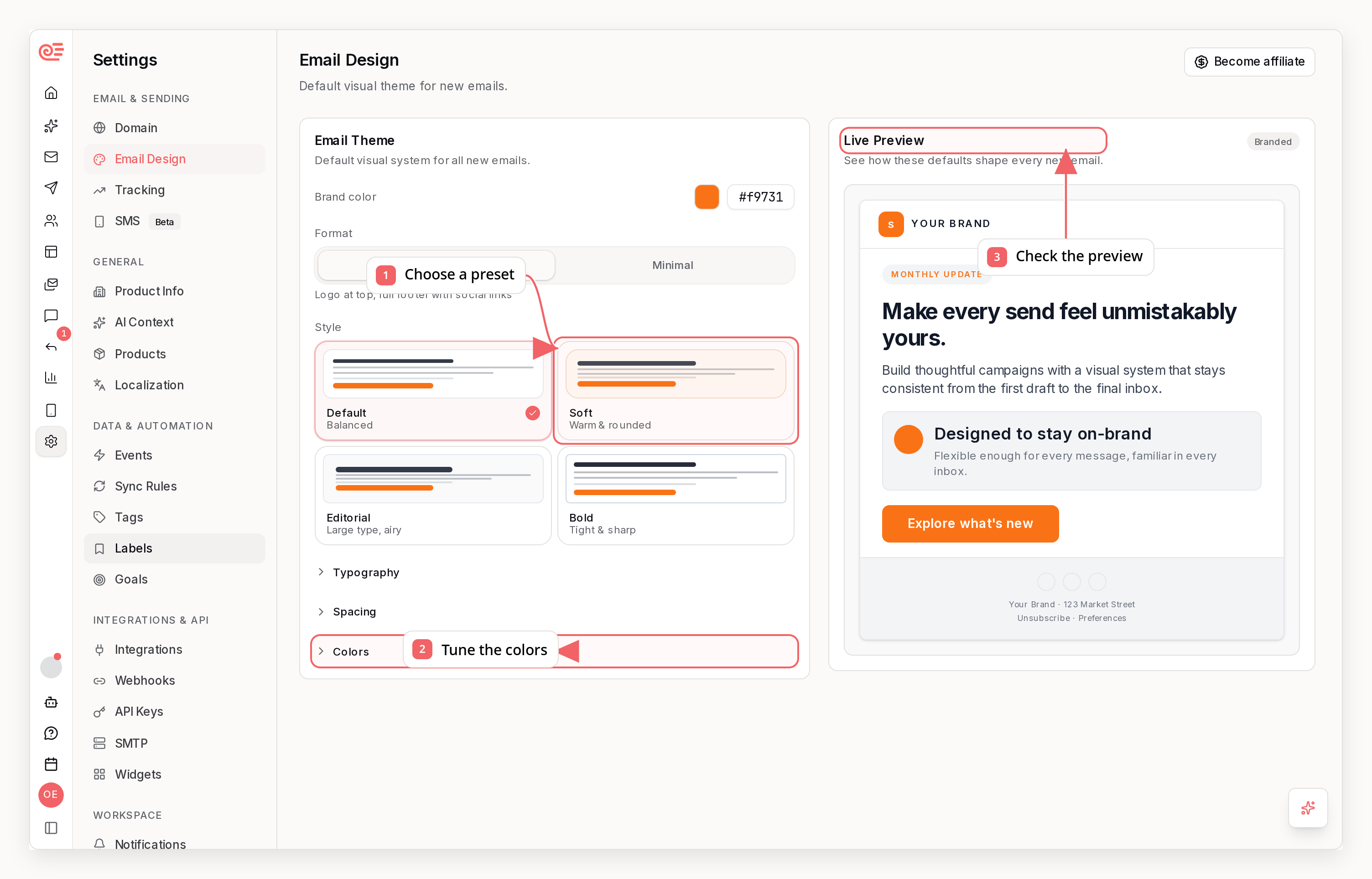
What you can change
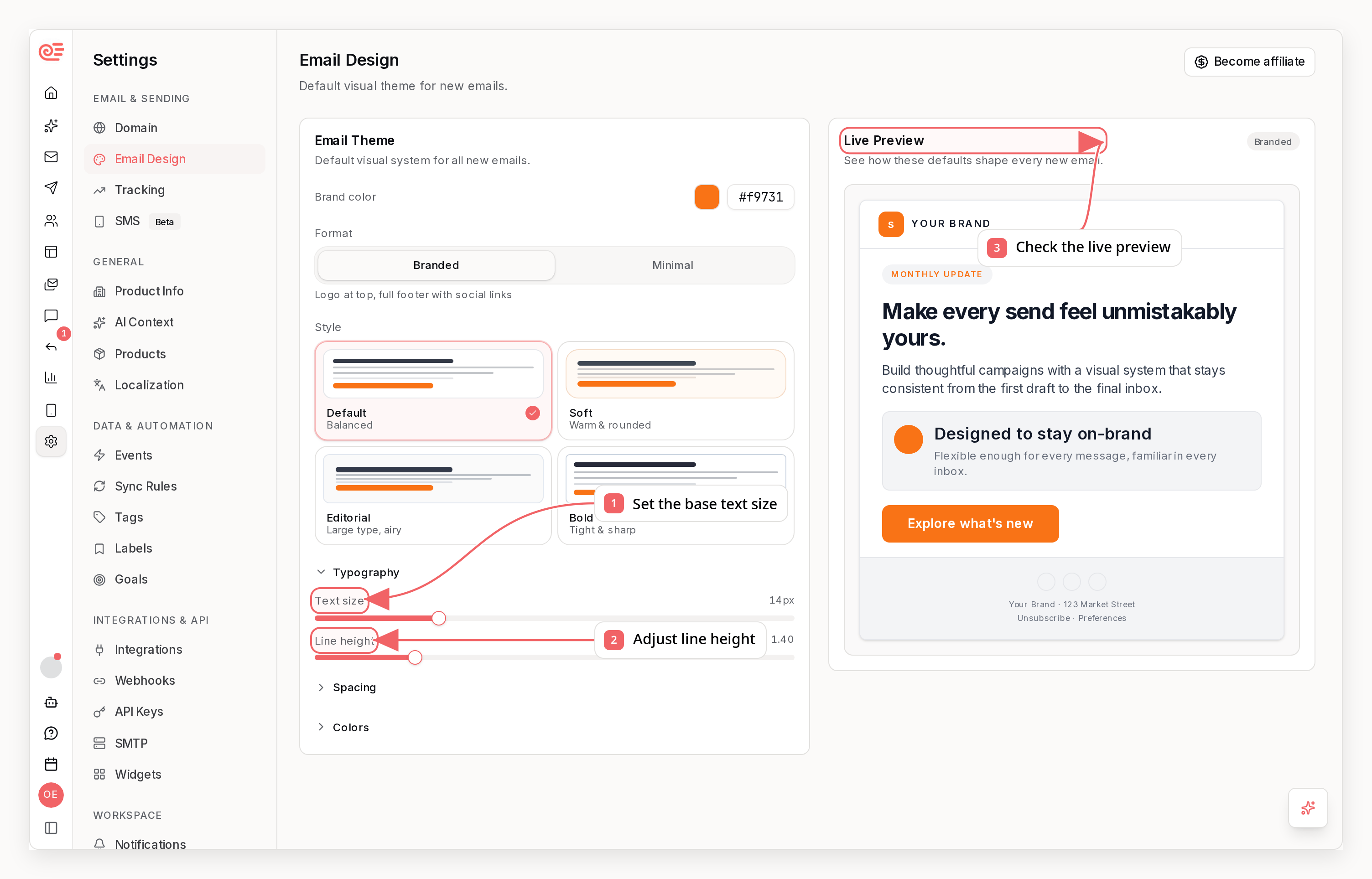
- Base font size
- Base line height
- Heading sizes, weight, letter spacing, and an optional heading font (for serif-headline + sans-body pairings)
- Content width
- Horizontal container padding
- Vertical container padding
- Block spacing
- Border radius
- Button padding, label size, and label weight
- Button style: solid (filled) or outline (transparent with a brand-color border)
- Button label color, or leave it automatic for a readable color on any fill
- Outer canvas, content card, nested surface, text, border, link, and primary colors
Brand-derived themes
When you connect a website, Sequenzy reads the site’s design system and derives a starting theme from it: the real call-to-action color, fill style, corner radius, padding, and label weight of your site’s buttons, your heading scale, weight, and letter spacing, a heading/body font pairing mapped to email-safe stacks, your site’s spacing density, body and heading text colors, card surface and border colors, a light site background, and your wordmark or icon logo sized correctly for email headers. Everything stays clamped to email-friendly ranges and readable contrast, and nothing overwrites a theme or font you have already customized.How it works
There are two layers:- A company theme used as the default for all emails
- An email theme override used only for a specific email
Presets
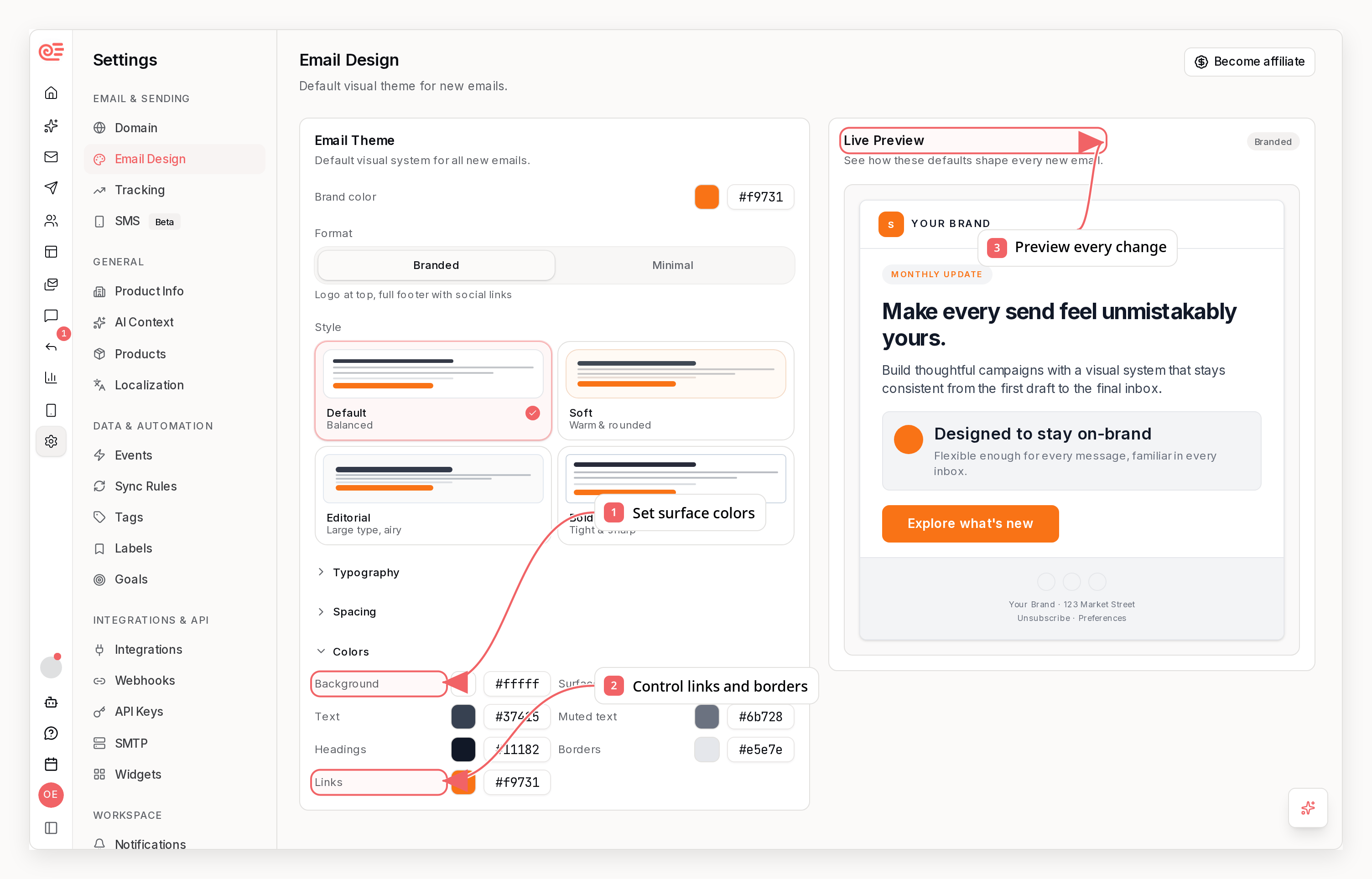
- Default
- Soft
- Editorial
- Bold
Layout Style vs Theme
Sequenzy keeps layout style separate from theme:- Branded controls structural pieces like the logo and full footer
- Minimal removes those extras for a simpler layout
- Theme controls typography, spacing, radius, and color values
Reuse an email’s style for AI
Open AI style in the AI sidebar header and choose Save as AI style. You can also save from the email’s Style settings or Campaign settings. After AI generates an email, a Save as AI style chip appears next to the follow-up suggestions above the composer, letting you capture the generated preview, including changes awaiting acceptance. The chip stays hidden while the email already matches your saved style. The confirmation uses the canvas you are reviewing, including your unsaved design changes. Before saving, the dialog shows what gets reused (fonts, colors, buttons and section order) and asks about the layout habits it noticed, such as opening with a video or placing a dotted divider above and below every button. Keep the habits you want and add notes for anything the detector cannot see, for example “always open with a short video”. Confirm to save the fonts, colors, spacing, buttons, block treatments, kept habits and notes as your company’s default for new AI emails. You can save one style at a time. Saving another email’s style replaces the previous default after confirmation. Clear in the saved-style status removes that default. Existing emails stay as they are, and editing or deleting the source email does not change the saved style. New AI emails reuse the captured theme and matching block styles while writing fresh content, follow your kept habits and notes, and get the captured dividers or spacers inserted around matching blocks automatically. Habits that need content, such as an opening video, guide the writer but cannot invent a video for you. Explicit style instructions and plain-text choices take precedence. To preserve the exact arrangement of sections, start from an email template instead. Imported HTML provides its supported inline colors and typography; stylesheet rules and complex HTML layouts are not reproduced exactly. You can also get, save and clear styles through the public API,sequenzy email-ai-style get|save|clear, and MCP get_email_ai_style, save_email_ai_style, clear_email_ai_style. Read the current revision before replacing or clearing it. Public clients capture the stored source email by default; an optional canvas snapshot supports unsaved designs, just like the editor. They keep every detected layout habit unless layoutRuleIds (CLI --layout-rules or --without-layout-rules) narrows them, and accept the same notes (CLI --notes). Generation through the dashboard, API, CLI, and MCP uses your company’s saved default unless you request a different visual direction. For example, “welcome email from ChatGPT” or “try an OpenAI email” takes precedence over a saved Anthropic-inspired style. A new content request alone, or a mention such as “announce our ChatGPT integration,” keeps your default.
Design prompt
A theme controls values - fonts, colors, spacing, radius. The design prompt controls composition: how Sequenzy AI decides what an email is made of. Write it in Company Settings -> AI Context -> Design Direction. Describe how your designed emails should look: layout and density, which sections belong in an email, how prominent the call to action is, imagery, and any reference brands.- What you ask for in a specific request wins
- Then the design prompt
- Then Sequenzy’s default composition rules
sequenzy companies update <id> --email-design-prompt-file ./design.md, the emailDesignPrompt field on the companies API, or the update_company MCP tool.
You do not have to write it yourself. If the field is empty, the first email generation fills it in with the direction Sequenzy AI derived from your brand - kicker style, title alignment, button shape, dividers, spacing, and how emails open - as plain, editable text. Every generation after that follows the stored text, so all your emails share one visual identity. Edit it to change how your emails look, or clear it and the next generation writes a fresh one.
Where to edit it
- Company Settings: Set the default theme for new and existing emails
- Email Editor: Customize one email and reset it back to the company theme at any time
- API, CLI, and MCP:
update_company(companies update) sets the workspace default, and a per-email override is available on sequence email steps
Overriding one sequence email
To restyle a single sequence email without moving the workspace default, send anemailTheme patch on that step. It is a partial patch: omitted fields keep the step’s current override, or the company theme when the step has none. Send null to drop the override so the step inherits the company theme again.
update_sequence, update_sequence_node, and update_sequence_nodes MCP tools and by PUT /v1/sequences/{id}. sequenzy sequences get and get_sequence report the stored override per step, and null there means the step renders with the company theme.
Within colors, background paints the outer canvas, content paints the inner content card, and surface paints nested cards or tinted tiles. When no content color has been stored, the card initially follows the canvas. A background-only patch preserves the card’s current effective color; set background and content to the same value when you want them matched, or to different values for a framed-email layout.
Recommended workflow
- Set your default company theme first
- Choose your branded or minimal layout style
- Override the theme only for emails that need a special treatment, like launches or announcements
Adjusting container padding
If your email feels too narrow on mobile, lower Horizontal padding in the Spacing section. You can also tune Vertical padding to control the space above and below the email container.- This changes the left and right gutter around the full email container
- Vertical padding controls the top and bottom breathing room around the container
- The same value is used in the editor preview and in the sent email HTML
- Both sliders can go down to
0px - Use them together with Content width when you want more room on phones without redesigning the whole email
Notes
- Theme values affect previews and sent emails, not just the editor canvas
- Footer copy and footer structure still depend on your footer settings and selected layout style