
Migrating to Sequenzy
Switching email platforms can feel risky. You don’t want to mess up communications with your existing audience. This guide walks you through a safe, incremental migration that minimizes risk while letting you start benefiting from Sequenzy immediately.The Migration Philosophy
Don’t do a big-bang migration. Instead:- Start small - Begin with transactional emails
- Prove the system - Verify deliverability and tracking work
- Expand gradually - Add sequences for new users
- Complete the switch - Move your existing audience last
Phase 1: Transactional Emails
Risk: Minimal — These are one-off emails you control completely. Start by moving your transactional emails to Sequenzy. These are the easiest to migrate because:- They’re triggered by your code, so you control when the switch happens
- Each email is independent, no sequences to worry about
- If something goes wrong, you can quickly revert
What to Move First
Pick 2-3 low-stakes transactional emails:Step-by-Step
1. Create templates in Sequenzy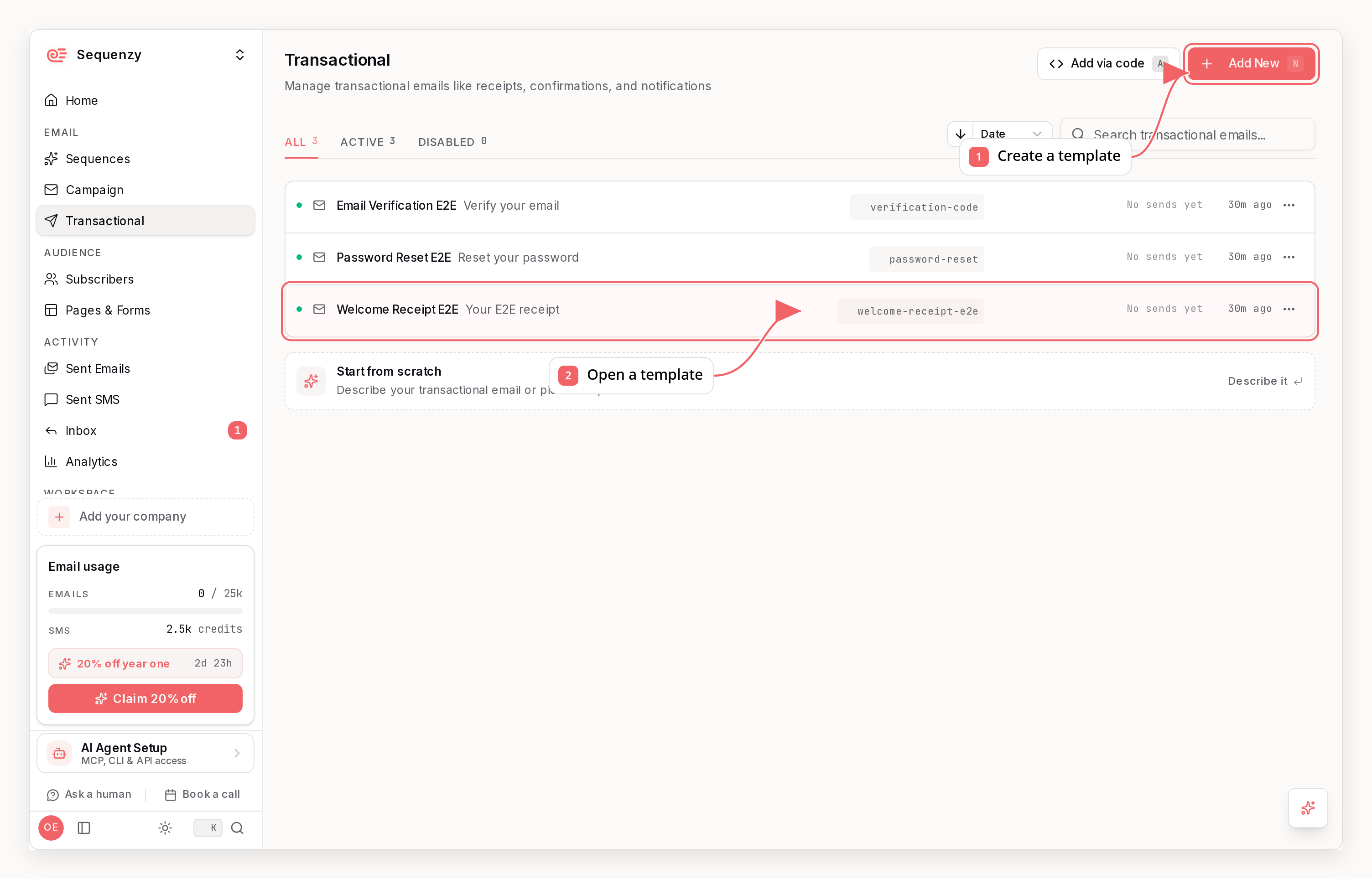
- Are emails being delivered?
- Are open rates comparable to your old system?
- Any bounce issues?
How Long: 1-2 weeks
Get comfortable with the API, verify deliverability, build confidence.Phase 2: Sequences for New Users
Risk: Low — Only affects people who haven’t received your old emails yet. Now that transactional emails are working, set up automated sequences for new subscribers.Key Insight
New users have no expectation of your old email patterns. They won’t notice or care that you switched platforms. This makes them perfect for testing your new sequences.What to Build
Onboarding SequenceStep-by-Step
1. Map your triggers Identify when you want sequences to start:- Are emails sending at the right times?
- Are conditions working correctly?
- What are open/click rates?
How Long: 2-4 weeks
Build sequences, let them run with real users, iterate based on data.Phase 3: Migrate Your List
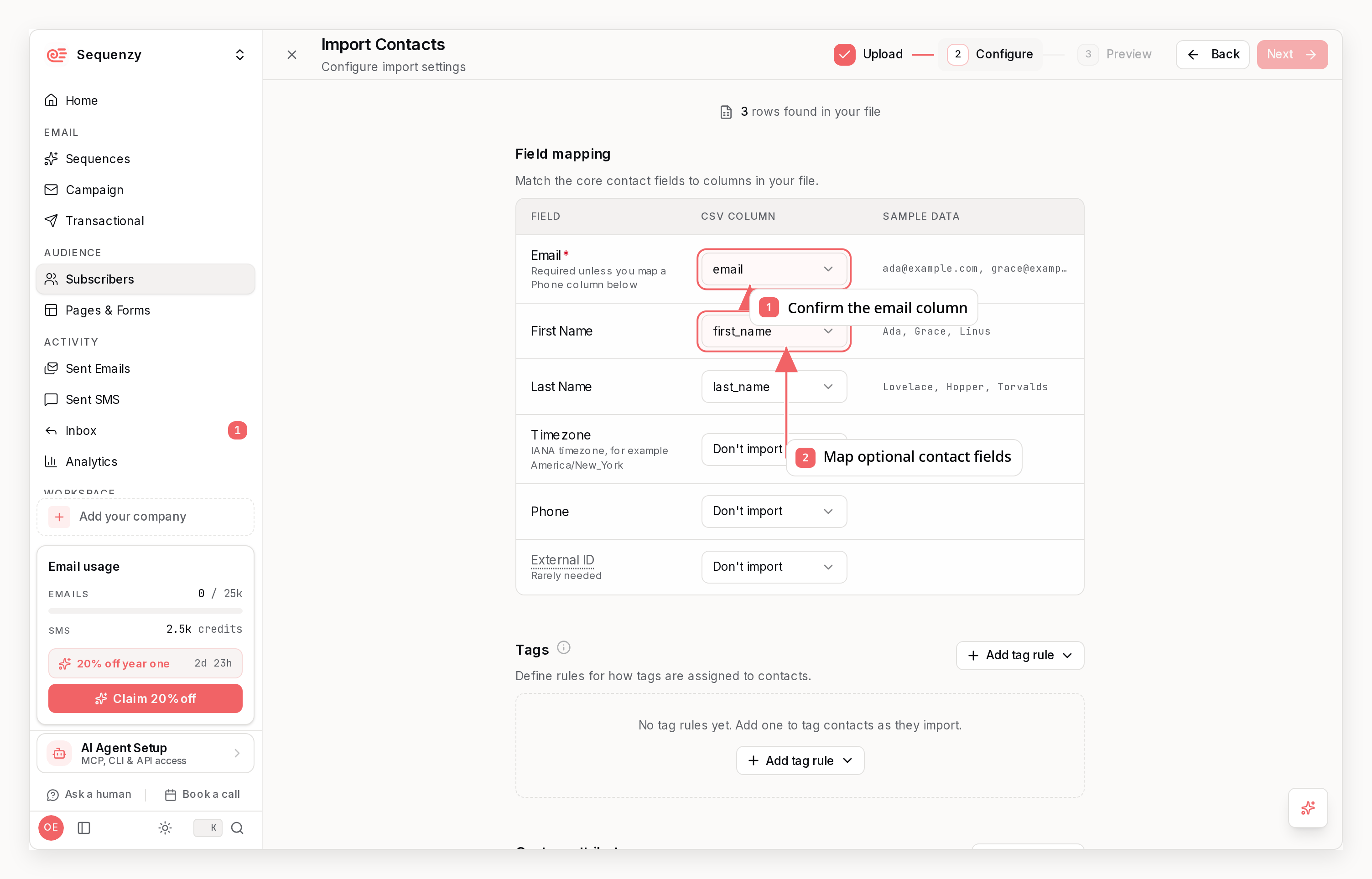
Before You Import
Clean your list first Don’t import garbage:- Subscribed vs unsubscribed
- Subscription dates
- Tags/segments
Import Strategy
1. Export from old system Get a CSV with:- Total subscribers
- By status (active vs unsubscribed)
- By key tags (customers, trial, etc.)
Preserving Your Reputation
Your sender reputation is tied to your domain, not your email provider. As long as you’re using the same sending domain, your reputation carries over. If you’re setting up a new domain:- Warm it up gradually
- Start with your most engaged subscribers
- Increase volume over 2-4 weeks
How Long: 1 week
Import is usually quick, but budget time for verification.Phase 4: Move Marketing Campaigns
Risk: Higher — Bulk emails to your full list. This is the final step. You’ve proven the system works with transactional emails, sequences, and your imported list.Strategy: Don’t Recreate Everything
You don’t need to move every old campaign. Focus on:Running Your First Campaign
1. Start with your most engaged segment Don’t blast your entire list. Send to subscribers who:- Opened an email in the last 30 days
- Are tagged as “engaged” or “active”
- Have been customers for 6+ months
- Bounces (should be < 2%)
- Complaints (should be < 0.1%)
- Opens (should match historical rates)
Sunsetting Your Old System
Once you’ve sent 2-3 successful campaigns:- Stop sending from old system — Sequenzy is now primary
- Keep old system in read-only — For historical data access
- Update any integrations — Webhooks, Zapier, etc.
- Cancel old subscription — After 30-60 days of success
How Long: 2-4 weeks
Build confidence with engaged segments before expanding.The Complete Timeline
Total: 6-8 weeks for a careful migration.
Migration Checklist
Before Starting
- Export full subscriber list from old provider
- Document your current email templates
- List all triggered/transactional emails
- Map your subscriber tags/segments
- Note any integrations (Stripe, Zapier, etc.)
Domain Setup
- Add sending domain in Sequenzy
- Configure DNS records (SPF, DKIM, DMARC)
- Verify domain
- Create sender profiles
Transactional Emails
- Create transactional templates
- Update API calls in your code
- Test with internal emails
- Monitor deliverability for 1 week
Sequences
- Design sequence flows on paper first
- Build sequences in dashboard
- Connect triggers in your code
- Test with new signups
- Monitor for 2 weeks
List Import
- Clean your list (remove bounces, spam complaints)
- Export with all fields and tags
- Import to Sequenzy
- Verify counts match
- Check tag assignments
Campaigns
- Send first campaign to engaged segment
- Monitor metrics closely
- Gradually expand to full list
- Update any automation tools
Cleanup
- Disable sending from old provider
- Update webhook URLs
- Document new system for team
- Cancel old provider subscription
Common Migration Pitfalls
1. Moving Too Fast
Problem: Migrating everything at once, something breaks, scrambling to fix. Solution: Follow the phased approach. Each phase should run smoothly before moving on.2. Not Cleaning Your List
Problem: Importing old bounces and spam traps tanks your reputation. Solution: Clean before importing. Remove anyone who hasn’t engaged in 2+ years.3. Changing Design During Migration
Problem: Subscribers notice dramatic changes, engagement drops, you can’t tell if it’s the new platform or new design. Solution: Keep designs identical during migration. Redesign after you’re settled.4. Losing Subscriber Preferences
Problem: Subscribers who unsubscribed start getting emails again. Solution: Export and respect subscription status. Never email someone who opted out.5. Not Monitoring
Problem: Issues go unnoticed until they’re serious. Solution: Check metrics daily during migration. Set up alerts for bounces and complaints.Need Help?
Migration questions? Reach out:- Email: nic@sequenzy.com
- Twitter: @nikpolale