
WordPress Integration
You can connect a WordPress site to Sequenzy with the Sequenzy WordPress plugin. Once connected, Sequenzy can sync WordPress users, receive profile updates, optionally capture comment opt-ins, and embed hosted signup forms. The plugin is available on WordPress.org: Sequenzy Email Marketing. The Integrations page lists WordPress under Websites & Forms. Open that row to install, reconnect, or inspect the plugin connection.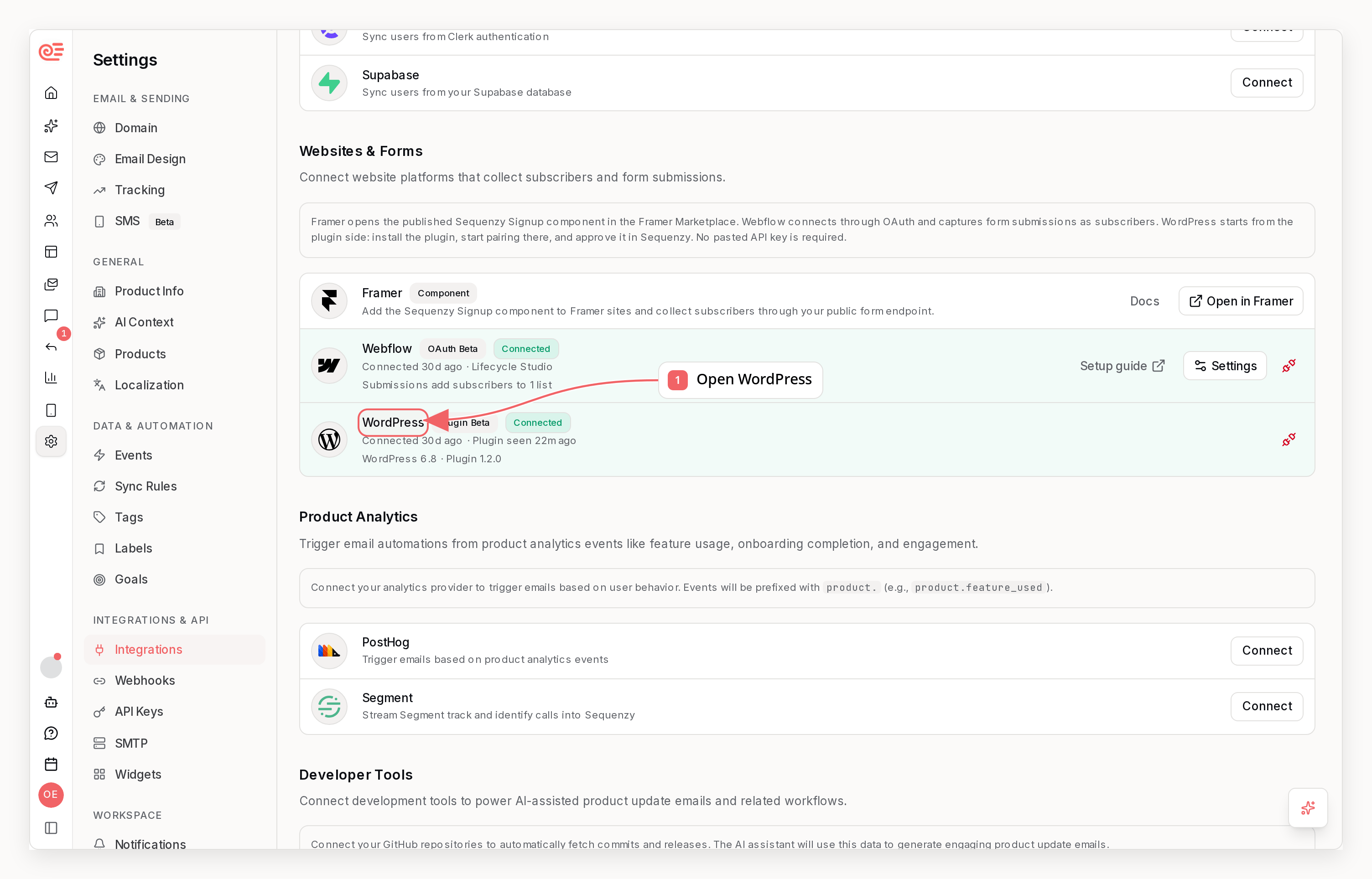
What It Does
- Sync existing WordPress users during the initial connection
- Track new registrations and profile updates
- Optionally capture comment opt-ins
- Embed hosted signup forms with a WordPress shortcode
- Show plugin connection health in
Settings -> Integrations
How To Connect
- Open
Settings -> Integrationsin Sequenzy. - Find
WordPressand clickInstall Plugin. - Open the WordPress.org plugin page for Sequenzy Email Marketing.
- In WordPress, go to
Plugins -> Add Plugin, search forSequenzy Email Marketing, install it, and activate it. - Open
Settings -> Sequenzyin WordPress. - Click
Connect to Sequenzy. - Sign in to Sequenzy, choose the company, and approve the connection.
- Return to WordPress and finish the connection if the plugin asks you to confirm.
What Syncs
Users
- Existing WordPress users during the initial sync
- New user registrations
- Profile updates for existing users
Opt-Ins
- Optional comment opt-ins from WordPress comments
Embedding Forms
Paste the shortcode into any WordPress page or post:Managing The Integration
- The initial sync starts automatically after approval
- You can reconnect or disconnect the integration from
Settings -> Integrations - Sequenzy shows whether the plugin is connected and when it was last seen
Current Beta Scope
- WordPress user sync
- Registration and profile update delivery
- Comment opt-in support
- Connection health and diagnostics
Current Limitations
- No Gutenberg form block yet
- No automatic plugin updates yet
- WooCommerce behavior is part of the separate WooCommerce integration