MCP Integration
Sequenzy supports the Model Context Protocol (MCP), allowing AI assistants like ChatGPT, Claude.ai, Claude Desktop, Claude Code, Codex, Cursor, and other MCP clients to manage your email marketing directly.
Sequenzy is not fully agent-friendly yet. MCP, CLI, and auth.md discovery
cover many common workflows, but some setup, billing, destructive account
actions, advanced configuration, and final send decisions may still require
dashboard use or explicit human review.
What You Can Do
With Sequenzy MCP, AI assistants can:
- Manage subscribers - Add, update, search, and remove subscribers
- Manage your audience - Create, update, and delete lists, segments, and tags, and enroll subscribers in sequences
- Create sequences - Generate and configure email automation sequences
- Draft campaigns - Create and edit campaign drafts
- Manage landing pages - Create, edit, publish, unpublish, and connect custom domains
- Build signup forms and popups - Create list-scoped saved forms and on-site popups, and return client-safe embed code
- Control campaign delivery - Cancel, pause, resume, duplicate, and delete campaigns, and run campaign A/B tests
- Send transactional emails - Send single emails via template or HTML
- Manage your team - List members, invite teammates, and cancel invitations
- Triage your inbox - Read, reply to, and close subscriber conversations
- Manage webhooks - Create, test, and replay outbound webhook deliveries
- View analytics - Get stats for campaigns, sequences, and overall performance
- Manage localization - Read, supply, and AI-sync localized template variants
- Generate content - AI-powered email and sequence generation
Tool failures retain isError: true and readable error text, and also return
structuredContent with { success: false, error: { code, message, howToFix, docsUrl } }. HTTP errors include statusCode; a valid API Retry-After header
adds retryAfterSeconds. These fields are omitted when unavailable. The OpenAI
profile uses safe recovery descriptions and known codes or status-derived
fallbacks, omitting raw backend diagnostics.
Use the error code and recovery guidance to choose your next step. The client
does not retry automatically. After an uncertain send_email outcome, reuse the
original idempotencyKey with unchanged input and inspect emailSendId when
available. A retry hint alone does not mean repeating a write is safe.
Successful results keep their existing shapes. Recoverable partial subscriber
event imports retain their counts and row failures without isError; inspect
those rows before retrying failed records.
Remote Setup For ChatGPT, Claude.ai, And Mobile
Use the remote connector when you want Sequenzy tools in ChatGPT, Claude.ai, Claude mobile, and other cloud-hosted MCP clients that cannot launch a local npx process.
You can copy the connection details from the existing MCP button in the Sequenzy dashboard sidebar:
- Open your workspace dashboard
- Click the MCP button in the sidebar developer setup area
- Copy the Remote MCP server URL
- Paste it into your AI client’s custom connector settings
- Complete the Sequenzy OAuth approval flow
Standard remote MCP server URL (Claude and other MCP clients):
In Claude:
- Open Settings → Connectors
- Choose Add custom connector
- Enter a name such as
Sequenzy
- Enter the remote MCP server URL above
- Complete the Sequenzy OAuth login flow
After connecting, Claude sends authenticated MCP requests to Sequenzy from Anthropic’s cloud infrastructure, so the connector is available from Claude web and mobile without keeping Claude Desktop open. Remote setup uses OAuth; you do not need to paste a Sequenzy API key into Claude.
In ChatGPT:
- Open Settings → Connectors (custom connectors require a plan with
connector support and Developer mode enabled under Advanced settings)
- Choose Create to add a custom connector
- Enter a name such as
Sequenzy
- Enter the OpenAI-reviewed MCP server URL:
https://api.sequenzy.com/v1/mcp/openai
- Complete the Sequenzy OAuth login flow
- In a new chat, enable the Sequenzy connector from the composer’s tools menu
Like Claude, ChatGPT uses OAuth for the remote connector; you do not need to paste a Sequenzy API key into ChatGPT. The dedicated OpenAI URL shares the same implementation and account permissions while omitting secret-producing and raw-delivery operations that are better completed in the dashboard or a local terminal.
Data and Privacy
An MCP client receives only the result of the tool you ask it to call, within
the workspace and permission scopes you approved. Depending on that request,
the result can contain workspace identifiers and names, subscriber contact and
consent data, custom business or marketing attributes, events and engagement,
campaign or automation content, replies, surveys, commerce data, analytics, and
integration or webhook status. Review the Privacy Policy
before connecting an AI provider.
Do not put individual-level payment-card data, health or medical data,
government identifiers such as Social Security or passport numbers, biometric
or genetic data, passwords or authentication secrets, sensitive demographic
data, or precise geolocation into custom attributes, events, notes, variables,
form fields, webhook samples, feedback, or other open-ended inputs.
The OpenAI-reviewed surface at /v1/mcp/openai states that restriction on
relevant open-ended fields and rejects obvious restricted fields and credential
patterns before an API call, including nested attribute paths such as
profile.ssn, coordinate pairs such as lat/lng, labelled prose such as
Religion: ... or GPS coordinates: ..., and a credential-bearing URL in any
argument, whether the credential sits in the userinfo, path, query, or fragment
(for example a form redirectUrl with an access token or URL signature).
Restricted attribute selectors inside merge tags are rejected without blocking
ordinary authored copy about the same topic. render_email accepts a
policy-checked inline subscriber on this surface, but not subscriberId, so
it cannot resolve uninspected stored custom attributes. Stored
credential-bearing URLs are redacted from its responses as well. It removes restricted fields, raw payloads,
request and trace IDs, debug data, and unnecessary account or credential
identifiers from responses. It does not expose connect_integration,
create_api_key, create_webhook, inbound-secret rotation, or raw outbound
webhook delivery tools. Use request_api_key_handoff, the Sequenzy dashboard,
or the local CLI for those workflows. Feedback remains available with a reduced
schema for generalized, explicitly requested product feedback.
What the reviewed surface guarantees is bounded. It recognizes restricted data
by shape: English field-name words such as passport_id, user.ssn, or
api_secret at any nesting depth, labelled prose such as Diagnosis: ...,
known credential shapes, decimal coordinate pairs, and credential-bearing URLs
inside any string, including HTML. It does not interpret unlabelled prose,
non-English field names, or values a client deliberately obfuscates; those
remain covered by the usage restriction above rather than by the filter.
The standard /mcp and /v1/mcp endpoints and the local stdio package retain
the complete MCP contract for trusted clients. On those standard surfaces,
connect_integration accepts provider credentials the user explicitly supplies,
while create_api_key, create_webhook, and inbound-webhook setup can return a
one-time secret or credential-bearing URL. Treat those results like credentials
and prefer the dashboard or local CLI when secrets should stay outside the AI
conversation. The OpenAI-reviewed route omits raw API error bodies and nested
diagnostics; standard MCP retains detailed API errors for trusted-client
debugging. submit_feedback sends data to the Sequenzy team only when the user
explicitly asks; never include unrelated subscriber data, message content,
credentials, or raw API payloads.
The remote server speaks Streamable HTTP over POST. It is stateless and never
pushes server-initiated messages, so it answers the optional GET event-stream
request with 405 Method Not Allowed - the protocol’s way of saying no stream
is on offer. Clients treat that as an expected response and fall back to POST
only. The endpoint speaks MCP specification 2026-07-28 and remains compatible
with 2025-era clients that still use the initialize handshake.
Agents that support user-approved service registration can also discover the current flow through auth.md. For broader agent setup notes, including the distinction between API/MCP auth and dashboard signup, read agents.md.
Hand Off from the Dashboard
The AI assistant sidebars in the sequence builder and the email editor include
an Open in menu next to the message box. Type what you want to change,
then:
- Copy prompt copies an agent-ready prompt that includes your company ID
and the current sequence or campaign, for use with any agent
- Open in ChatGPT or Open in Claude opens the prompt in a new chat
- Open in Cursor opens the prompt in the Cursor desktop app
- Set up Sequenzy MCP opens the AI Agent Setup wizard if your agent is not
connected yet
Agents connected through the Sequenzy MCP server can use the IDs in the prompt
to inspect and edit the exact resource you were working on.
The prompt is self-sufficient: it names your workspace and ends with the two
ways an unconnected agent can get access - add the remote MCP server URL in
its connector settings (with a link to the setup guides on this page), or use
an API key you create in the dashboard under Settings → API Keys against
the REST API. The prompt itself never contains an API key: it is copied
through the clipboard and hosted-agent URLs, so you paste the key to the
agent directly instead.
Local Setup
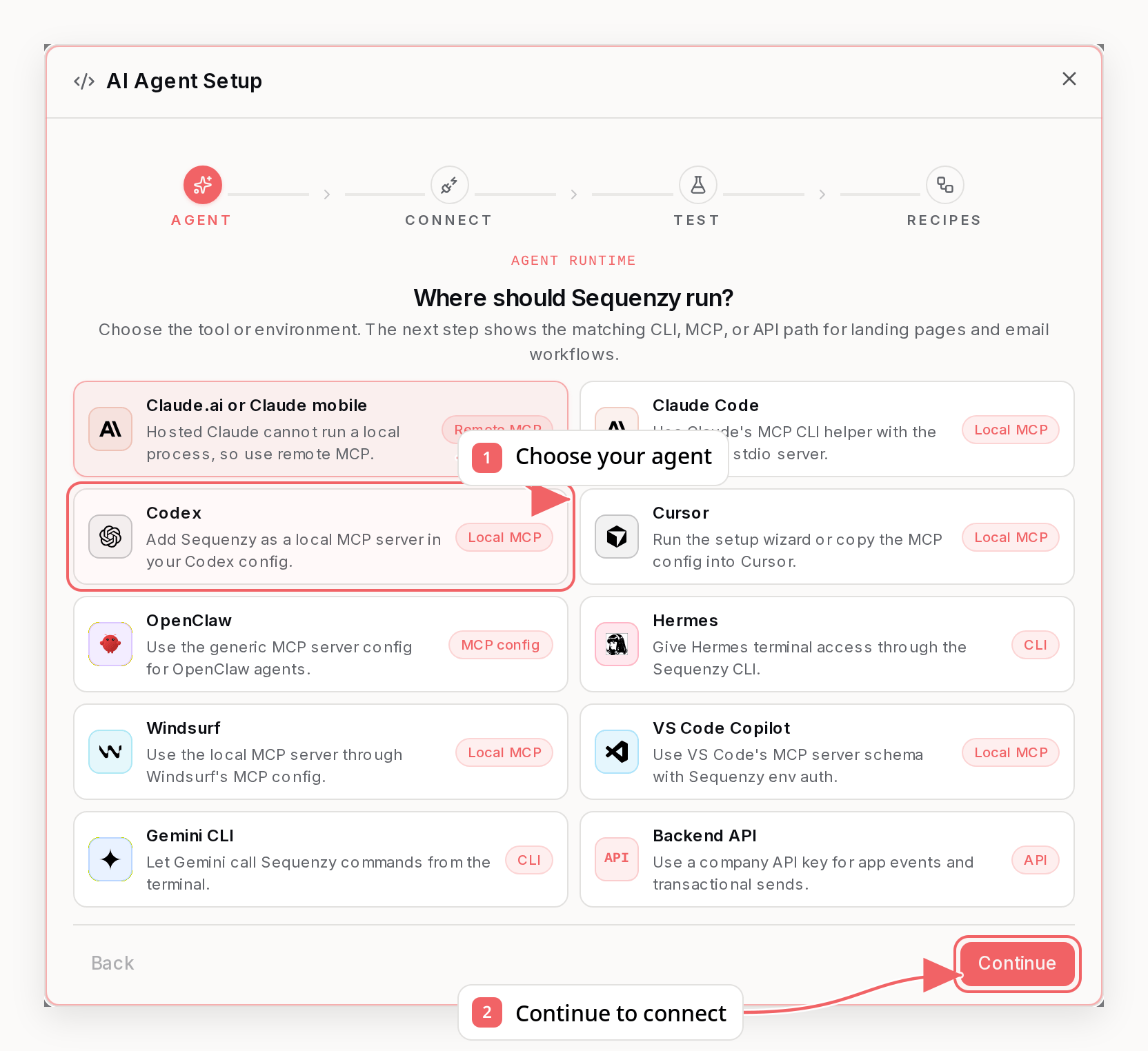
Use local setup for desktop and IDE clients that support local stdio MCP servers, including Claude Desktop, Claude Code, Codex, Cursor, Windsurf, and VS Code.
You can also use the sidebar MCP button in the Sequenzy dashboard to copy the local setup command, create a personal key for manual local configs, and jump to the full setup docs.
For MCP authorization and generated local MCP keys, Safer agent access is the default. It lets the agent inspect data, complete workspace setup (name, branding, mailing address, AI writing context), define lists and tags, apply tags to existing contacts, draft content, and edit sequence A/B variant copy (cart and browse abandonment included) without live delivery, destructive deletes, team changes, API key creation, or changes to your account-wide sending defaults. It cannot add contacts to a list or remove them from one; those operations need subscribers:write, while deleting a definition needs the matching *:delete permission. Choose Full access when you intentionally want the agent to use the complete MCP surface, including sending, deletes, and administration. Use sender presets or custom scopes when the agent should send only specific kinds of email.
Quick Setup
The easiest way to set up MCP is using our setup wizard:
This will:
- Open your browser to log in
- Create a personal API key
- Auto-detect supported installed AI clients, including Codex, Claude Code, Claude Desktop, Cursor, Windsurf, and VS Code
- Configure those clients automatically using their native MCP CLI when available, with config-file fallback when needed
Manual Setup
Across most MCP clients, the core server config is the same:
- Command:
npx
- Args:
-y @sequenzy/mcp
- Env:
SEQUENZY_API_KEY=seq_user_your_key_here
If your client supports local stdio MCP servers, you can usually reuse that exact command and environment variable in its native config format.
Claude Desktop
-
Open Claude Desktop settings file:
- macOS:
~/Library/Application Support/Claude/claude_desktop_config.json
- Windows:
%APPDATA%\Claude\claude_desktop_config.json
-
Add Sequenzy MCP:
- Restart Claude Desktop
Cursor
-
Open
~/.cursor/mcp.json (create if it doesn’t exist)
-
Add Sequenzy:
- Restart Cursor
Windsurf
Same format as Cursor, but the config is at:
- macOS:
~/Library/Application Support/Windsurf/mcp.json
- Windows:
%APPDATA%\Windsurf\mcp.json
Claude Code
You can add Sequenzy to Claude Code directly from the CLI:
If you prefer a shared project config, add the same server to .mcp.json:
On native Windows, wrap npx with cmd /c:
Codex
You can add Sequenzy to Codex from the CLI:
Verify that Codex can see the server:
Or add it manually in ~/.codex/config.toml:
VS Code Copilot
VS Code uses a servers object in its MCP config:
Other MCP Clients
For tools like OpenClaw, Hermes, and other MCP-compatible clients, use the same Sequenzy stdio server:
- Command:
npx
- Args:
-y @sequenzy/mcp
- Env:
SEQUENZY_API_KEY=seq_user_your_key_here
If a client asks for a JSON config, use the same mcpServers.sequenzy shape shown above unless its docs specify a different schema. If it provides a CLI helper, point it at npx -y @sequenzy/mcp and set the same environment variable.
Getting Your API Key
- Go to the Sequenzy dashboard
- Click the MCP button to create a personal key for local MCP, or open Settings → API Keys for backend keys
- Choose a permission preset or custom permissions
- Copy the key (personal keys start with
seq_user_)
Or use the setup wizard: npx @sequenzy/setup
Recover from missing API key permissions
When a tool reports a missing scope such as campaigns:read or
templates:write, call get_account first. Its apiKeyPermissions field shows
the effective preset, full-access state, scope counts and description, exact
scopes, common missing marketing read scopes, live delivery state, and a direct
manageUrl for the matching API Keys page. On the standard MCP surface it also
includes the non-secret active-key identity. The OpenAI-reviewed surface omits
the account user ID and active-key identity because they are not needed to plan
the request; use list_api_keys and its isCurrent marker when a company key
must be managed. Personal keys open the account-level page; company keys open
the selected workspace’s page. Each company also includes a settingsUrl. If
the key does not include account:read,
get_account cannot return that metadata; open the
Sequenzy dashboard directly and use the MCP
setup or Settings → API Keys instead.
Check whether the key can send before you compose
Drafting permission and delivery permission are separate on purpose. A key can
hold transactional:write (create and update transactional email templates) and
still lack transactional:send (deliver a live email), which is exactly how the
Safer agent access and AI drafting presets are built - they let an agent
author content without being able to mail anyone.
get_account reports this up front so you find out before writing the email
rather than when the send is denied:
apiKeyPermissions.canSendLive - false when the key holds no live-delivery
scope at all, so it can draft and manage content but cannot deliver anything.apiKeyPermissions.missingLiveDeliveryScopes - the specific delivery paths
the key lacks, such as transactional:send for send_email, campaigns:send
for send_campaign, or sequences:activate for activating a sequence.apiKeyPermissions.liveDeliveryBlockedByRole - true when the workspace role
blocks sending regardless of scopes. A personal key inherits the user’s role,
and a viewer is read-only however wide the key is.apiKeyPermissions.roleRestrictedScopes - scopes the workspace role cannot
use through a personal key. A marketer can send campaigns and activate
sequences but lists transactional:send, team:manage, and the other
workspace-management scopes here; widening the key does not change this.
Check these before composing anything intended to be sent. If the scope you need
is listed, widen the key in place using the steps below - the draft you already
have stays valid. If liveDeliveryBlockedByRole is true, widening the key will
not help: ask the workspace owner for owner or admin access instead, or use a
company key issued for that workspace.
You do not need a new key. Permissions are editable in place on the key the
client already holds, so you can widen them mid-session without touching the MCP
configuration or restarting the client.
Open manageUrl, edit the connected key in the dashboard, and enable every scope named in the error - either by
switching preset (Safer agent access covers common drafting, setup,
list/tag-definition work, and sequence A/B variant copy; Read-only covers discovery) or by adding the individual scopes
under Custom. Then retry the same tool call: the API reloads the key’s
permissions whenever a request is denied, so the retry succeeds immediately. The
key value never changes.
An agent using a company key that holds api_keys:manage can do this itself
by calling list_api_keys, choosing the entry where isCurrent is true, and
passing that entry’s id to update_api_key. Personal keys must be edited on
the account-level API Keys page; update_api_key only manages company keys.
scopes and preset replace the whole selection rather than merging into it, so
send every scope from apiKeyPermissions.scopes plus the missing ones. The
default Safer agent access preset deliberately withholds api_keys:manage,
so agents on that preset ask the workspace owner to make the edit.
api_keys:manage is the one scope an agent cannot work around: the permission
needed to widen a key is the permission that is missing. That is deliberate -
otherwise a leaked operational key could mint a full-access successor for
itself. Instead of guessing at the dashboard, call request_api_key_handoff. It
returns a link that opens the create-key form with the name and permissions you
asked for already filled in, so the owner only has to review and confirm. Add
replaceApiKeyId: "current" to rotate the key you are authenticated with, and
the dashboard offers to revoke it once the replacement exists. Nothing is
created until the owner clicks Create, and the new key appears in their browser
rather than in the tool result - so hand over the URL and stop rather than
polling for a key that will never arrive.
Replacing the key still works if you prefer it: create a new key with wider
permissions, update SEQUENZY_API_KEY, and restart the client. For hosted OAuth
MCP, you can also disconnect the Sequenzy connection and reauthorize it with a
preset or custom permissions that include every scope named in the error.
Removed permissions can lag by up to five minutes while API caches expire.
Widened permissions do not - they apply on the next retry.
Tools reject arguments they do not declare instead of ignoring them. An
argument a tool never supported would otherwise come back as a result that
silently does not match the request - an invented filters on a search, for
example, returning the unfiltered list. The error names the unsupported
arguments, lists the supported ones, and points at the supported way to express
the same request where one exists.
Subscribers
add_subscriber - Add a new subscriber by email, or by phone alone for a phone-only (SMS) contact; its status is creation-only, so use update_subscriber for an existing contact. The subscribers:write scope covers a nonempty listIds array in this call; omit it to let a new contact follow the workspace default lists while an existing contact keeps its memberships, or pass [] to join no list. The data-ingest presets support explicit lists in this call. Imports into explicit lists and dedicated list membership tools still require lists:write. Pass createdAt when importing from another platform to keep the contact’s original signup date, so date-relative segments are right immediately; an existing contact’s date only ever moves earlier, and supplying it skips sequence enrollment by default. Pass enrollInSequences: true to override that default with an API key that has automations:triggercreate_subscriber_import - Queue up to 5,000 full CRM subscriber records in one call, including names, external IDs, phone numbers, tags, lists, statuses, custom attributes, and a per-record createdAt signup date. A nonempty listIds array requires lists:write. Workspace-default opt-in can require automations:trigger for active contacts, and double opt-in always requires it. Pass idempotencyKey from retry loops so a resent request returns the already-queued import instead of creating a second batchget_subscriber_import - Check import progress and row-level outcome counts. Every excluded row is explained: skippedReasons sums to skippedCount and failedReasons sums to failedCount, so a migration can be proven complete without inspecting individual contactsupdate_subscriber - Update profile fields, attributes, tags, or global status; the legacy attributes spelling merges keys into the existing custom-attribute map, while the REST-compatible customAttributes spelling replaces the public map and removes unspecified keys. status: "unsubscribed" suppresses future marketing while preserving history. firstName, lastName, timezone, and phone are native profile fields, so set them here rather than as custom attributes - timezone takes an IANA identifier (e.g. America/New_York) and enables recipient-local campaign delivery - a national-format number needs phoneCountry (for example IT), and changing a number resets SMS consent unless you send smsConsent in the same callremove_subscriber - Unsubscribe while preserving history, or permanently delete only with hardDelete: trueget_subscriber - Get subscriber detailssearch_subscribers - Search by free-text query, tags, lists, segments, or a custom attribute. Omit limit and the tool walks every page for you and returns all matches in one call. To read a large audience in chunks instead, pass limit and follow pagination.nextCursor until pagination.hasMore is false; offset and page also work below 1,000,000 skipped matches and are what pagination.nextOffset is for when nextCursor is null. Use cursors for deeper audiences. Filter on a custom attribute with attribute plus attributeValue and an optional attributeOperator (is, contains, gt, gte, lt, lte, or is_not_empty); is_not_empty needs no value and matches every contact that has the attribute set. Attribute filters cannot be combined with segmentId - create a segment for compound or is_not/is_empty attribute rules. Each subscriber carries unsubscribedAt, the date the contact opted out; use it rather than updatedAt, which any later tag or attribute write moves. Narrow to a window of opt-outs with unsubscribedAfter and unsubscribedBefore, which skip contacts that carry no opt-out date - active contacts and imports with no known date. Bare dates use UTC midnight; datetimes must include Z or an explicit offsettrigger_subscriber_event - Emit a custom event for one subscriber exactly as an integration would. This is the supported way to exercise event triggers, matching-field idempotency, branch conditions, and stop conditions end to end without waiting for real traffic. Pass occurredAt to backfill an event that already happened: more than an hour in the past it is recorded as history, counted by segments and the timeline but running no sequences, sync rules, waiting steps or webhooks. Never use it to test a live automation, since the side effects you are testing will not run. Pass your own eventId to make a retry safe: a repeated live event returns the existing event with duplicate: true, while a repeated historical event stays in the events array and increments duplicatestrigger_subscriber_events - Emit several events for one subscriber in order, up to 500 per call. When every event carries an occurredAt more than an hour old the batch imports as history in one idempotent write; add your own eventId so a re-run writes nothing newimport_subscriber_events - Record up to 25 events for many subscribers, each carrying email or an existing contact’s externalId plus a source-owned eventId. Contacts whose rows are all more than an hour old import silently as history; any recent row makes that contact’s whole group live. Retrying reuses one receipt and repairs downstream work idempotentlybulk_add_subscriber_tags / bulk_remove_subscriber_tags - Add or remove tags across up to 500 existing subscribers identified by emails, externalIds, or subscriberIds. Built for reconciling derived-tag backlogs: unknown identifiers come back in notFound instead of creating contacts, and tag automations stay off unless you pass triggerAutomations: true
Lists
list_lists - List subscriber lists. Each list includes subscriberCount (current members of any status) and activeSubscriberCount (current members with status=active). Members who unsubscribed from the list are not countedcreate_list - Create a subscriber listupdate_list - Update a list’s name, description, or privacydelete_list - Permanently delete a list and all of its memberships; subscribers themselves are keptadd_subscribers_to_list - Bulk add up to 500 subscribers to a list from an email arrayremove_subscribers_from_list - Remove up to 500 subscribers from a list by email; subscribers stay in your audience and unmatched emails are returned in notFound
Campaigns
Use create_campaign_for_audience to create a blank draft from selected contacts, contact filters, or an email activity drilldown. Preserve the complete group and time window across pages. Review selectedCount and eligibleCount, then use the existing campaign tools to edit, inspect, clear or schedule the draft. See selection inputs and limits.
list_campaigns - List campaigns with status, label, limit, and offset filters, including reviewer feedback in rejectionComment for rejected campaigns. Each item carries delivery pacing (sendTimeOptimization, sendTimeWindowHours, spreadOverHours, sendInRecipientTimezone, scheduledTimezone) so a company-wide Send Time Optimization audit does not need one get_campaign call each. STO is campaign-only; sequences use sendingWindow. Results are paginated: the default page size is 50 and limit is capped at 100. Read the returned pagination object (limit, offset, count, total, hasMore) and keep paging with offset while hasMore is true - one call does not necessarily return every campaignget_campaign - Get campaign details and stats, including the saved audience in targetLists (null when targeting is still unset), the linked email body in emailId (the same record the template tools read; reusable as templateId in create_campaign, null for SMS campaigns), and reviewer feedback in rejectionComment for rejected campaigns. rejectionComment stays null while a campaign is still in waiting_approval. Finished campaigns also report recorded pacing through spreadOverHours, sendTimeOptimization, and sendTimeWindowHours, alongside sentAt - which is stamped when the last recipient is handed off for native sends, so on a paced send it marks the end of the delivery window. Imported campaigns may not include source-provider pacing metadata, so absent pacing fields do not prove delivery happened all at once. Note that computedLists is email personalization (product lists rendered inside the email), not audience targetingget_campaign_audience - Resolve exactly who a campaign will reach: targeting kind, resolved list and segment names (with a missing flag for deleted references), filters, include/exclude rules, a plain-language summary, and a live recipient count. isUnset: true means scheduling would send to every active subscriberlist_campaign_goals / create_campaign_goal / update_campaign_goal / delete_campaign_goal - Manage persisted event, subscriber-attribute, or tag-applied conversion goals attached to one campaign. These appear on the campaign report as named conversion steps after sent/opened/clickedcreate_campaign - Create a campaign from a prompt, raw HTML, or Sequenzy blocks; native blocks include Poll and NPS surveys. Prompt generation saves the generated subject, preview text, company logo/footer, and uses the company font. Pass emailPreset: "branded" | "minimal" to set Style > Format for native blocks; this is separate from prompt-generation style, cannot be combined with html, and is unsupported when the whole email is one raw HTML block. Applying minimal removes standalone logos; restoring branded generates a new logo unless the authored logo block is sent again. Defaults to draft, with status: "sent" available for archived/imported sent campaigns. Pass targetLists (or the segmentId/listIds shorthands) to save the audience on the draft, or omit them and choose it in update_campaign or schedule_campaign. Set the sending identity either with senderProfileId/replyProfileId from list_sender_profiles - each already carries its own display name, so send them without fromEmail/fromName and replyTo/replyToName - or with fromEmail/replyTo plus optional fromName/replyToName to name a profile Sequenzy creates for that addressupdate_campaign - Edit a draft, including reply-to settings, raw HTML, or Sequenzy blocks such as Poll and NPS surveys. Pass emailPreset to change Style > Format without rewriting copy, subject to the same native-block and logo-loss rules as create_campaign. Accepts targetLists (or the segmentId/listIds shorthands) to retarget the draft, or targetLists: null to clear saved targeting. Sending identity follows the same rule as create_campaign: a profile ID replaces both the address and the display name. Set sendTimeOptimization and sendTimeWindowHours (1-24, default 12) on the draft; they are used when the campaign is later scheduled unless schedule_campaign overrides them. STO is campaign-only - there is no company or sequence toggleschedule_campaign - Schedule a draft or already scheduled campaign; pass targetLists or the listIds shorthand to pick the audience at schedule time (omitting both reuses saved targeting, or defaults to every active subscriber), and recurringInterval: "weekly" or "monthly" to repeat it automatically, re-evaluating audience membership at every run. Pass sendTimeOptimization: true to deliver each recipient at their predicted best hour within sendTimeWindowHours of scheduledAt (default 12h, max 24); this is campaign-only and is not available on sequences. spreadOverHours takes precedence and turns STO off. Pass sendInRecipientTimezone: true with scheduledTimezone (the IANA zone the scheduledAt wall time refers to) to deliver at that wall-clock time in each recipient’s own stored timezone; contacts without a timezone receive the campaign at scheduledAt itself. The returned campaign.status is either scheduled or waiting_approval. waiting_approval means the campaign was held for safety review and nothing sends until a reviewer approves it - most common on new accounts and recently registered sending domains. It is a successful outcome, not an error, and scheduling again does not clear it; check the campaign with get_campaign insteadunschedule_campaign - Remove a scheduled send and recurrence, returning the campaign to an editable draft that can be scheduled againsend_test_email - Send test to single addressrender_email - Render a campaign, sequence email step, or template to the exact email-safe HTML that would be sent, for embedding a visual preview in an external dashboard or builder, or for checking merge tags before anyone is enrolled. Pass exactly one of campaignId, sequenceId plus nodeId, or templateId. unresolvedMergeTags lists every tag that did not resolve, with reason unknown (nothing provides that name, so it stays empty for every recipient) or no_value (recognized or unverifiable, but blank for this contact) - the HTML alone cannot tell them apart. An unknown name is reported even when a default filter supplied text in its place, because that fallback then reaches every recipient while the HTML looks correctly personalized. A name is only called unknown when the render had a source to check it against. Without the contact’s attributes nothing is checkable - a bare {{plan}} reads the same attribute map as {{subscriber.plan}} - so pass a stored subscriberId or an inline subscriber with customAttributes. Beyond that, {{event.*}} needs sample event properties in variables, since a real send fills those from the enrolling event, and {{recommendedProducts.*}} needs a stored subscriberId the catalog has something to recommend for. Rendering a transactional email needs variables, since its tags come from the variables of each send call and carry no prefix marking them. Otherwise they report no_value rather than being called typos. An optional attribute this contact never had set is kept out of unknown by checking the names other contacts in the account carry, which needs the subscribers:read scope. A sequence step downstream of a create-discount step renders {{discount.*}} from that step’s real configuration with a placeholder TEST-CODE for the code; on a step some paths reach without running that discount step, and on a standalone template, {{discount.*}} reports no_value instead of being called a typo. unevaluatedConditions does the same job for conditional blocks: a condition on stored subscriber state (tag, segment, list, status, event, purchases, engagement) can only be evaluated for a stored subscriberId, or for a tag condition an inline subscriber carrying tags, and anything else renders as false - indistinguishable in the HTML from a contact who genuinely does not match. Read-only: it never sends or modifies anythingcancel_campaign - Cancel a scheduled, paused, or sending campaign; remaining emails are not sent and the campaign cannot be restartedpause_campaign - Pause a campaign that is currently sendingresume_campaign - Resume a paused campaign, optionally spreading the remaining delivery over 1-72 hours with spreadOverHoursduplicate_campaign - Duplicate a campaign as a new draft. mode: "campaign" (default) copies the campaign and its email, "ab_test" also copies the A/B test with all variants, and "variant" copies a single variant’s content (requires variantId)resend_campaign_to_non_openers - Create a draft that resends a sent campaign to everyone in the same audience who didn’t open it. Available 6 hours after the campaign finishes sending, and never for imported already-sent campaigns (Sequenzy has no opens for a send it did not deliver); returns the draft and an estimate of how many subscribers haven’t opened the original. The draft must be scheduled or sent separately Every audience format keeps opener exclusions that manual additions cannot override. Resending a resend also preserves exclusions from earlier campaigns. Your audience is evaluated live, so new members can qualify even if they never received the original. If an older resend draft lacks excludedCampaignOpenerIds, recreate it from the original campaign and review the new draft before scheduling.share_campaign - Create (or fetch) the campaign’s public “view in browser” link. The hosted page renders an anonymized copy - sample contact, inert unsubscribe link, no open/click tracking - so the URL is safe to forward to anyone. Idempotent: an already-active link is returned with created: false instead of being rotated. get_campaign reports the current link as shareUrlunshare_campaign - Revoke the public link; the shared URL returns 404 immediately, and sharing again later mints a different URLdelete_campaign - Permanently delete a campaign; sending, scheduled, or paused campaigns must be cancelled with cancel_campaign first
list_forms - List saved forms, audience settings, and public action URLscreate_form - Create and publish a form scoped to one or more list IDs, optionally with brand theme overridesupdate_form - Rename a form, retarget its audience, edit its copy, restyle its theme, or replace its content blocks (read the current blocks via list_forms first)get_form_embed - Get the action URL, hosted JavaScript, native form, and fetch example
Typed custom fields (select, textarea, hidden, and so on) are added by
replacing blocks with update_form. The
Update Saved Form reference
documents every form-field property, including the mapsTo targets, choice
options, and hidden field behavior. A group block can arrange recursive
children as a stack, row, grid, or image overlay; groups may nest up
to three levels and responsive rows/grids collapse to one column on small
screens. Overlay requires exactly one direct image. Use overlayColor,
overlayShade (0-100), and overlayPosition (top, center, or bottom) to
control the image treatment. gap spaces the foreground children without
moving the background image; nested images only enable Overlay for their own
subgroup.
For a static Astro, Hugo, Jekyll, Cloudflare Pages, Netlify, or GitHub Pages
site, start with list_forms, call create_form if needed, then use
get_form_embed. The returned browser code never includes a Sequenzy API key;
the opaque form ID selects the server-managed lists, tags, duplicate behavior,
and success action.
Popups are the on-site overlay capture surface: one script tag on the site, with
the trigger, page targeting, schedule, and display frequency owned by Sequenzy.
Use saved forms instead when the signup box should sit inline in the page.
list_popups - List popups with their status, counts, and engagement rates. Content blocks are omitted unless you pass includeContent, so listing a workspace stays cheapget_popup - Get one popup’s complete content blocks, trigger, targeting, schedule, frequency, and themecreate_popup - Create a popup from a starting template and get its embed script; published by defaultupdate_popup - Rename, publish or unpublish via status, retarget, retime, edit copy, restyle, or replace content blocksduplicate_popup - Copy a popup into a new draft with its own counts, leaving the original liveget_popup_embed - Get the script URL plus HTML, React/Next.js, WordPress, and Shopify snippetsdelete_popup - Permanently delete a popup and its view and conversion counts
create_popup accepts a template for the starting design (newsletter-modal,
discount-offer, countdown-launch, minimal-slide-in, exit-lead-magnet,
live-demo, launch-modal, paper-digest, stark-takeover, top-bar,
announcement-bar, or fullscreen-welcome), then update_popup refines it.
Unlike saved forms, listIds is optional: omit it and the popup captures into
every list, matching the dashboard default.
Popup block arrays support the same recursive group layout as saved forms.
The trigger, targeting, schedule, frequency, and visual objects are
merged key by key, so setting trigger.delaySeconds keeps the rest of the
trigger. To stop a popup showing without losing its stats or invalidating its
embed script, set status: "draft" rather than deleting it.
Every popup carries a stats object with the full funnel: views (shown),
starts (began filling in), and conversions (submitted), plus startRate,
conversionRate, and completionRate. A rate is null rather than 0 when
its denominator is zero, so a popup nobody has seen yet does not read as a
popup nobody converted on. To trial a change against a performer, use
duplicate_popup and publish the copy rather than editing the original.
Landing Pages
list_landing_pages - List landing pages with status, metrics, content, and URLsget_landing_page - Get landing page details, editor content, lifetime metrics, public URLs, and a signed previewUrl that works for drafts. Use get_landing_page_stats for unique visits, referrers, and crawler hitsget_landing_page_stats - Mailchimp-style report: visits, unique visits, clicks, subscribes, conversion rate, daily histogram, referrers, UTM sources, and crawler hits. Preview URLs and the editor are never countedrender_landing_page - Return a visitor-facing preview URL for a landing page without publishing it. Drafts keep publicUrl null; open previewUrl to check layout, copy, and #form anchors. The preview is not indexed and draft forms do not collect contactscreate_landing_page - Create a draft landing page from default template content or supplied JSONupdate_landing_page - Edit landing page name, slug, or full editor-compatible contentpublish_landing_page - Publish a landing page, optionally saving name, slug, or content firstunpublish_landing_page - Return a landing page to draft, optionally saving edits firstduplicate_landing_page - Copy a landing page into a new draft with its own slug and statsdelete_landing_page - Delete a landing pageconnect_landing_page_domain - Connect a workspace domain, or provide landingPageId for a hostname dedicated to one pageupdate_landing_page_domain_settings - Update or verify workspace/page domain settings; provide the same landingPageId for a dedicated page domainremove_landing_page_domain - Remove a dedicated page domain while preserving its workspace and Sequenzy fallback URLs
Landing page content uses Sequenzy’s editor-compatible JSON schema with version, template, seo, theme, and blocks. Blocks render in slot order - top (full-width band above the hero), hero, form, body, footer - so put banner images or announcement bars in the top slot. A video block takes a pasted YouTube URL in url; other providers and direct video files are not supported. The seo object also accepts faviconUrl (falls back to the company logo) and hideFromSearchEngines (adds a noindex, nofollow tag for private pages). The API validates CTA, pricing, footer, and form redirect URLs before saving or publishing. Button and pricing CTA URLs also accept in-page anchors: #form scrolls to the page’s single form block, #section-<sectionId> and #block-<blockId> scroll to any section or block, and #top returns to the top - use these for repeated CTAs on a one-form page instead of adding a second form. The theme object accepts sectionAnimation (none, fade, slide-up, zoom-in) and sectionAnimationSpeed (slow, normal, fast) for a scroll reveal on the published page. Custom landing page subdomains require a CNAME record pointing to pages.sequenzydns.com; root domains require an A record pointing to 76.76.21.21 (the www host also redirects to the root when its CNAME points to pages.sequenzydns.com). Call update_landing_page_domain_settings with verify: true after DNS changes propagate. A dedicated page domain opens at its hostname root and never exposes sibling pages; existing workspace and Sequenzy URLs remain as fallbacks.
Company
create_api_key - Create a company API key and return its one-time secret on the standard MCP surface. It is omitted from the OpenAI-reviewed surface; use request_api_key_handoff thererequest_api_key_handoff - Prepare an owner-confirmed link that opens the dashboard create-key form prefilled with a suggested name and permissions. Use it when key management is blocked because the active key lacks api_keys:manage. It creates nothing and never returns a key: hand the URL to the workspace owner and stop. Pass replaceApiKeyId (or "current") to rotate, and the dashboard offers to revoke the predecessor once the replacement exists. Needs only account:readlist_api_keys - List company API keys as non-secret metadata, including IDs, prefixes, permission receipts, usage timestamps, and the active-key markerupdate_api_key - Rename a company API key or replace its permissions in place, without issuing a new key. Reach for this when a call fails with a missing-scope error: the key value is unchanged, so no client has to be re-wired, and added permissions apply on the next retry. Removed permissions may remain usable for up to five minutes while API caches expire. preset and scopes replace the whole selection rather than merging into it, so call list_api_keys firstrevoke_api_key - Permanently revoke an exact company API key by ID after checking it with list_api_keys (delete_api_key is a compatibility alias)get_company - Get company details, product info, brand colors, AI writing context, effective localization settings, the read-only emailBranding entitlement, and defaultSubscriberListIds - the workspace default lists new contacts join when nothing targets them explicitly. emailBranding.visible reports whether “Sent with Sequenzy” is added to future sends; the reason, tier, subscription status, required action, and subscriptionUrl let an agent explain the entitlement and hand a billing-authorized user to the real Account -> Subscription page. Branding is injected at render/send time, so a paid entitlement removes it from future sends by existing live sequences without editing their blocks. It is not a writable update_company setting. A JSON null for defaultSubscriberListIds is every current and future list, not an empty selection; [] is no list at all. An ordinary profile or attribute upsert for an active contact keeps that contact’s memberships unless it names lists explicitly; capture submissions and explicit lifecycle reactivations can reapply target or default lists. Change the setting with update_company. Read it before connecting an integration that has no per-integration list targeting of its own (Dodo Payments, PostHog, Polar, Paddle, and similar), because live contacts and payment-provider backfills land there. PostHog history imports are different: contacts created by that import have no list memberships. Send Time Optimization is not a company setting; audit campaigns with list_campaigns or get_campaignget_app_urls - Generate dashboard links for resources and company administration. When a company is resolved, the result includes the canonical subscription URL. The settingsTab values billing and subscription are compatibility aliases for Account -> Subscription; they do not invent a nonexistent Settings tabupdate_company - Edit product info, brand context, the brand emailDesignPrompt (art direction for AI-designed emails - layout, density, imagery, CTA prominence, separate from toneVoice; when empty, the next email generation prefills it with the direction derived from the brand, and an empty string clears it so the next generation writes a fresh one), and the default email theme (emailTheme accepts partial updates; null resets it - to restyle a single sequence email instead, patch that step’s emailTheme with update_sequence_node), or set account-wide fromEmail and replyTo defaults (From domains must be verified); send fromName or replyToName alone to rename the existing default profile’s display name, or pair them with senderProfileId / replyProfileId from list_sender_profiles to pick and rename a specific profile. Set defaultSubscriberListIds to choose which lists new contacts join when nothing targets them explicitly - forms, API writes, events, tag actions, imports, and every integration without its own targeting. The three states differ: null is every current and future list, [] is no list at all, and an array is exactly those lists. Unknown or foreign list IDs are rejected rather than skipped, and the change applies only to later writes - nobody is moved or removed retroactively, so a list already filled by a backfill still needs remove_subscribers_from_list. Profile, branding, and AI-context fields need company_profile:manage (included in Safer agent access); the sending-identity, reply-tracking, and defaultSubscriberListIds fields need companies:manageadd_sending_domain - Add a sending domain and return the SPF, DKIM, MAIL FROM, and inbound DNS records required for setup (add_website remains as a compatibility alias)list_websites / check_website - Read stored aggregate, SPF, DKIM, MAIL FROM status, the envelope sender domain, and the Apple Email Source domains derived from sender profilesverify_sending_domain - Run a fresh DNS verification and return verified separately from readyToSend and selected home-transport readinessget_email_design_system - Get the visual identity every AI-generated email renders inside: the design code (kicker style, title alignment, button shape, divider style, density, sanctioned opener treatments) and the composition spine (hero-led | editorial | product-spec). The identity is stored as the company’s design direction text; the tool returns the parsed tokens, the raw text, and isDefault while the identity is still purely derived from brand contextupdate_email_design_system - Adjust that identity (partial update) or reset it to the brand-derived defaults; the change is written into the design direction text (custom prose is preserved) and applies to every future AI email generation and sequence enrichment. Requires company_profile:manageget_sync_rules - Get the automatic tag changes applied when events fire, plus whether the optional platform preset is activeupdate_sync_rules - Replace the full sync rule set ([] disables rules; null opts into the inherited SaaS/ecommerce preset); rules support subscriber-tag conditions and a product match (tags, collections, product types, vendors) for commerce eventsget_shopify_automation_settings - Get the connected Shopify store’s browse-abandonment, cart-abandonment, and price-drop settings with defaults appliedupdate_shopify_automation_settings - Update browse-abandonment, cart-abandonment, and/or price-drop settings (partial update; null resets a section to the defaults)list_integrations - List connected integrations (Stripe, Shopify, Supabase, Clerk, ad platforms, and so on) with connection state, sync health, last sync time, and last sync error. lastSyncSkipped reports records the last store sync could not import normally, split into profiles that were kept but cannot receive email and records that were not imported at all. Credentials, access tokens, and webhook secrets are never returned; the OpenAI-reviewed surface also removes raw sync-error detailget_integration - Inspect one connected integration in depth: what it syncs, every event it emits and when, the tags each event applies through the account’s sync rules, which sequences trigger on each event, 24h webhook activity, and prioritized recommendations. unusedEvents lists the events nothing acts on yet, availableActions says what can be called on it right now, ingestion reports the bulk sync state and which lists new contacts land on (with names), Shopify pixel carries the live storefront tracking state, and Webflow webflowCapture reports the exact selected native forms, retained fields, required double opt-in, list IDs, sequence toggle, webhook state, and schema fetch time. An empty webflowCapture.forms means capture is off. For Attio, details.mappedListCount 0 plus an attio_lists_unmapped recommendation means list joins are not synced until you map lists with update_attio_settingslist_integration_capabilities - Describe what each provider does whether or not it is connected: category, connect method, what it syncs, every event with the moment that triggers it, attributes written, supported actions, availability, and caveats. Coverage differs sharply - only Shopify has storefront browse tracking, only Stripe and Chargebee cover the full trial lifecycle - so check here instead of assuming an event existsget_event_schema - Read what a built-in event payload actually contains: a real example payload per provider, plus every property path with its type, the merge tag that resolves it, and a note wherever the sample alone is ambiguous. Omit eventName to list every documented event. documented: false means no sample is published, never that the event name is invalid - custom events carry exactly the properties you sendconnect_integration - Connect an API-key or webhook-secret provider on the standard MCP surface (Polar, Paddle, Dodo, Whop, Creem, Chargebee, Clerk, PostHog, Segment, Affonso, or Attio). Credentials are validated where possible, stored encrypted, and never returned; payment providers queue their initial revenue backfill, and PostHog and Segment can import event history. The response includes the webhook URL to configure at the provider with the same secret. It is omitted from the OpenAI-reviewed surface; complete setup in the dashboard or local CLI insteadlist_integration_activity - Recent integration webhook and sync activity with action, status, event type, matched contact, and error. The log to read when an integration says connected but nothing is arriving. Retained 24 hours; payloads are sanitized so no credentials appearset_integration_sync_enabled - Turn bulk imports and backfills on or off. Disabling keeps the connection, credentials, and live webhook delivery active. Does not disconnect the integration, and does not stop it creating contactsset_integration_list_targeting - Choose which lists the contacts an integration creates join. This is the tool for “stop this integration adding people to my marketing lists”: set_integration_sync_enabled only pauses bulk backfills and leaves the live webhook writing. Affects list membership only on future provider writes - null falls back to the workspace default lists, [] joins none, and nobody is ever removed from a list. Webflow deliberately rejects null; use [] or explicit list IDs, and configure its native forms, field allowlists, required double opt-in, and sequence enrollment in the dashboard. With no selected Webflow forms, capture is off and no contacts are created. Wix/Webflow submissions, Shopify customer updates, and Supabase resubscriptions can add existing contacts to new targets; Stripe targeting applies only when its webhook creates a subscriber. It does not stop contacts being created, attributes syncing, sync-rule tags, or default any_contact enrollments, which fire precisely because the contact joined no list. Explicit any_list and specific-list sequences require a matching membership and do not enroll a list-less contact; pair this tool with pause_sequence_enrollments when any_contact enrollment must stop too. Honored by Supabase, Stripe, Shopify, Wix, and Webflow. For a provider that is not on that list (Dodo Payments, PostHog, Polar, Paddle, WooCommerce, and similar), this tool returns an error and live contacts instead follow the workspace defaults - read and change those with defaultSubscriberListIds on get_company / update_company. A JSON null on that field means every list, not none; [] means none, remembering that the default is workspace-wide and repoints every other untargeted contact source too. PostHog history imports are an exception and create contacts without list memberships. Needs integrations:manage, which Safer agent access deliberately withholdssync_integration - Queue a manual re-sync: customers and revenue for a payment provider (Stripe, Polar, Paddle, Dodo, Creem, Chargebee, Whop), the user backfill for Supabase, or the event-history import for PostHog and Segment. The Supabase run reads the table already configured for that integration and cannot be pointed elsewhere; run it before a campaign that needs names or plan attributes on users who existed before the trigger was installed. The PostHog and Segment runs are the supported way to retry an event-history import that failed or was interrupted: they restart from the beginning with the stored credentials, and already-imported events dedupe. Returns immediately; poll get_integration for syncStatus. Other providers re-sync from the dashboardget_integration_pixel - Check whether a Shopify store’s storefront tracking pixel is installed and reporting to this account. Read live from Shopify on every call, because a merchant can remove the pixel without Sequenzy hearing about it. pixel.healthy is the field to branch on, pixel.error distinguishes a confirmed outage from an unknown Shopify read, and dependentEvents names the events that rely on the pixel. Shopify onlyactivate_integration_pixel - Install the storefront pixel, or repoint an existing one at this account. Idempotent (changed: false when already live). Events start arriving on the next storefront visit and nothing is backfilled, so run it before building the sequence. Fails with a message naming the reconnect step when the store granted an older permission setget_attio_mapping - Inspect a connected Attio integration’s list mapping: Sequenzy lists, live Attio people-lists (id, api slug, name), the saved listMap, and mappedListCount. Call this when Attio is connected but mappings are empty, before update_attio_settings, so you have Attio list ids instead of asking the user to paste UUIDs. Reads Attio live. Attio onlyupdate_attio_settings - Set which Sequenzy lists sync into which Attio people-lists using the stored access token. Does not require the secret again — do not reconnect just to change mappings. listMap is a full replacement ({} clears every mapping). Unmapped lists are not synced; unmapping does not remove anyone from Attio. Needs integrations:manage, which Safer agent access deliberately withholdslist_web_tracking_keys - List the publishable keys that let a non-Shopify website send on-site events into this workspace. Each returns its origin allowlist, unrestricted, lastUsedAt, and a paste-ready installSnippet. A key with lastUsedAt: null has not successfully authenticated an event yet; check deployment, instrumentation or traffic, and the origin allowlistget_web_tracking_key - One key with its install snippet and ingest endpoint. Use it to hand over the exact script tag rather than rebuilding one, since the snippet embeds both the key and the workspace idcreate_web_tracking_key - Create a publishable key and return the install snippet. This is what turns on product views, cart activity, and browse abandonment for a site that is not Shopify or WooCommerce. Always pass allowedOrigins; an empty allowlist accepts events from any site. Nothing is backfilled for the period before the snippet is deployedupdate_web_tracking_key - Rename a key, replace its origins (the list is replaced, not appended), or revoke it with isActive: false. Revoking preserves the key value so the matching snippet can still be found on the sitedelete_web_tracking_key - Permanently delete a key. Any page still running the snippet starts being rejected, so the snippet must come off the site toolist_sender_profiles - List sender (From) and reply-to profiles, which are the account defaults, and whether each sender address sits on a verified sending domainupdate_sender_profile - Rename one sender or reply-to profile in place without changing which profile is the account default. Use it to standardize a display name across the several identities a mailbox can carry (for example Viraj from SnapCount down to SnapCount); pass type: "reply" for a reply-to profile. Only the name changes - the address, its sending domain, and the default From/Reply-To selection are untouched. To change which profile is the default, use update_company instead. Requires companies:managedelete_sender_profile - Permanently delete one sender (From) profile. It refuses to delete the last sender or a profile used by a live campaign, active sequence (including a step override), or transactional email. Eligible draft and rejected campaigns plus the account default move to the best remaining sender when needed; review fallbackSenderProfileId before sending. Reply-to profiles are not supported. Requires companies:manageget_notification_preferences - Get which account notifications Sequenzy emails the API key’s own user for this company (new subscriber, form submitted, campaign finished, weekly report), with the modes each event supports and the platform defaultsupdate_notification_preferences - Change those settings. Modes are off, instant, daily, and weekly; daily is only valid for new_subscriber and weekly only for weekly_report. Instant form-submission notifications stop after 50 per workspace per UTC day. The Monday weekly report is on by default for the workspace owner (off for invited members until they opt in) and only sent for weeks with more than 10 emails sent; set weekly_report to off to stop it. Useful before a large migration, though imports never trigger new-subscriber notifications and busy days fall back to a daily summary automatically. Never reads or writes a teammate’s settingsget_tracking_settings - Get open/click/unsubscribe tracking flags, the opt-in strictBotFilteringEnabled bot-detection flag, the default attribution window, automatic UTM tagging, the dedicated click-tracking domain and its status, inbound reply-tracking settings, and the consent block with doubleOptInEnabled, the confirmation email ID, and the post-confirmation redirect URLupdate_tracking_settings - Turn open, click, and unsubscribe tracking on or off account-wide, opt in or out of strictBotFilteringEnabled, set the default attribution window, require double opt-in for new contacts with doubleOptInEnabled, set where the hosted confirmation page sends subscribers after they confirm with doubleOptInRedirectUrl (null keeps them on the branded confirmation page), and configure automatic UTM tagging (autoUtmSettings merges over the stored templates; a null field stops that parameter, and null for the whole object resets them to the defaults). Applies to emails sent afterwards; reply tracking stays on update_company. Enabling doubleOptInEnabled requires a sender profile and provisions the confirmation email automatically; it does not change contacts that are already active
Set unsubscribeTrackingEnabled: false with update_tracking_settings to send
unsubscribe links directly to https://sequenzy.com, even with a custom tracking
domain. This applies to subsequent sends. Actual unsubscribes
and their email attribution are still recorded.
get_sending_status - Check whether company-level sending is active, paused, or suspended, why, and what it takes to restore it. Returns the pause reason and reason kind, the automated sender-health review state, whether one-click resume is available (and if not, which gate is blocking it), the enforcement counts and thresholds for permanent bounces, temporary bounces, and complaints, and ordered remediation steps. Requires only account:readresume_sending - Restore sending paused by a high permanent-bounce rate, after fixing the cause. Requires listSanitizationConfirmed: true, the companies:manage scope, and owner or admin access. It is a client of the same control the dashboard uses, not a bypass: only a permanent-bounce pause qualifies, the automated review must have cleared it, and it never removes suppressions
Call get_sending_status first whenever a send, sequence step, or test send fails for a reason that is not a validation error. A company-level pause blocks every send, so a test send that “works” in configuration terms still never leaves - send_test_email and send_sequence_test_email return a SENDING_PAUSED error carrying the same reason and steps.
Do not tell the user to wait for a bounce rate to expire. Sender-health enforcement uses all-time totals counted from a reset watermark rather than a rolling window, so metricsWindow.expiresAt is always null and the rate does not decay. It only moves as more real (non-test) sends accumulate, or when a resume moves the watermark. Test sends are excluded from the denominator, so they cannot dilute it either.
Only pass listSanitizationConfirmed: true after the user has confirmed the remediation. It is recorded on the account’s audit trail as their statement that the source of the invalid addresses is fixed and permanent bounces remain suppressed. When selfResume.canSelfResume is false, relay selfResume.unavailableReason and the remediation.steps instead of retrying - waiting_for_review clears on its own, while blocked_by_ai, review_failed, blocked_by_admin, and unsupported_reason need a support review.
For a new sending domain, call add_sending_domain, publish the records in website.dnsRecords, wait for DNS propagation, and then call verify_sending_domain. Treat website.readyToSend as the sending gate: DNS may be verified while the selected SES home region is still activating. Checking or verifying an unconfigured domain returns a recovery message that points back to add_sending_domain.
For a site that is NOT Shopify - a custom storefront, headless shop, marketplace, or SaaS marketing site - the equivalent check is list_web_tracking_keys. The same events (product views, collection views, search, cart activity, and the browse and cart abandonment built on them) require a publishable key and an installed script tag, and a workspace with no key, a revoked key, or a key that has never been used produces none of them. Create one with create_web_tracking_key and relay installSnippet verbatim. Identified events also require a short-lived token minted by the customer’s authenticated backend through POST /api/v1/web-tracking-identities; tell them to call sequenzy.identify(email, identityToken) at sign-in and checkout. A publishable key alone only records anonymous activity and cannot trigger subscriber automation.
For Shopify specifically, check get_integration_pixel (or the pixel field on get_integration) before building anything that depends on on-site behavior. Browse abandonment, cart recovery, product views, collection views, and storefront search all come from the storefront pixel, and a store with a confirmed missing or stale pixel produces none of them - the sequence is built correctly, enrolls nobody, and no error appears anywhere. If pixel.error is set, retry rather than treating the unknown state as an outage. activate_integration_pixel repairs a confirmed unhealthy configuration without a dashboard visit.
Call get_event_schema before writing any {{event.*}} merge tag or event property filter. list_integration_capabilities names the events a provider emits; this shows what is inside one. Guessing is not safe here: an unrecognized merge tag renders as an empty string rather than an error, so a wrong property name ships silently broken. It is also the only place that states what a sample cannot - *Cents fields are minor units while predictedLtv is whole currency units, price is a preformatted display string, churnRisk is a 0-95 percent, and orderId is a string on Shopify but a number on WooCommerce. Custom event names are absent by design and are still fully supported.
Before building automations on an integration, call get_integration. It answers whether the work is “connect something” or “turn on a sequence”: unusedEvents names events with no listening sequence, and recommendations flags listeners that are not accepting enrollments. observedByAccount, accountLastSeenAt, and accountNeverReceivedEvents are explicitly account-wide because another integration or the public events API can update the same event definition. Use the retained activity log for connection-specific delivery diagnosis. On the standard MCP surface, connect_integration accepts credentials the user explicitly provides; prefer the dashboard or local CLI when secrets should stay outside the AI conversation. The OpenAI-reviewed surface omits this tool. Disconnects stay in the dashboard because they perform provider-specific cleanup.
Sequences
list_sequences - List sequences with dashboard-compatible status, search, label, limit, and offset filters. Branch on effectiveStatus (draft, live, enrollment_paused, paused, archived) rather than status, which reads active even when new enrollments are paused; acceptsNewEnrollments, processesExistingEnrollments, and the plain-language effectiveStatusSummary are returned alongside it. The legacy triggerConfig.active flag is not read by the runtime and now mirrors acceptsNewEnrollmentsget_sequence - Get sequence details plus normalized sequence.nodes with each node’s id, nodeType, current config, updatedAt, and updateHints describing editable/managed fields and the concurrency token to return; reusable sequence.edges, graphRevision, and editable sequence.emails are also returned, including each linked email’s effective emailPreset (branded or minimal). sequence.emails covers every email-sending step, including action_ab_test steps - those report nodeType: "action_ab_test" with an abTest summary whose variants[] entries include full blocks when ab_tests:read is granted, and their step-level copy is control variant A only (see editing the content of a sequence A/B step). Send Time Optimization is campaign-only; sequences use sendingWindow (allowed local hours/days), which is a shared gate, not per-subscriber predicted send timessimulate_sequence - Dry-run a sequence without sending mail or enrolling anyone. Nobody is auto-enrolled on activate. Without a subscriber it reports who currently matches and activation readiness errors. Pass subscriberId or email to walk that stored contact’s branch path, and limit (1-25, default 10) to control the current-match sample. Call this before enable_sequencesend_sequence_test_email - Send one saved action_email step to 1-10 internal reviewers without enabling the sequence or enrolling subscribers. Pass the sequenceId and nodeId from a get_sequence email entry only when its nodeType is action_email; action_ab_test variants are not supported by this tool and should be inspected on get_sequence.sequence.emails[].abTest.variants. Each result includes a durable emailSendId for get_email_sendcreate_sequence - Create a sequence with:
- Only
name for a blank, disabled trigger-to-completion draft matching the dashboard; trigger defaults to contact_added
- Dashboard metadata (
description, labels, userCancellable, and sequence BCC recipients) plus full From/Reply-To identity
trigger: "inbound_webhook" with integration metadata, in addition to list, tag, segment, event, inactivity, and frequency triggerstrigger: "segment_entered" plus segmentId for saved-segment entry automationslistIds for a contact_added trigger covering several lists, and tagNames for a tag_added trigger covering several tags - joining or receiving ANY of them enrolls the contact (up to 25 values each). Use these when the user says “when added to list A or list B”listScope for contact_added triggers with no list at all: any_contact (the default) enrolls every contact that is added, including the list-less contacts an integration creates when its list targeting is empty, while any_list waits until the contact joins a list. It cannot be combined with listId/listIdsgoal - AI generates email contentdurationDays - total duration used to space AI-generated emails when using goalemailStyle - visual (designed) or plain (text-first) for AI-generated emails; defaults to the company’s saved preferencesteps with blocks - Sequenzy JSON block formatsteps with html - Any HTML (React Email, MJML, provider exports, etc.) preserved as one raw HTML blocksteps with attachments - URL-backed file attachments ([{ filename, path }]) fetched at send time. For event-triggered sequences, path can use an event value such as {{event.file_url}}, and filename can also contain merge tags (max 10 per email, 7MB total)enrollmentMode: "matching_field" for event-triggered product-, variant-, order-, or subscription-specific sequences that should block duplicate active runs only for the same resolved field- A scalar
enrollmentFieldPath, such as order.id or product.providerVariantId, when you want matching_field to use a custom event property. Array traversal with [] is supported by propertyFilters, not enrollment keys
propertyFilters for event_received triggers - only start the sequence when the event properties match, e.g. scope a purchase sequence to one product with { "path": "lineItems[].providerProductId", "operator": "equals", "value": "prod_123" } (or productIds for Stripe saas.purchase events)- For
event_received sequences, step content can use {{event.amount}}, {{event.order.id}}, or other {{event.*}} merge tags from the event payload that enrolled the subscriber
- Custom-event responses include
eventTrackingCode plus eventTracking, which gives the endpoint, normalized trigger filters, a generated payload example, examplePayloadMatchesFilters, the direct docs URL, and arguments for get_integration_guide. When the example does not satisfy every filter automatically, follow examplePayloadNote and adapt it before sending
update_sequence - Modify a sequence, target a specific step with the emailId or nodeId returned by get_sequence (email steps only - action_ab_test steps keep their copy on the test’s variants), atomically replace its typed trigger, or update enrollmentMode / enrollmentFieldPath. Set bccEmails to blind-copy team inboxes on every email the sequence sends (use clearBccEmails to remove them). Email steps also accept attachments ([{ filename, path }]) - URL-backed files fetched and attached at send time; path may be an {{event.*}} URL template resolved separately for each enrollment, and [] removes them. Tag, list, wait, condition, and webhook steps added through insertSteps or a branch path carry their node fields in config: action_add_tag / action_remove_tag take tagName (or tagId when you have the real tag ID), action_add_to_list / action_remove_from_list take listId, logic_wait_for_event takes eventName with timeoutDays / timeoutAction, logic_condition takes conditionType plus its resource field, action_webhook takes an HTTPS url with optional method (GET/POST/PUT/PATCH/DELETE), headers, a JSON body template, resultKey (saves the response for later {{webhooks.KEY.data.field}} merge tags), and onError (continue/exit/fail), and action_ai takes a merge-tag prompt, a required resultKey, outputFields with per-field fallbacks whose combined limits fit a 2000-token response budget, and optional includeTags/includeEventProperties/includeRecentEvents (with recentEventLimit, 1-50, default 10)/includeAttributes context selectors so later steps can read {{ai.KEY.field}}; SMS, discount, and delay steps keep using their step-level fieldsupdate_sequence_node - Patch one existing node in place using its nodeId. It cannot edit the copy of an action_ab_test step, which lives on the test’s variants - read those blocks from get_sequence.sequence.emails[].abTest.variants and change each one with update_ab_test_variant. It supports every stored node type: delays, email/SMS content, actions, conditions, branch configuration without topology changes, webhooks, and triggers. Pass the node’s latest updatedAt as expectedUpdatedAt to prevent stale writes. action_email nodes accept emailTheme to restyle that one step’s linked email - { "emailTheme": { "colors": { "background": "#ffffff" } } } repaints only that email’s background and leaves the account-wide theme and every other email alone. It is a partial patch merged into the email’s current theme (or the company theme when the step has no override yet); null drops the override so the step follows the company theme again, and get_sequence echoes the stored override back as emailThemeupdate_sequence_nodes - Apply multiple type-aware node patches atomically. Use this for bulk edits such as changing every 5-minute delay to 7 days, or restyling several email nodes at once with { "emailPreset": "minimal" } or { "emailTheme": { "colors": { "background": "#ffffff" } } }; either every patch commits or none doedit_sequence_graph - Atomically move, reconnect, delete, or deep-copy existing sequence nodes using the latest graphRevision; deleting a step immediately moves parked recipients to its unique surviving successor, or completes them when no successor remains, and returns migratedRecipientCount / completedRecipientCount; active sequences require explicit structural-change confirmationinsert_sequence_step - Insert a typed email, SMS, delay, discount, subscriber-update, tag/list, outbound webhook, AI, condition, logic_wait_for_event, or logic_branch step. AI steps (type: "ai") accept a merge-tag prompt, a required resultKey, outputFields with per-field fallbacks, and optional context selectors; later steps read the output with {{ai.KEY.field}} merge tags. Webhooks accept an HTTPS URL, a GET/POST/PUT/PATCH/DELETE method, string-valued headers, a JSON body template, a resultKey that saves the response for later {{webhooks.KEY.data.field}} merge tags, and onError failure behavior; URL, headers, and body support merge tags resolved at execution time. Wait nodes accept eventName, timeoutDays, and timeoutAction. Branch paths accept typed conditions plus targetNodeId/elseTargetNodeId, new path steps, or both, so one atomic call can route a reply path to completion and Else to an existing follow-up. Pass splitMode: "random" with randomPercentages to make the branch a weighted A/B split instead, which routes by percentage rather than by condition and has no else pathenable_sequence / disable_sequence - Control statusduplicate_sequence - Create an independent draft copy, including graph, emails, and sequence A/B testsarchive_sequence / unarchive_sequence - Move a sequence into the dashboard archive or restore it as a draftlist_sequence_goals / create_sequence_goal / update_sequence_goal / delete_sequence_goal - Manage the persisted event, subscriber-attribute, or tag-applied conversion goals shown by the dashboardget_sequence_inbound_webhook / configure_sequence_inbound_webhook / rotate_sequence_inbound_webhook_secret - Read and configure the secret endpoint, field mapping, sample payload, and setup state attached to an inbound-webhook sequence trigger on standard MCP. The OpenAI-reviewed surface removes credential-bearing URLs from read/configure results and omits secret rotation; use the returned sequence dashboard URL thereenroll_subscribers_in_sequence - Manually enroll up to 500 subscribers by email, subscriber ID, or both. Only active subscribers are enrolled: unknown emails are returned in notFound, and inactive, unavailable, or already enrolled subscribers are counted in skipped. Pass targetNodeId (a non-trigger nodeId from get_sequence) to start at a specific step instead of the first step after the trigger. The sequence must be accepting entrants.list_sequence_enrollments - List the individual contacts enrolled in a sequence, with the node each one is sitting on. This is the contact-level view behind get_sequence_stats enrollmentCounts: filter by currentNodeId (IDs come from enrollmentCounts.byCurrentNode or get_sequence), status (defaults to active and waiting), subscriberId, or email. Each row carries email, firstName, lastName, currentNodeLabel, currentNodeType, enrollmentStartedAt, waitUntil (when a waiting contact resumes), failedReason (why a failed enrollment stopped; null otherwise), and movedFromNodeId/movedAt/moveReason (set when move_sequence_enrollments released the contact onto its current step), enteredVia (the list, tag, segment, event, inactivity check, or frequency check that enrolled the contact - the way to tell entrants apart when a trigger covers several lists or tags), entryContext (event id and property keys, never values), and branchDecisions (redacted if/else verdicts with the compared field name and a missing/empty/nonempty/equals_expected summary). Pass status: "failed" to triage a step that is not delivering - failures are terminal, and the same failedReason on one currentNodeId across several contacts points at that step rather than at the contacts. Sort with wait_until_asc to see who moves next, and page with limit (up to 500) and offset until pagination.hasMore is false to export the full list. The response always echoes the sequence’s single configured stopCondition, including any matchConfig event-property filters, field comparison, or entry_audience resolver; entry-audience defaults use value: null and resolve the enrolling tag or list per contact. A stop condition is re-checked when an enrollment next runs a step, not when its event arrives, so a contact whose stop event already landed can keep reporting waiting until its delay expires. Pass stopConditionMatch: true to inspect the current state and read stopConditionMatches per row, where null means “not determined” rather than “does not match”. This is a non-atomic snapshot: a step already past its stop check may still finish. See when a stop condition actually cancels.get_sequence_enrollment - Read one enrollment token, including bounded ClickHouse nodeHistory. Use this when a completed token lists as enteredVia unknown or Sequence completed with no email: reconstructed branch decisions are redacted (field name + missing/empty/nonempty/equals_expected), never the raw compared value. Check nodeHistoryTruncated and branchDecisionsTruncated before treating either audit trail as complete. Take enrollmentId from list_sequence_enrollments.cancel_sequence_enrollments - Stop active or waiting enrollments in a required sequence. Target cancelAll: true to drain every enrollment (the right move when segment-triggered contacts share no entry field value, and the only way to stop contacts already mid-flight - pausing enrollment just blocks new entrants), subscriberIds for a batch of up to 500, subscriberId for one contact, or entry-event fieldValues. Field-value cancellation can use fieldPath or the sequence’s configured enrollmentFieldPath. Every bulk target defaults to dryRun: true; pass dryRun: false to apply, then repeat the call while the response reports remainingCount above zero.move_sequence_enrollments - Release a bounded batch of contacts off one sequence step and onto another, keeping their enrollment. Use this instead of cancel-then-re-enroll when you want the next N contacts waiting on a delay to continue early: cancelling discards the enrollment’s entry event properties, stop-condition snapshots, and start date, and re-enrolling is refused while new enrollment is paused. Requires fromNodeId; targetNodeId defaults to that step’s only next step. limit defaults to 100 and caps at 500, sort defaults to wait_until_asc (longest-waiting first), dailyLimit refuses to release more than that many onto the target step in a rolling 24 hours, and tags marks the released wave with existing tag names (needs subscribers:tag). Defaults to dryRun: true; pass dryRun: false to apply, then repeat while remainingCount is above zero. Moved contacts become active immediately, so the sequence emails them as soon as a worker picks them up.realign_sequence_enrollments - Pull waiting enrollments in a required sequence forward to the start of its sending window on the day they are already scheduled for. Run it after changing sendingWindow (or a wait-until-weekday step) on a live sequence: existing waits keep the time their delay produced, so a widened window never reaches contacts already parked on an email-bound delay step and a narrowed one defers them to the next allowed day. Sequence windows never advance SMS, webhooks, branches, or other non-email actions. A wait only ever moves earlier, never onto a different local day, and never before now; nobody is cancelled or re-enrolled. Narrow it with nodeIds or subscriberIds. Defaults to dryRun: true; pass dryRun: false to queue an applied job.get_sequence_enrollment_realignment - Poll the jobId returned by an applied realign_sequence_enrollments call. When status is completed, inspect result; if result.hasMore is true, queue the next bounded apply with result.nextCursor as cursor.
Email-step blocks on create_sequence, update_sequence, and
insert_sequence_step are validated against the same block schema campaigns and
transactional emails use. A structurally invalid block is rejected with the step,
block index, and field named rather than stored, because a stored block the
renderer cannot render fails every enrollment at that step. Fields that parse but
will not render as their name suggests come back in an advisory warnings array
on success, so treat a quiet response - not just a successful one - as
confirmation that everything you sent took effect. A standalone button block may
be written with buttonText and buttonUrl, which are accepted as aliases for
text and url.
For node updates, call get_sequence immediately before writing. Start with the
returned node config and send only changed fields. Delay nodes use a readable
patch such as { "delay": { "days": 7 } }, delayMs, waitUntil, or
waitUntilWeekday (for example { "waitUntilWeekday": { "day": "sunday", "startTime": "09:00", "endTime": "12:00", "timezone": "America/Los_Angeles" } }
to hold the next step until the next Sunday-morning window; contacts already
inside the window continue immediately). A waitUntilWeekday delay placed
immediately before an email is a hard timing gate for that send - any
intervening step can move delivery outside the weekday window. A
sequence-level sendingWindow holds emails at send time but does not
reschedule the graph. Node
updates for action_email can set { "emailPreset": "minimal" } to change
only that linked email’s Style > Format without changing the company theme.
This applies the same transformation as the dashboard to native Sequenzy
blocks, including emails that contain supported custom HTML blocks. An email
stored entirely as one standalone raw HTML block does not support emailPreset,
and emailPreset cannot be combined with html or htmlContent.
Existing node patches and arbitrary graph topology are intentionally separate:
use insert_sequence_step for a new typed branch or wait node, and use
edit_sequence_graph to add/remove branch paths, reconnect edges, reorder
nodes, or convert the flow structure. Updating an active sequence requires
confirmLiveChange: true after
the user confirms the impact. Recipients already waiting keep their existing
scheduled timestamp; the new delay applies to recipients that reach that node
after the update.
For the common “suppress the second email after a reply” flow, call
get_sequence, take the first email, follow-up, and completion node IDs, then
insert the branch in one request:
To A/B test two offers against each other inside a live sequence, insert the
same node with splitMode: "random". Each path becomes a weighted variant, no
subscriber attribute is evaluated, and the percentages must sum to 100. A
random split has no else path, so omit conditionType, all condition-specific
fields, elseSteps, and elseTargetNodeId:
Use a random split when the variants differ by more than the email itself, such
as a different delay or a different number of follow-ups on each path. To test
two versions of one existing email step and have a winner selected
automatically, call create_ab_test with automationNodeId instead.
Branches inside a branch path
A path’s steps array builds one linear chain of nodes, so it cannot contain
another branch. Nested branches are still supported - insert them as their own
insert_sequence_step call:
- Insert the outer branch. End each path with the step the nested branch
should follow, such as the wait before the flow re-evaluates the contact.
Every path’s last step automatically connects to whatever already followed
afterNodeId, so the shared steps after the branch exist only once.
- Read
addedBranchPathNodeIds from the response. It maps each branch ID to
that path’s new node IDs, in order, so no extra get_sequence call is
needed.
- For each path that needs to re-evaluate, insert a second
logic_branch with
afterNodeId set to that path’s last node ID. Its own paths reconnect to the
same shared step downstream.
The response returns
addedBranchPathNodeIds: { "catalogue_empty": ["node_a", "node_b"], "else": [] }.
Insert the Day 21 re-check after node_b, and each of its paths ends at
node_final_email without copying that email:
Passing a logic_branch object inside a path’s steps array is rejected with a
message pointing at this pattern. For a check that only needs to gate the flow -
continue when it passes, exit the sequence when it does not - use a
nodeType: "logic_condition" step inside the path instead; it stays linear and
needs no second call.
Transactional
list_transactional_emails - Search and filter transactional templates by name, slug, subject/title, or active state; sort by delivery metrics; and return each template’s dashboard URLget_transactional_email - Read a transactional email by ID or slug, including body blockscreate_transactional_email - Create a transactional template from a prompt, raw HTML, or Sequenzy blocks. Prompt-generated templates include company branding with no unsubscribe linkupdate_transactional_email - Update transactional email metadata or body contentdelete_transactional_email - Permanently delete a saved transactional template by ID or slug, freeing the slug for reuse. Past deliveries and their stats are kept, and the linked email content stays as a reusable template returned as deleted.emailId, which delete_template can remove separately. To stop sends without losing the template, set enabled to false with update_transactional_email insteadsend_email - Send one email using direct subject and html content (mapped to the transactional API’s subject and body fields), or pass a saved transactional email API slug through the compatibility-named templateId field. to, cc, and bcc each accept a single address or an array of up to 50, so a transactional send delivers one email with a shared recipient list rather than one email per address. Addresses repeated across the fields are dropped from the lower-priority one (to beats cc beats bcc), and the result echoes the accepted lists. Marketing sends still take exactly one to address and reject cc and bcc, because suppression and one-click unsubscribe apply per subscriber. Its variables object supports nested arrays for repeat blocks, such as { "event": { "items": [...] } }. Attachments accept Base64 content or a public path (up to 10 files / 7MB total); set contentId to embed a CID image referenced from the HTML and contentType to override MIME detection. When a single recipient matches a subscriber, saved first and last names fill omitted name variables; explicit variables values take precedence. The result echoes the accepted emailType. Optional fromEmail/fromName and replyTo/replyToName pick an existing verified brand identity for that one send without profile IDs; they do not create profiles. fromEmail looks up a send-ready sender by address, and if several identities share the address pass fromName (or senderProfileId from list_sender_profiles). senderProfileId/replyProfileId remain available when you already have them. When those fields are omitted, a template send keeps its saved From and Reply-To identities, while a direct send uses the company defaults. replyTo remains a one-off Reply-To string and is mutually exclusive with replyProfileId. {{viewInBrowserUrl}} becomes a hosted copy link. When trackingSettings is omitted, the account’s Transactional API tracking defaults apply. Set clickTracking or openTracking to false to opt out for that send only; these fields cannot enable tracking disabled by the account defaults.get_transactional_stats - Inspect top clicked links, complaints, replies, bounce classifications, and separate human/machine engagement for one saved templatelist_email_sends - Search recent delivery history and return a dashboard URL on every delivery; every row carries subscriberId, automationNodeId, and abTestVariantId, and a returned ID with get_email_send gives the full timeline
Segments
list_segments - List saved segmentscreate_segment - Create a segment from explicit filters, including nested AND/OR groups, event filters, segment filters, Stripe product purchase filters, and optional filterJoinOperatorupdate_segment - Update a segment’s name and/or replace its filter rules using the same filters plus filterJoinOperator or nested root shapes as create_segmentdelete_segment - Permanently delete a segment; subscribers are not affectedget_segment_count - Preview how many active subscribers match a segment
For Stripe product segments, use the product-specific Stripe fields. The supported shapes are:
{"id":"filter-1","field":"stripeProduct","operator":"is","value":"prod_pro"} for “bought product”{"id":"filter-1","field":"stripeProduct","operator":"is_not","value":"prod_pro"} for “didn’t buy product”{"id":"filter-1","field":"stripeProduct","operator":"at_least","value":"prod_pro:3"} for “at least 3 payments”{"id":"filter-1","field":"stripeProduct","operator":"less_than_count","value":"prod_pro:3"} for “fewer than 3 payments”{"id":"filter-1","field":"stripeCurrentProduct","operator":"is","value":"prod_pro"} for “currently has product”{"id":"filter-1","field":"stripeTrialProduct","operator":"is","value":"prod_pro"} for “currently trialing product”{"id":"filter-1","field":"stripeTrialProduct","operator":"is","value":"prod_pro:is_canceled"} for “trialing product is set to cancel”{"id":"filter-1","field":"stripeTrialProduct","operator":"gte","value":"prod_pro:start_at:7 days ago"} for “trial started in the last 7 days”{"id":"filter-1","field":"stripeTrialProduct","operator":"is","value":"prod_pro:end_at:2026-05-26"} for “trial ends on May 26, 2026”
For products purchased through commerce orders (Shopify, WooCommerce, or the Commerce API), use the commerceProduct field. The value is provider:productId - product IDs are provider-scoped, so the provider prefix (shopify, woocommerce, or api) tells the filter which catalog the ID belongs to. A bare product ID matches the ID on any provider:
{"id":"filter-1","field":"commerceProduct","operator":"is","value":"api:prod-starter-kit"} for “bought product”{"id":"filter-1","field":"commerceProduct","operator":"is_not","value":"api:prod-starter-kit"} for “didn’t buy product”{"id":"filter-1","field":"commerceProduct","operator":"at_least","value":"shopify:42:2"} for “placed at least 2 orders containing the product”{"id":"filter-1","field":"commerceProduct","operator":"less_than_count","value":"shopify:42:2"} for “fewer than 2 orders containing the product”
To segment on a whole collection instead of one product, use the commerceCollection field. The value is a collection ID or handle, optionally provider-prefixed, with the same optional order-count threshold:
{"id":"filter-1","field":"commerceCollection","operator":"is","value":"skincare"} for “bought anything from the collection”{"id":"filter-1","field":"commerceCollection","operator":"is_not","value":"skincare"} for “never bought from the collection”{"id":"filter-1","field":"commerceCollection","operator":"at_least","value":"shopify:skincare:2"} for “placed at least 2 orders from the collection”
Collection membership is resolved from the synced catalog at evaluation time, so it reflects which products are in the collection now rather than at purchase time.
For engagement filters (emailSent, emailDelivered, emailOpened, emailClicked, emailBounced, emailComplained), the value can be a rolling time window (7d, 30d, 90d, 180d, all), a specific sent campaign via campaign:<campaign_id>, an email-type scope via marketing:<timeRange> (marketing-policy campaign, automation, and Send API traffic) or transactional:<timeRange> (transactional-policy sends), or - with the at_least / less_than_count operators - a count with a time window in count:timeRange format:
{"id":"filter-1","field":"emailClicked","operator":"at_least","value":"10:all"} for “clicked 10 or more times ever”{"id":"filter-1","field":"emailOpened","operator":"less_than_count","value":"2:90d"} for “opened fewer than 2 times in the last 90 days”{"id":"filter-1","field":"emailSent","operator":"is_not","value":"marketing:7d"} for “no marketing email in the last 7 days” (email-type values work with is, is_not, and the two bounce-subtype operators; not count operators)
Policy scopes use the policy snapshot captured with the send. Ambiguous older automation and Send API events without a snapshot are not assigned to either scope.
Combine two campaign-specific filters to express rules like “bounced campaign A but not campaign B”:
{"id":"filter-1","field":"emailBounced","operator":"is","value":"campaign:cmp_abc"}{"id":"filter-2","field":"emailBounced","operator":"is_not","value":"campaign:cmp_xyz"}
Use list_campaigns to look up the campaign IDs.
By default, segment filters use AND logic. To match any filter instead of all of them, pass filterJoinOperator: "or" when calling create_segment.
For nested logic, pass a v2 root group instead of filters:
Event filter values use eventName:range for is / is_not and eventName:count:range for at_least / less_than_count. Segment filter values are saved segment IDs.
list_segments returns both:
subscriberCount - all matched contacts, including unsubscribed or bounced contactsactiveSubscriberCount - contacts eligible for campaigns
get_segment_count returns the active count, because campaigns and most send flows only target active subscribers.
Audience Syncs
Push segments to Meta custom audiences for Facebook and Instagram retargeting. Requires the Meta Ads integration to be connected in the dashboard (Settings → Integrations).
list_audience_syncs - List segment-to-audience syncs with schedule and last sync statuslist_ad_accounts - List the Meta ad accounts available for syncingcreate_audience_sync - Create a sync from an existing segment (segmentId) or a ready-made template (predefinedSegmentId, for example zero-ltv, no-purchase-1y, recent-buyers); the first upload runs immediatelyupdate_audience_sync - Change the frequency (hourly, daily, weekly) or pause/resume via isActivedelete_audience_sync - Remove a sync; the Meta audience itself is keptsync_audience_now - Trigger an immediate upload outside the schedule
Audiences are add-only: subscribers who leave the segment stay in the Meta audience. Meta requires 100+ matched people before an audience can be used for ad delivery.
Products & Digital Delivery
list_products - List synced products (Stripe, Shopify, WooCommerce, api) including any attached delivery file. Returns one page; supports limit and offset, and reports pagination.total and pagination.hasMore so you can tell a truncated page from the full catalogupsert_products - Create or update products in the catalog (Commerce API, keyed by your productId, up to 100 per call)delete_product - Delete a product previously pushed via upsert_productsattach_product_file - Attach a distributable file to a product, delivered after purchase. Pass url for a hosted file, or filePath to upload a local file (local MCP server only)remove_product_file - Remove the attached file from a productsync_products - Queue a sync of the Stripe product catalog
After a file is attached, purchases of the product enrich the saas.purchase event with download.url and download.name, so purchase sequences can deliver the file with {{event.download.url}}. See Digital Product Delivery.
Image Assets
upload_image_asset - Upload a PNG, JPEG, GIF, or WebP image (up to 10MB) to
the selected company’s shared media library. The tool returns the hosted
asset.url and a complete imageBlock that can be inserted into campaign,
sequence, saved-template, or transactional-email blocks.
Use filePath when the local stdio MCP server runs on the same machine as the
image. For a remote MCP connector, use imageBase64 plus filename when the
client can expose the attachment bytes. This keeps binary image data out of
create_sequence and update_sequence while still making the resulting URL
available to every block-based email surface.
For a responsive lifecycle screenshot, set displayWidthPercent: 100. Add
cropHeight with objectFit: "cover" for a fixed-height centered crop, or use
"contain" when the full screenshot must remain visible. altText is stored
with the media asset and returned as imageBlock.alt.
For product walkthrough images with focus rings, arrows, and drop shadows, use
the Product Screenshot Workflow to capture and
annotate the screen first, then upload the generated PNG here.
Then copy the returned imageBlock into the exact email step’s blocks array
with update_sequence (or the corresponding campaign/template tool). Image
upload alone never changes or sends an email.
list_tags - List all tags in the accountcreate_tag - Create a tag definition. Names are normalized to lowercase with hyphens (VIP Customer becomes vip-customer); color defaults to grayupdate_tag - Update a tag’s color; system tags cannot be changeddelete_tag - Permanently delete a tag and remove it from all subscribers; system tags and tags used by sequences cannot be deleted
Templates
list_templates - List email templates newest first, with localization status by locale. Pass isTemplate: true to list only reusable master designs. Templates are the company’s saved email bodies - standalone templates plus the bodies behind campaigns and transactional emails - so dashboard-designed emails appear here, and a campaign’s emailId points at its entry. Returns 50 per call by default (limit accepts up to 100); page with offset while pagination.hasMore is true, and read pagination.total for the full countget_template - Get a template’s details, content, and localized variants. isTemplate is true for reusable master designscreate_template - Create a template from a prompt, raw HTML, or Sequenzy blocks. Pass isTemplate: true to save it as a reusable master design that sequence steps and campaigns start from (always as an independent copy)update_template - Update template metadata, inbox preview text, raw HTML, Sequenzy blocks, labels, or the isTemplate markset_template_localization - Create or replace a caller-supplied localized variantsync_template_localizations - Queue AI translation for selected or all enabled non-primary localesshare_template - Create (or fetch) the public “view in browser” link for an individual email - a transactional email (by ID or slug), a sequence email (by the step’s emailId), or a standalone template. The hosted page renders an anonymized copy - sample contact, inert unsubscribe link, no open/click tracking. Idempotent: an already-active link is returned with created: false. get_template reports the current link as shareUrl. Campaign links follow the A/B winning variant, so share campaigns with share_campaign insteadunshare_template - Revoke the public link; the shared URL returns 404 immediately, and sharing again later mints a different URL
Creating a standalone copy of a saved design and AI rewriting within its layout are currently
dashboard-only; MCP exposes no standalone-template copy or fill tool. This is a
documented interface exception.
create_template with prompt generates new content without preserving an
existing layout. Supplied blocks or HTML create a new body; localized variants
must be supplied separately.
For campaign copies, the existing create_campaign tool accepts templateId;
it cannot be combined with prompt for an AI rewrite.
Email Blocks
Every tool that writes email content - create_campaign, create_sequence, create_template, update_sequence_node, create_email_component - takes a blocks array. That parameter is declared as a plain object array because the block schema is a large union that would be larger than the rest of the tool schema put together, so this tool is where you look the shapes up.
get_email_block_schema - Required and optional fields for each block type, the allowed values of every enum field, and the shape of nested item arrays and nested objects. Omit blockType to list every type; pass one for its full reference plus a minimal valid example and authoring notes. Pass creatableOnly: true to hide structural types such as group that the editor manages. conditionFields, the per-field table for block conditions - which operators each condition field accepts, how its value is shaped, and what a preview needs to evaluate it - comes back when you list every type and when you ask for conditional-group; on any other single type pass conditionFields: true, since the table is several times the size of one block’s reference
Call it before authoring a block type you have not written before. If get_email_block_schema is not in the MCP tool list, enable it on the Sequenzy connector rather than inferring field names from live HTML; the same reference is also the sequenzy://email-blocks resource, GET /api/v1/email-blocks, and sequenzy blocks <type>. The one shape worth knowing without looking it up: lists are their own block type rather than a text variant.
Video blocks accept an optional thumbnailUrl. Block updates replace the supplied block array, so omit thumbnailUrl to restore YouTube’s own still; videoUrl remains the click destination.
A text block accepts only variant: "paragraph" | "lead" | "html" and never accepts items, so {"type": "text", "variant": "numbered"} is rejected. Use list for a plain numbered or bulleted list, and steps for a visual numbered walkthrough with a title and description per step. List items carry content; steps items carry title and an optional description.
Configuration nested inside a block is described the same way. A field of type object carries its own fields, so get_email_block_schema with blockType: "repeat" is where you read that productSource takes strategy (personalized, bestsellers, newest, recently_viewed) alongside mode - see Product Recommendations.
When a block write is rejected, the error names the block type it was validated against, that type’s required and optional fields, the shape of the nested array entry or object that failed, and any field you sent that the type does not accept - so a rejection is usually fixable without a second lookup.
Email Components
Components are saved block groups you can reuse across emails. The component pinned to the footer slot is the footer every new sequence, campaign, and AI-generated email is built with, so editing it is how you change the footer everywhere at once - editing one email’s blocks only changes that email.
get_default_email_component - Read the company’s default component for a slot. Call this before changing the footer, then edit the blocks it returnsset_default_email_component - Create or replace the default component for a slot. Replaces the whole component, so read it first when you only mean to change part of itlist_email_components - List reusable components newest first; pass defaultsOnly to see only the pinned defaultsget_email_component - Get one component’s blocks, version, and default-slot statuscreate_email_component - Save a block group as a reusable component. Names are unique per companyupdate_email_component - Update metadata or replace blocks. Replacing blocks bumps the component versiondelete_email_component - Delete a component. Emails that already use it keep their copied blocks
A default footer always keeps its unsubscribe link enabled; transactional sends hide it at render time. Saving without application options changes only future emails. Use the preview workflow below to update existing emails. Raw HTML emails are the exception: block chrome cannot be injected into raw HTML, so they keep their own markup and a generated unsubscribe footer is appended at send time unless the HTML already contains {{unsubscribeUrl}}.
A/B Tests
list_ab_tests - List A/B tests and variants, optionally scoped by sequenceget_ab_test - Get effective settings, variants, content, and localization status. Copy the returned settings object; sequence testPercentage: 100 and testDurationMinutes: 0 values are legacy sentinelsget_ab_test_stats - Get aggregate and per-variant statsselect_ab_test_winner - Select a campaign test winner and queue the winning variant for the remaining audience. This starts external email deliverycreate_ab_test - Provide exactly one of campaignId or automationNodeId. Campaign tests use testPercentage, testDurationMinutes, and winnerCriteria; a sequence email node is converted to action_ab_test with testType, winnerThreshold, and winnerCriteria. An explicit sequence winnerCriteria overrides the test-type default. Pass confirmLiveChange: true when converting a node in an active sequence. Control variant A is created automaticallyupdate_ab_test - Update campaign or sequence settings. Campaign tests accept percentage/duration/criteria; sequence tests accept type/threshold/criteria and require confirmLiveChange: true for active or already-used testsadd_ab_test_variant - Add a variant to a draft campaign or sequence A/B test; sequence variants receive independent email templatesupdate_ab_test_variant - Update a variant’s subject, preview text, HTML, or blocks. Campaign variants are editable in draft only; sequence variants stay editable, with confirmLiveChange: true once the sequence is active or the test has activitydelete_ab_test_variant - Permanently remove a variant from a draft campaign or sequence A/B test; variant A is the control and cannot be deleteddelete_ab_test - Permanently delete a campaign A/B test and all of its variants; running tests cannot be deleted
Use get_sequence (or get_ab_test) to discover variant IDs before editing. update_ab_test_variant accepts either html or blocks, not both. Campaign tests can only be changed while in draft; sequence tests keep sending over time and stay editable, but an edit after the test has started requires confirmLiveChange: true and can make combined results inaccurate. Campaign creation requires a draft or rejected campaign; sequence creation requires an action_email node. Variants can only be added or removed while the test is in draft status. When a sequence test’s parent sequence is active, add_ab_test_variant and delete_ab_test_variant also require confirmLiveChange: true because they immediately change the live rotation.
Editing the content of a sequence A/B step
Converting a sequence email step with create_ab_test moves that step’s copy off
the node and onto the test’s variants. From then on:
get_sequence still lists the step in sequence.emails with nodeType: "action_ab_test", but its subject, previewText, and blocks are control variant A only. With ab_tests:read, the step’s abTest object carries the test id, status, and one entry per variant including that variant’s full blocks, plus a contentEditing pointer at the tools below. Without that scope, test-record fields are redacted and variants is empty while the configured id and editing guidance remain available.update_sequence_node cannot change variant content. It still edits the step’s identity fields (label, sender and reply profile, cc/bcc, transactional flag), and rejects blocks/subject/previewText with a pointer at update_ab_test_variant.- A change that should apply to the whole step has to be repeated on every variant - otherwise you are changing what the test measures.
- Never rebuild an
action_ab_test step as a plain email node to reach its content. That destroys the test and its results.
The full read-and-update workflow requires ab_tests:read, ab_tests:write, and sequences:write on the API key. The variant edit itself requires both write scopes. Safer agent access includes all three. A key holding only the sequence scopes sees the redacted A/B summary from get_sequence; calling an A/B tool returns a 403 naming the missing scope, which can be added to the key you are already using. If update_ab_test_variant is missing from the MCP tool list, enable it on the Sequenzy connector rather than writing through update_template or update_sequence_node.
get_ab_test is still the dedicated A/B read for settings, localization, and stats. A sequence-only MCP allowlist can audit variant copy from get_sequence alone.
When you need recipient-specific content, prefer Sequenzy blocks instead of raw HTML. Every block accepts a conditions array so it renders only when its rules match. To branch on a value passed in a transactional send’s variables or an automation event payload, use field: "variable":
For a variable condition, the text before the colon in value is a merge-tag path (without {{ }}), including nested paths like order.total or event.plan, and the text after it is the comparison value. field can also be attribute (same name:value form) or email / firstName / lastName (the value is the plain comparison string). Operators: is, is_not, contains, not_contains, gt, gte, lt, lte, is_empty, is_not_empty.
Conditions can also read stored subscriber state - tag, segment, list, status, event, purchases, and engagement - and each of those fields accepts only its own operators. A tag condition is written { "field": "tag", "operator": "contains", "value": "extended" }; operator: "is" is rejected for tag, and the rejection names the operators that field does take. get_email_block_schema returns the whole table as conditionFields: the operators per field, the shape of each field’s value, and what a preview needs before it can evaluate that field. Listing every type includes it, as does asking for conditional-group; for any other single type pass conditionFields: true.
Stored-state conditions are evaluated per recipient at send time, so render_email can only evaluate them for a stored subscriberId, or - for a tag condition - an inline subscriber that carries tags. Anything it cannot evaluate renders as false and comes back in unevaluatedConditions, so check that array before treating a preview as proof of which branch a recipient gets.
For if/else, use a conditional-group block with ifBranch and elseBranch:
Team
list_team_members - List the company owner, members with their roles, and pending or expired invitationsinvite_team_member - Invite a teammate as admin, marketer, viewer, or restricted. Marketers create, edit, and send campaigns and sequences and manage subscribers but cannot access transactional emails, settings, billing, or the team. Existing Sequenzy users are added immediately; everyone else receives an email invitation. Billing access (canManageBilling) can only be granted by the company owner and is not available for marketer or restricted memberscancel_team_invitation - Cancel a pending invitation; accepted invitations cannot be cancelled
Inbox
list_conversations - List subscriber reply conversations with status, search, unread, and pagination filtersget_conversation - Get a conversation with its full message history, subscriber details, and contextreply_to_conversation - Send an outbound reply (requires bodyText or bodyHtml) or add an internal team-only note with type: "note". Replying to a closed conversation reopens itupdate_conversation_status - Open or close a conversationmark_conversation_read - Mark all unread inbound messages in a conversation as read
Webhooks
list_webhooks - List outbound webhook endpoints and their subscribed event typescreate_webhook - Create an endpoint and return its one-time signing secret on the standard MCP surface. It is omitted from the OpenAI-reviewed surface; create it in the dashboard or local CLI thereupdate_webhook - Update a webhook’s name, URL, subscribed events, or enabled/disabled status; providing events replaces the existing listdelete_webhook - Permanently delete a webhook endpoint and stop all deliveries to ittest_webhook - Send a test event to verify the endpoint is reachable and signatures validatelist_webhook_deliveries - List recent delivery attempts, including status and response codesreplay_webhook_delivery - Re-send a previous delivery’s event payload to the endpoint
Webhook event types cover email.*, sms.*, subscriber.*, and sequence.* events.
Analytics
get_stats - Overview stats (7d/30d/90d). Counts are a funnel over the sends made inside the period: opened and clicked are unique per email send (not total open events) and include engagement that arrives after the period ends, so they never exceed sent. Rates divide by rateDenominator (delivered, falling back to sent), returned with rateDenominatorBasis. Also returns top-level subscriberCount (every stored contact) and activeSubscriberCount (status=active) as a live audience snapshot, independent of period. Set emailType to transactional for Send API and transactional SMTP open/click rates, including direct and saved-template sendsget_transactional_stats - Aggregate metrics for one saved transactional email by ID or slug, all-time or within a requested period/rangelist_email_metrics - One row per email across the account: each campaign and each sequence email step, with its own funnel, attributed conversions, and revenueCents. This is the cross-sequence tool: “how many step-4 emails went out across these sequences” is one call with step: 4 plus the returned totals, not one get_sequence_stats per sequence. Sequence rows carry sequenceId, sequenceName, automationNodeId, and step. Filter by emailType, sequenceId, campaignId, and step; sort with sort/order; page with page/limit. totals covers every matching email, not just the returned page. Counts come from retained event storage, so unlike list_email_sends they are not limited to 14 days; omit period/start/end for all-time countslist_email_sends - Search and filter the recent dashboard delivery history by subject/title, recipient, status, type, or source ID, including automationNodeId to list the recipients of one sequence step. Each row carries recipientEmail, subscriberId, automationNodeId, abTestVariantId, and the sent/delivered/opened/clicked timestamps, so rows join into a recipient-level delivery matrix without re-reading the raw event stream. Rows are retained for 14 days, so use get_sequence_stats steps[] or list_email_metrics for send totalsget_email_send - Inspect one delivery’s status, timestamps, failure details, stored HTML, and event timeline. Failed test sends appear here too, flagged isTestEmail: true - a test send is queued rather than delivered inline, so this is where you find out one never arrivedlist_recipient_suppressions - Every associated recipient the workspace currently cannot reach, newest first, with a stable suppressionType, the reason, the scope (global blocks every workspace, company only this one), and whether the entry can be removed. Global invalid-recipient rows, company hard bounces without conclusive invalid-inbox evidence, and complaints are protected; company soft-bounce escalations are removable. Start here for “why didn’t this person get my email?”: this is the standing list of who is blocked, whereas list_email_sends shows individual attempts (a suppressed send does get a row there, with status suppressed). Filter with search, page with page/limit, and order with sort (suppressedAt, email, status) plus order (asc/desc) - sort=status surfaces the removable escalations first, and the response echoes the sortBy/sortOrder actually appliedget_recipient_suppression - Full suppression check for one exact address, including the regional Amazon SES account-level listremove_recipient_suppression - Clear a company-scoped soft-bounce escalation for one associated address and reactivate the matching bounced subscriber. Global invalid-recipient and Amazon SES account-level suppressions, spam complaints, and unsubscribes are protectedget_campaign_stats - Campaign performance, plus a top-level clickedLinks array with the per-link click breakdown, a top-level goals array when conversion goals are attached to the campaign, and a top-level polls array with answer distributions and NPS score/breakdown when the campaign collected survey responseslist_poll_responses - Individual Poll and NPS responses for a campaign: each respondent’s email, their answer and stored value, the attribute the answer was saved to, and the response time, newest first. Scope to one block with blockId. Only each subscriber’s latest answer per block is returned, so counts match get_campaign_stats. Use this instead of scanning subscribers for the poll attribute - the attribute carries no response time and reflects the latest answer to any emailget_sequence_stats - Sequence performance, including a steps array with each email step’s own sent/delivered/opened/clicked/replies counts, node ID, and subject - read that instead of counting list_sequence_events. Also returns live active/waiting enrollment-run counts grouped by current node; historical date filters do not limit the live counts. Use list_sequence_enrollments to get the actual contacts behind those counts, and list_email_metrics to compare the same step across sequenceslist_sequence_events - Paginated raw per-recipient events for a sequence’s email steps, or one step via automationNodeId. Use it to see who received or engaged with a step, not to count sendsget_subscriber_activity - Individual activity
AI Generation
generate_email - Create email blocks from a prompt. Company logo/footer branding is included by default; use applyBranding: false for raw content blocks, or emailType: "transactional" for a footer without an unsubscribe linkgenerate_sequence - Deprecated compatibility alias for goal-based create_sequence; it persists the same disabled draftgenerate_subject_lines - Generate A/B subject variantsgenerate_sms - Generate SMS message variants with encoding and segment counts
Generated email content is returned as draft content for review.
create_sequence persists a disabled draft automation that appears in
list_sequences; the deprecated generate_sequence alias does the same.
Email and sequence generation include the company’s configured email branding by
default. Sequence generation supports up to 10 emails.
SMS
get_sms_settings - SMS add-on status: enabled, plan eligibility, credit balance, brand prefix, numbers, and a readyToSend flag that accepts either a paid plan or SMS credits plus an active numberupdate_sms_number_label - Update an SMS number’s label and/or its brand prefix overrideget_sms_usage - Per-number usage: sends, delivered, failed, credits charged, last sent, and test-send countssend_test_sms - Send a real test text (charges credits, max 100 per company per rolling 24 hours, bypasses quiet hours); optionally pick which active number it sends fromrelease_sms_number - Release a toll-free number back to the carrier and free its slot under the workspace’s 100-number cap. IMPORTANT: this is irreversible - only call it when the user explicitly asks to remove or release a number
Sequences support native SMS steps: pass type: "sms" with a plain-text text field in create_sequence steps or insert_sequence_step, and edit existing SMS steps with update_sequence.smsSteps (targeted by action_sms nodeId). Check get_sms_settings first and warn the user when SMS is not ready - steps added early are stored but skip at runtime until the add-on is enabled and a number is verified.
Feedback
submit_feedback - Send product feedback about Sequenzy to the Sequenzy team
Agents should call submit_feedback only when the user explicitly asks to send product feedback to Sequenzy. Categories: missing_capability, bug, docs, ux, praise, other. Every submission goes straight to the team.
The standard surface can include the structured reproduction fields
userIntent, toolCalls, expected, actual, and resourceIds when they are
needed to investigate a user-requested report. The OpenAI-reviewed surface
accepts only the message, category, and optional generalized workflow context,
and rejects feedback text that contains an email address or resource ID.
Never include unrelated subscriber data, email content, raw API payloads,
debug data, secrets, or API keys.
Example Conversations
Set up email for a new SaaS
Add a subscriber
Publish a landing page
Create a Stripe product segment
Create a match-any segment
Create a sequence with specific content
Event-Personalized Sequences
When your AI assistant creates a sequence with trigger: "event_received", it can place {{event.*}} merge tags directly into step subjects or body content.
Those values come from the properties payload you send to POST /api/v1/subscribers/events.
Example:
- Trigger payload:
{"event":"weather.wind_alert","properties":{"city":"Tel Aviv","alert":{"maxSpeed":75}}}
- Sequence subject:
Wind alert for {{event.city}}
- Sequence body:
Winds may reach {{event.alert.maxSpeed}} km/h.
Sequenzy stores that event snapshot on the sequence run, so delayed follow-up emails keep using the same original event values.
Resources
MCP also provides read-only resources that AI can access:
Working Across Multiple Workspaces
Call get_account to list the companies your connection can access and your
role in each one. Then call select_company, or pass companyId on a tool that
supports it, before working with company data.
The selection sticks until you change it: the local server keeps it for as long
as the MCP process runs, and a hosted connection remembers it for up to 30 days
per API key. A companyId passed on an individual call applies to that call
only. If the selected company is later deleted, or your access to it is removed,
get_account clears the selection and falls back to a company you can still
reach, so you are never locked out by a stale choice.
Changing the selected company does not create a separate subscription. Companies
owned by the same user share that owner’s core email plan, monthly email usage,
and email credits. A company you joined uses its own owner’s billing pool.
Sender-health pauses and the daily sending cap remain company-specific, while a
serious owner-account ban affects every company that owner controls.
See Workspaces, Billing, and Shared Limits
for invoice, add-on, quota, and reputation details.
Security
- Personal API keys are tied to your user account
- Keys can only access companies you have access to
- You can revoke keys anytime in Settings → API Keys
- Keys are never shared between users
Troubleshooting
Sequenzy MCP failures now return a short explanation, a concrete recovery step, and a direct docs.sequenzy.com link so AI clients can self-correct more reliably.
Duplicate resources
If a tool call would create a duplicate segment name or sending domain, the error includes a stable code, an agent-friendly description, a concrete resolution, and a docsUrl. For segments, call list_segments and reuse the existing segment ID or choose a different name. For websites, call list_websites; if the domain is not listed for the selected company, it belongs to another company or account and must be removed, reassigned, or replaced with a different sending domain.
”SEQUENZY_API_KEY environment variable is required”
Make sure your API key is set in the MCP config. Run npx @sequenzy/setup to configure automatically.
”Invalid API key”
Your key may have been revoked. Create a new one in Settings → API Keys.
Changes not appearing
Restart your AI client after modifying the MCP config.
You can save for future emails only, or preview and apply to selected sequences,
campaigns, transactional, and templates. Campaigns must be draft or scheduled;
sent and in-progress content stays unchanged. Draft A/B variants and localizations
are included. Customized footers are preserved unless you explicitly include them.
Raw HTML, missing or ambiguous footers, and content shared with a protected owner
are skipped with reasons.
Preview is read-only. Review the affected counts, skipped reasons, and optional
before/after HTML, then apply with the returned token and identical blocks,
metadata, and scope options. If the relevant saved content changes, application
returns 409; preview again. A successful application saves the default and
selected content atomically. It does not send emails.
Layout previews use the email theme and locale, with placeholder personalization.
They are not subscriber-specific inbox previews. You can request a particular
sample by its affected item id and kind (email, ab_variant, or localization).
Use preview_default_email_component with slot: "footer", blocks,
application: { scopes: ["sequences", "campaigns", "transactional", "templates"], includeCustomized: false }, and renderPreview: true. Inspect
renderedPreview.footerHtml and renderedPreview.samples[].beforeHtml/afterHtml.
Pass the identical inputs and previewToken: application.token to
set_default_email_component. You can also supply sample: { id, kind } to
preview an affected version. Omitting application keeps future-only saves.
Campaign audience status
campaigns list --json and MCP list_campaigns include hasAudience. Drafts with this flag have an explicit audience configuration, not a confirmed eligible-recipient count. Use campaigns from-audience / create_campaign_for_audience to save matching contact IDs directly in a blank campaign draft, then update its content. This does not create a list, change list membership or enroll contacts. The dashboard opens the existing campaign template picker for filtered groups; saved lists and segments retain their campaign and sequence actions.