
Advanced Sender Routing
Advanced sender routing lets Sequenzy separate the address your recipient sees from the verified domain Sequenzy uses for routing and dedicated IP assignment. Example:- Visible
From:hey@pawpulse.ai - Routed via:
hey.pawpulse.ai
Availability
This is available directly in sender profile settings. Sender profiles can keep a visibleFrom address on one verified domain and route mail through another verified sending domain in the same workspace.
Requirements
- The visible
Fromdomain must be verified in your workspace - The routing domain must also be verified in your workspace
- Dedicated IP assignment follows the routing domain, not the visible
Fromdomain
What Changes
- Recipients still see your visible
Fromaddress - Sequenzy chooses the SES configuration set and dedicated IP from the routing domain
- Campaigns, sequences, transactional emails, test sends, and forwarded replies all use the same routing decision
What Does Not Change
Advanced sender routing selects which verified domain Sequenzy uses for its managed delivery infrastructure. It does not configure a customer-managed outbound SMTP relay. External SMTP providers such as Hostinger cannot be selected as the delivery transport because Sequenzy owns outbound delivery. You can keep an external mailbox or alias as the visible From address after its domain is verified, and use it as Reply-To for manual replies.In The UI
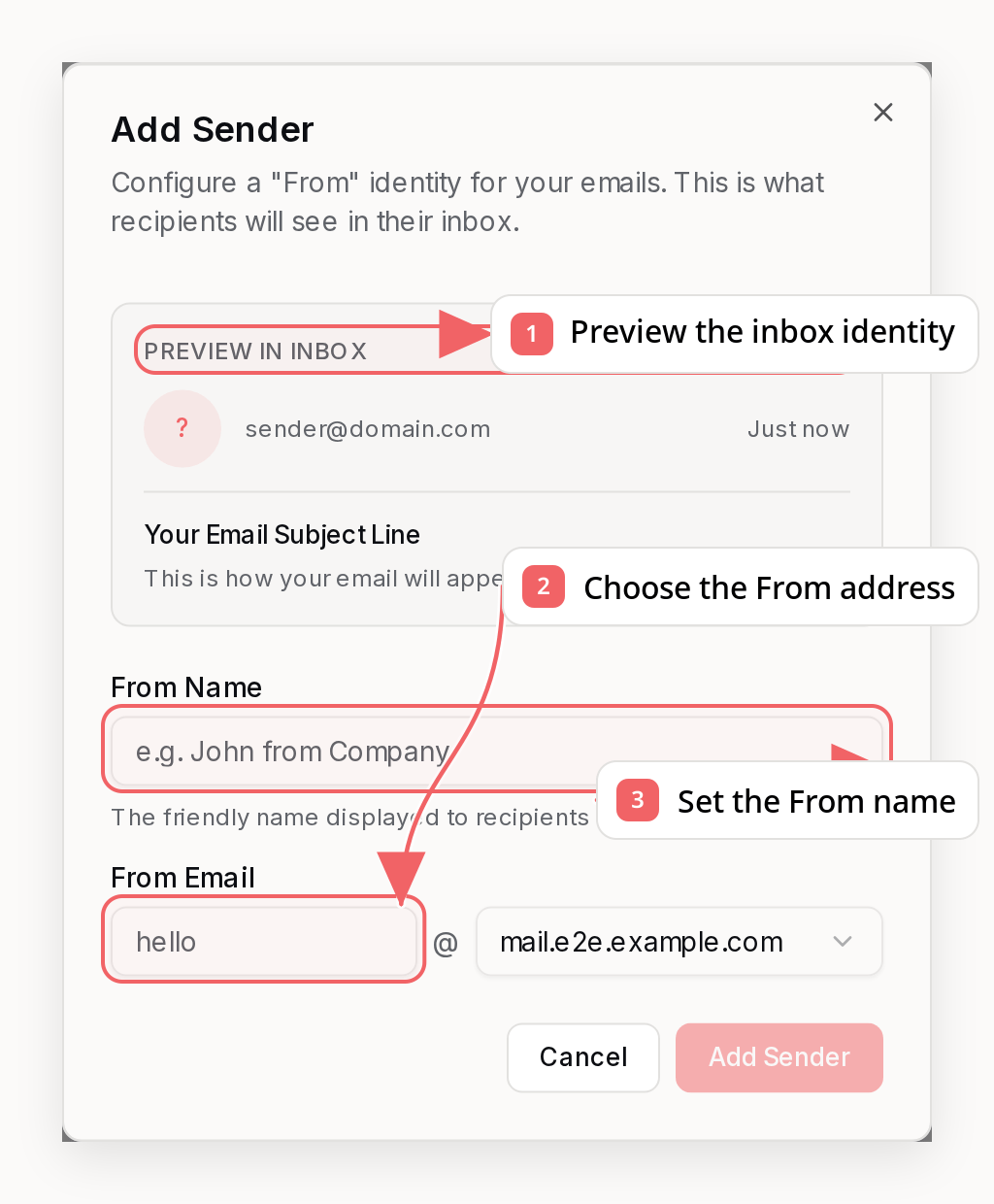
Add A Reply-To Identity
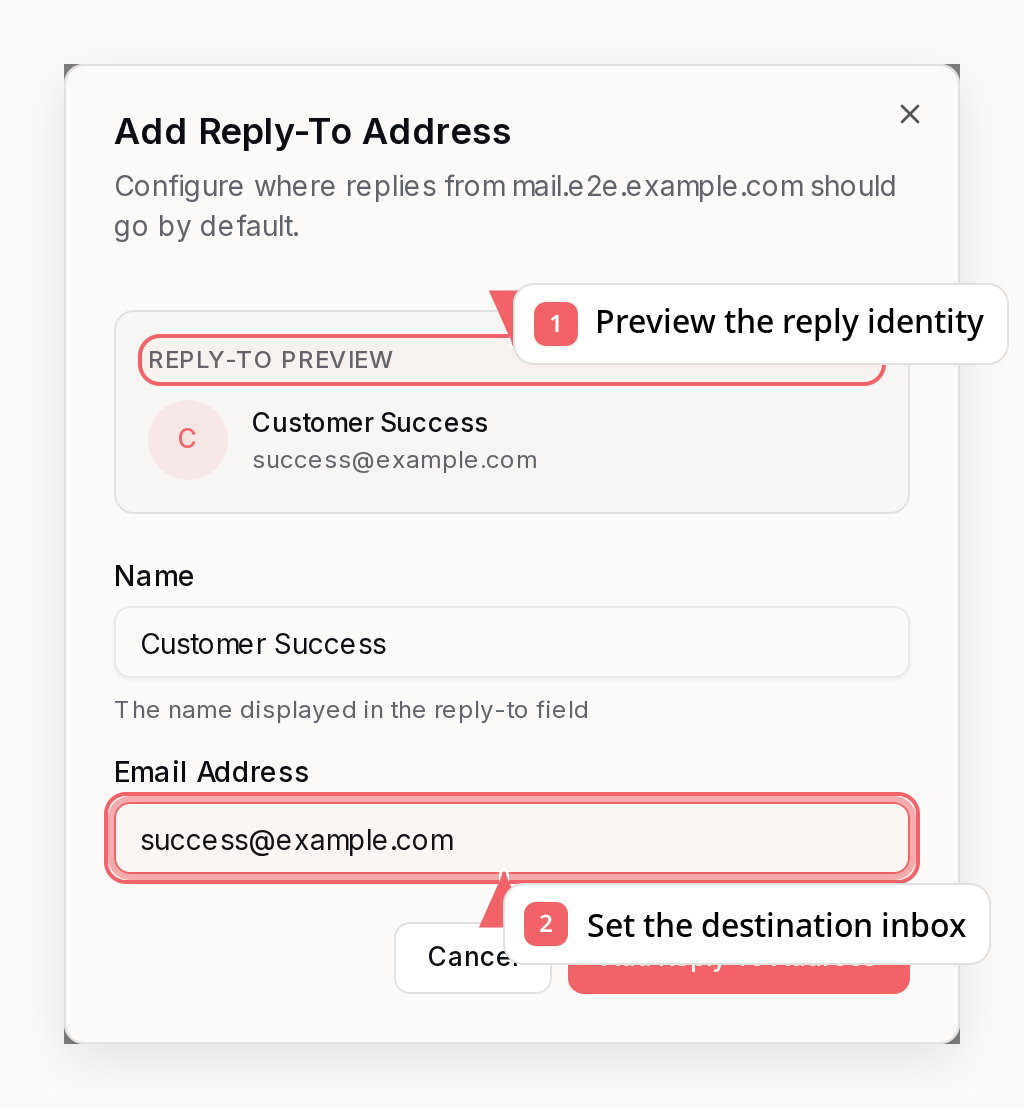
via your-subdomain.com hint when the visible sender and routing domain differ.
Several Display Names On One Address
One mailbox can carry more than one sender identity.hello@mail.example.com
can send as Example for most of your mail and as Brennon at Example for a
single sequence, without renaming the shared identity that every other campaign
and sequence uses.
Send fromEmail together with fromName and Sequenzy picks the identity of
that name on that address, creating it the first time you use it. Matching
ignores case, so a name you have already used is reused rather than duplicated.
To rename an identity everywhere it is used instead, use update_sender_profile
or sender settings.
Reply-To works differently: an address carries one Reply-To display name for the
whole workspace. If you send a replyToName that does not match the saved
profile for that address, the saved name is kept and the response warnings
array tells you so. Sequence email steps are the exception, because a step
stores its own Reply-To header and applies the name you sent to that step only.
A step’s Reply-To follows the profile it points at. Editing that profile’s
address or name updates every sequence step using it, including steps in
sequences that are already running. A per-step replyToName is the one
exception: it stays attached to that step, and the profile still supplies the
address. Send replyToName: "" to drop the override and go back to following
the profile’s name. Because steps depend on profiles this way, a reply profile
used by a step in an active sequence cannot be deleted until the step points
somewhere else.
Best Practices
- Keep both the visible
Fromdomain and routing domain under the same brand - Use a subdomain for routing when you want stronger reputation isolation
- Move transactional and marketing traffic onto separate routing domains when possible
- Warm up any new routing domain or dedicated IP gradually