Quick Start Guide
This guide walks you through the essential steps to start sending emails with Sequenzy.
Prerequisites
- A Sequenzy account (sign up here)
- A verified sending domain (configured in Settings → Domains)
- An API key (generated in Settings → API Keys)
Step 1: Get Your API Key
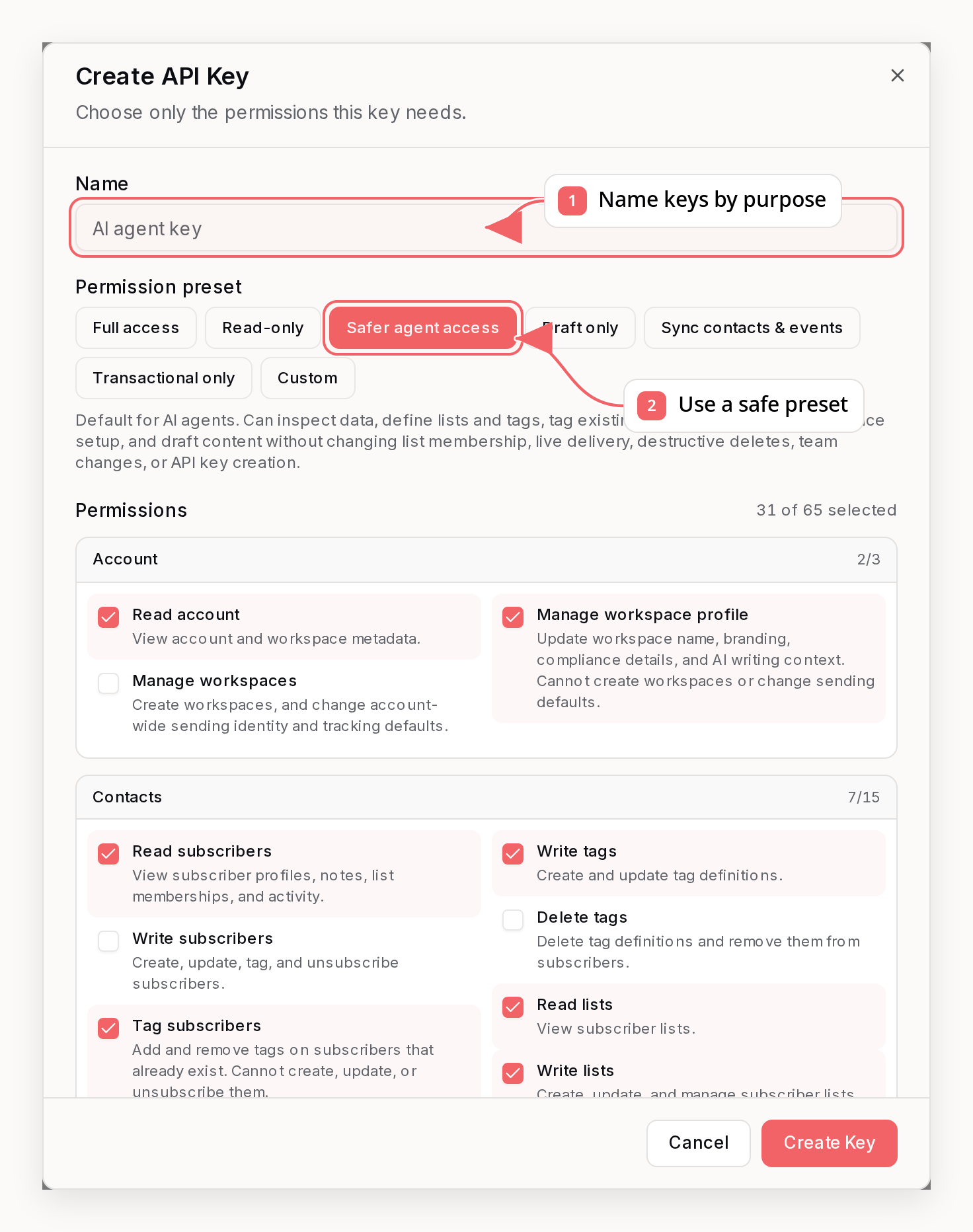
- Log in to your Sequenzy dashboard
- Navigate to Settings → API Keys
- Click Create API Key
- Copy and securely store your key—it won’t be shown again
Keep your API key secret. Never expose it in client-side code or public repositories.
Step 2: Add Your First Subscriber
Use the API to create a subscriber:
curl -X POST "https://api.sequenzy.com/api/v1/subscribers" \
-H "Authorization: Bearer YOUR_API_KEY" \
-H "Content-Type: application/json" \
-d '{
"email": "[email protected]",
"firstName": "John",
"lastName": "Doe",
"tags": ["new-signup"],
"customAttributes": {
"plan": "free",
"source": "website"
}
}'
Step 3: Tag Subscribers Based on Actions
When users take actions in your app, tag them to trigger automations:
curl -X POST "https://api.sequenzy.com/api/v1/subscribers/tags" \
-H "Authorization: Bearer YOUR_API_KEY" \
-H "Content-Type: application/json" \
-d '{
"email": "[email protected]",
"tag": "customer"
}'
Step 4: Track Events
Send events when important things happen:
curl -X POST "https://api.sequenzy.com/api/v1/subscribers/events" \
-H "Authorization: Bearer YOUR_API_KEY" \
-H "Content-Type: application/json" \
-d '{
"email": "[email protected]",
"event": "purchase_completed",
"properties": {
"orderId": "order_12345",
"amount": 99.99,
"product": "Pro Plan"
}
}'
Step 5: Send a Transactional Email
Send an immediate email using a template or direct content:
Using a Template
curl -X POST "https://api.sequenzy.com/api/v1/transactional/send" \
-H "Authorization: Bearer YOUR_API_KEY" \
-H "Content-Type: application/json" \
-d '{
"to": "[email protected]",
"slug": "welcome-email",
"variables": {
"firstName": "John",
"dashboardUrl": "https://app.example.com/dashboard"
}
}'
Direct Content
curl -X POST "https://api.sequenzy.com/api/v1/transactional/send" \
-H "Authorization: Bearer YOUR_API_KEY" \
-H "Content-Type: application/json" \
-d '{
"to": "[email protected]",
"subject": "Welcome to Our Platform!",
"body": "<h1>Welcome, {{FIRST_NAME}}!</h1><p>Thanks for signing up.</p>",
"variables": {
"firstName": "John"
}
}'
What’s Next?
Common Integration Patterns
User Registration
// When a user signs up
await fetch("https://api.sequenzy.com/api/v1/subscribers", {
method: "POST",
headers: {
Authorization: `Bearer ${SEQUENZY_API_KEY}`,
"Content-Type": "application/json",
},
body: JSON.stringify({
email: user.email,
firstName: user.firstName,
lastName: user.lastName,
tags: ["new-signup"],
customAttributes: {
userId: user.id,
plan: "free",
signupDate: new Date().toISOString(),
},
}),
});
Subscription Upgrade
// When a user upgrades
await fetch("https://api.sequenzy.com/api/v1/subscribers/events", {
method: "POST",
headers: {
Authorization: `Bearer ${SEQUENZY_API_KEY}`,
"Content-Type": "application/json",
},
body: JSON.stringify({
email: user.email,
event: "saas.purchase",
properties: {
plan: "pro",
amount: 29.99,
currency: "USD",
},
}),
});
Order Confirmation
// Send order confirmation email
await fetch("https://api.sequenzy.com/api/v1/transactional/send", {
method: "POST",
headers: {
Authorization: `Bearer ${SEQUENZY_API_KEY}`,
"Content-Type": "application/json",
},
body: JSON.stringify({
to: customer.email,
slug: "order-confirmation",
variables: {
orderNumber: order.id,
total: order.total,
items: order.items.map((i) => i.name).join(", "),
},
}),
});