
What Gets Synced
- Wix form submissions create or update subscribers and trigger
wix.form_submitted - Wix contacts create or update subscribers and trigger
wix.contact_created - Wix Stores order creation creates or updates the shopper and triggers
ecommerce.order_placed
Setup
1
Start from Sequenzy
Open Settings → Integrations, find Wix under E-Commerce, and
click Install for Wix.
2
Install the Wix app
Install the Sequenzy app from the Wix App Market on the site you want to
connect.
3
Choose the workspace
Connect the Wix app to the right Sequenzy workspace.
4
Route new subscribers
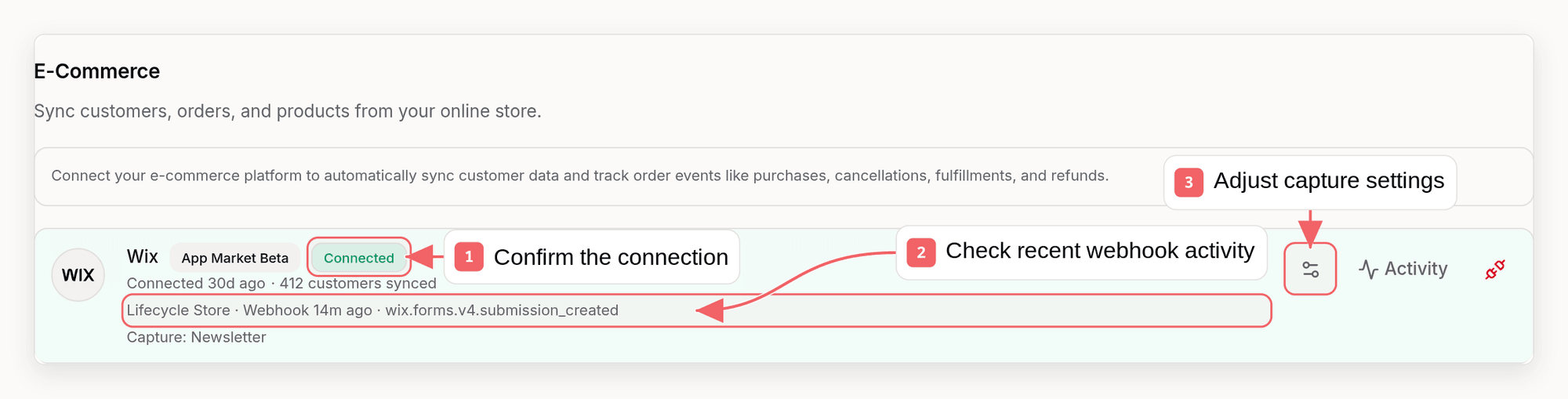
Open the Wix gear icon in Sequenzy to choose which lists receive Wix
subscribers.
List Routing
By default, new Wix subscribers use your workspace default subscriber lists. Open the Wix settings gear in Settings → Integrations and choose:- Default workspace lists
- No list membership
- Specific lists
Troubleshooting
If Wix activity is not reaching Sequenzy:- Confirm the Sequenzy app is still installed on the Wix site and the integration card shows it as connected to this workspace.
- Check that the form, contact, or order includes an email address. Events without an email are skipped.
- Wix events are processed in the background, so new subscribers can take a few seconds to appear.
Notes
- The Wix app install flow is the primary setup path.
- Embedded Sequenzy widgets and direct API calls remain available for custom Wix builds.